


Desktop Rackmount Load Balance Broadband Router

TP-Link TL-R480T+ V9 Desktop/Rackmount Load Balance Broadband Router
Description
Additional information
| VEIKK , A50 , DRAWING , TABLET , 10 |
{attribute:VEIKK , A50 , DRAWING , TABLET , 10 |
|---|
Related products


Type-C to LAN 10/100/1000 MBps Gigabit Ethernet Adapter
- Type C USB 3.1 Male to 1000M Gigabit Ethernet Network LAN Adapter for Apple Macbook & Laptop PC
- Powered via USB - No external power adapter needed & Automatically saves power when Ethernet cable is unplugged.
- Supports Wake-on-LAN and 'RealWoW!' (Wake-on-LAN)Technology Supports twisted pair crossover detection and auto-correction(HP Auto-MDIX).
- USB 3.1 interface support Plug and Play. Hot Swap, Easy to use and Carry.
- Mac OS X 10.5 to 10.10 (For Mac OS 10.6 or below, you need to download driver)
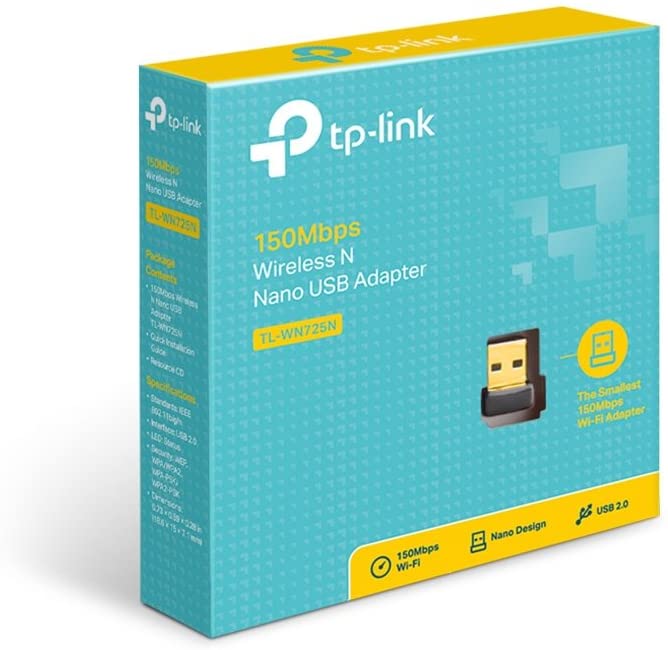
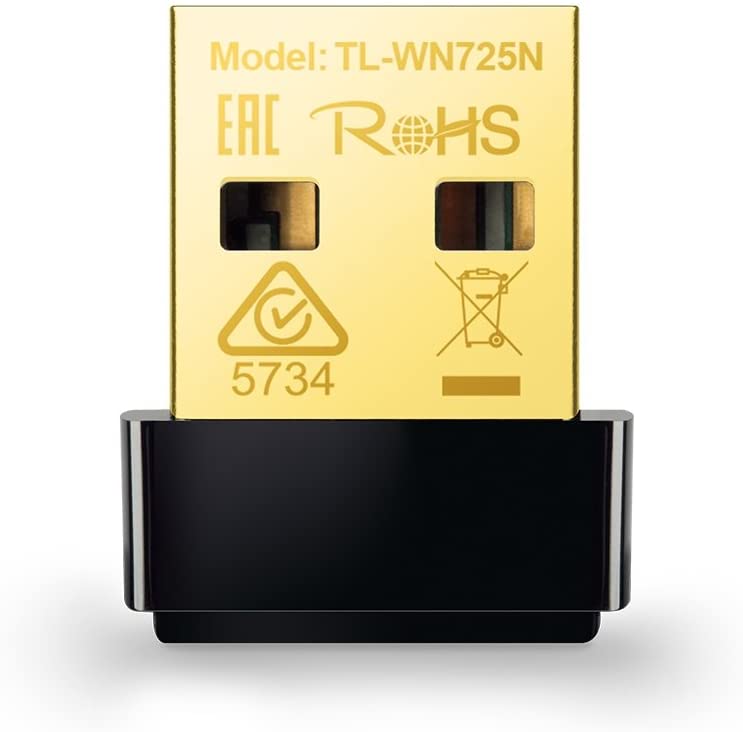
TP-Link USB WiFi Adapter for PC(TL-WN725N)
About this item
- USB Wi-Fi Adapter: Upgrade your Wi-Fi speeds up to 150 Mbps for lag free video streaming and Internet calls
- Stronger Wi Fi Coverage: 2. 4GHz band Wi Fi covers your house everywhere
- Mini Design: allows you to plug it in and forget it is even there; Wireless modes ad hoc/ infrastructure mode; Wireless security supports 64/128 WEP, WPA/WPA2, WPA psk/WPA2 psk (TKIP/AES), supports IEEE 802. 1x
- Industry leading support: 2 Year and Free 24/7 technical support
- Compatibility: Compatible with Windows (XP/7/8/8. 1/10) Mac OS (10. 9 - 10. 15) Linux Kernel (2. 6. 18 - 4. 4. 3)
- Driver installation may be required, Please go to Link website for the latest driver for your operating systems

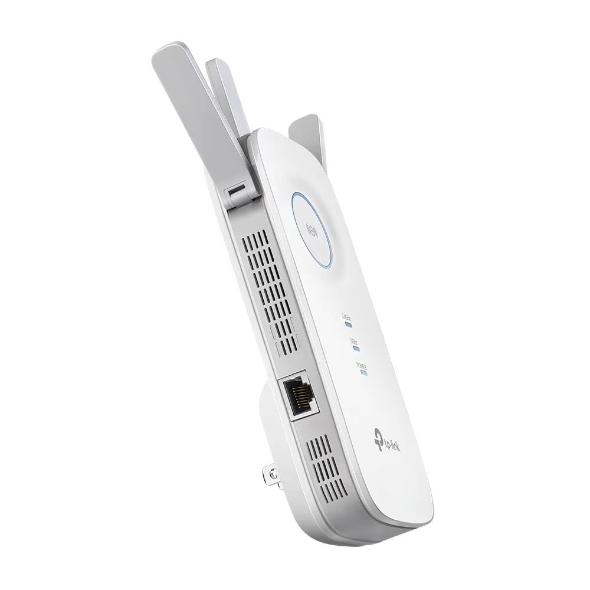
TP-LINK RE450 AC1750 WIFI RANGE EXTENDER
RE450
AC1750 Wi-Fi Range Extender
- AC1750 Dual Band Wi-Fi - Simultaneous 450Mbps on 2.4GHz + 1300Mbps on 5GHz
- Three Antennas - Three adjustable external antennas provide optimal Wi-Fi coverage and reliable connections
- Gigabit Ethernet port - Act as a wireless adapter to connect a wired device to your network at Gigabit speed
- Intelligent Signal Light - Help to find the best location for optimal Wi-Fi coverage by showing the signal strength
- AP Mode - Create a new Wi-Fi access point to enhance your wired network with Wi-Fi capability
- TP-Link Tether App - Easily access and manage your network using any iOS or Android mobile device
- Ultimate Compatibility - Extend the range of any Wi-Fi router or wireless access point
| WIRELESS | |
|---|---|
| Working Modes | Range Extender/Access Point |
| HARDWARE FEATURES | |
|---|---|
| Plug Type | EU, UK, US, AU, KR, JP |
| Standards and Protocols | IEEE802.11ac, IEEE 802.11n, IEEE 802.11g, IEEE 802.11b |
| Interface | 1 x 10/100/1000M Ethernet Port (RJ45) |
| Ports | 1 Gigabit Ethernet Port |
| Button | WPS Button, Reset Button, LED Button, Power Button |
| Input Power | 100-240V~50/60Hz |
| Power Consumption | 10W(max power consumption) |
| Dimensions ( W x D x H ) | 6.4 x 3.0 x 2.6 in. (163 x 76.4 x 66.5mm) |
| Antenna | 3 x external |
| WIRELESS FEATURES | |
|---|---|
| Wireless Standards | IEEE 802.11a/n/ac 5 GHz, IEEE 802.11b/g/n 2.4 GHz |
| Frequency | 2.4GHz & 5GHz(11ac) |
| Signal Rate | 5GHz:Up to 1300Mbps 2.4GHz:Up to 450Mpbs |
| Reception Sensitivity | 5GHz: 11a 6Mbps:-93dBm@10% PER 11a 54Mbps: -76dBm@10% PER 11ac HT20 mcs8: -68dBm@10% PER 11ac HT40 mcs9: -64dBm@10% PER 11ac HT80 mcs9: -61dBm@10% PER 2.4GHz 11g 54M: -77dBm@10% PER 11n HT20 mcs7: -73dBm@10% PER 11n HT40 mcs7: -70dBm@10% PER |
| Wireless Modes | Range Extender/Access Point |
| Wireless Functions | Wireless Statistic Concurrent Mode Boost Both 2.4G/5G WiFi Band Access Control LED Control Domain Login Function Wi-Fi Coverage |
| Wireless Security | 64/128-bit WEP WPA-PSK / WPA2-PSK |
| Transmission Power | <20dBm(2.4GHz) <23dBm(5GHz) |


TPLINK EAP245 AC1750 WIRELESS DUAL BAND CEILING MOUNT ACCESS POINT
TPLINK-EAP245
- Fast Dual-Band Wi-Fi: Simultaneous 450 Mbps on 2.4 GHz and 1300 Mbps on 5 GHz totals 1750 Mbps Wi-Fi speeds.†
- Integrated into Omada SDN: Zero-Touch Provisioning (ZTP)‡, Centralized Cloud Management, and Intelligent Monitoring.
- Centralized Management: Cloud access and Omada app for ultra convenience and easy management.
- Seamless Roaming: Even video streams and voice calls are unaffected as users move between locations.§
- PoE Support: Support both standard 802.3af/at and Passive PoE (PoE adapter included) for flexible installations.
- Secure Guest Network: Along with multiple authentication options (SMS/Facebook Wi-Fi/ Voucher, etc.) and abundant wireless security technologies.
| HARDWARE FEATURES | |
|---|---|
| Interface | 2 × Gigabit Ethernet (RJ-45) Ports |
| Physical Security Lock | Yes |
| Button | Reset |
| Power Supply | 802.3af/at PoE or 48V Passive PoE (+4,5pins; -7,8pins. PoE Adapter Included) |
| Power Consumption | 12.3 W |
| Dimensions ( W x D x H ) | 8.1 × 7.1 × 1.5 in. (206 × 182 × 37 mm) |
| Antenna Type | Internal Omni 2.4GHz: 3 × 4dBi 5GHz: 3 × 4dBi |
| Mounting | Ceiling or Wall Mount (Mounting kit included) |
| WIRELESS FEATURES | |
|---|---|
| Wireless Standards | IEEE 802.11ac/n/g/b/a |
| Frequency | 2.4GHz and 5GHz |
| Signal Rate | 5GHz:Up to 1300Mbps 2.4GHz:Up to 450Mbps |
| Wireless Functions | Multiple SSIDs(Up to 16 SSIDs, 8 for each band) Enable/Disable Wireless Radio Automatic Channel Assignment Transmit Power Control (Adjust Transmit Power on dBm) QoS(WMM) MU-MIMO (Wave 2) Seamless Roaming Band Steering Load Balance Airtime Fairness Beamforming Rate Limit Reboot Schedule Wireless Schedule Wireless Statistics based on SSID/AP/Client |
| Wireless Security | Captive Portal Authentication Access Control Wireless Mac Address Filtering Wireless Isolation Between Clients SSID to VLAN Mapping Rogue AP Detection 802.1X Support 64/128/152-bit WEP / WPA / WPA2-Enterprise, WPA-PSK / WPA2-PSK |
| Transmission Power | FCC: ≤25dBm(2.4GHz) ≤27dBm(5GHz) |
| MANAGEMENT | |
|---|---|
| Omada App | Yes |
| Centralized Management | • Omada Cloud-Based Controller • Omada Hardware Controller (OC300) • Omada Hardware Controller (OC200) • Omada Software Controller |
| Cloud Access | Yes omada.tplinkcloud.com |
| Email Alerts | Yes |
| LED ON/OFF Control | Yes |
| Management MAC Access Control | Yes |
| SNMP | v1, v2c |
| System Logging Local/Remote Syslog | Local/Remote Syslog |
| SSH | Yes |
| Web-based Management | HTTP/HTTPS |
| L3 Management | Yes |
| Multi-site Management | Yes |
| Management VLAN | Yes |
| Zero-Touch Provisioning | Yes. Requiring the use of Omada Cloud-Based Controller. |


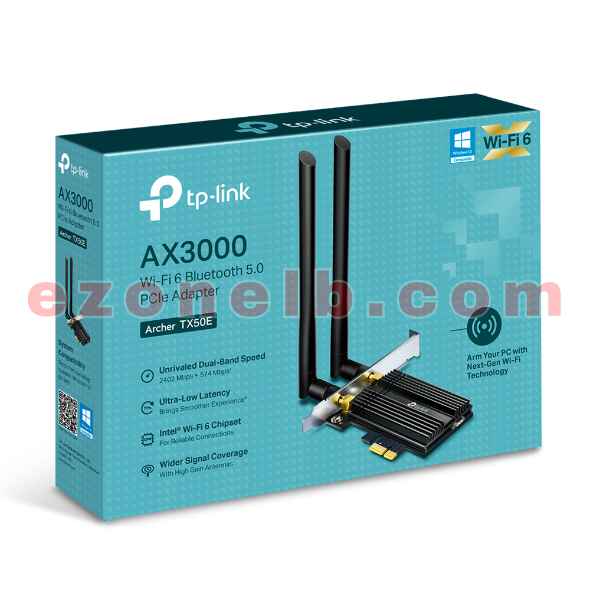
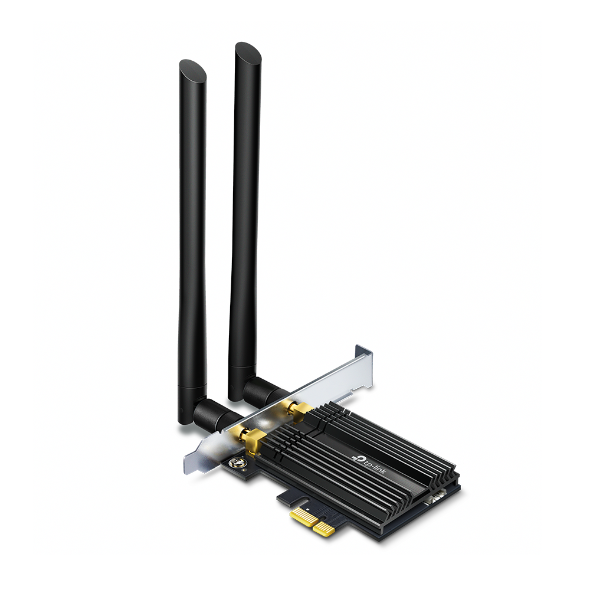
TP-LINK AX3000 Wi-Fi 6 Bluetooth 5.0 PCIe Adapter
TL-TX50E AX3000 Wi-Fi 6 Bluetooth 5.0 PCIe Adapter
| HARDWARE FEATURES | |
|---|---|
| Dimensions | 3.7 x 4.8 x 0.8 in (95.2 x 120.8 x 21.5 mm) |
| Antenna Type | Two High-Gain Dual Band Antennas |
| Chipset | Intel Wi-Fi 6 Chipset |
| WIRELESS FEATURES | |
|---|---|
| Wireless Standards | IEEE 802.11ax/ac/n/a 5 GHz IEEE 802.11ax/n/g/b 2.4 GHz Bluetooth 5.0/4.2/4.0 |
| WLAN Signal Rate | 5 GHz 11ax: Up to 2402 Mbps(dynamic) 11ac: Up to 1733 Mbps(dynamic) 11n: Up to 300 Mbps(dynamic) 11a: Up to 54 Mbps(dynamic) 2.4 GHz 11ax: Up to 574 Mbps(dynamic) 11n: Up to 300 Mbps(dynamic) 11g: Up to 54 Mbps(dynamic) 11b: Up to 11 Mbps(dynamic) |
| WLAN Reception Sensitivity | 5 GHz : 11ax HT160:-56.25dBm 11ax HT80: -59dBm 11ax HT40: -62.25dBm 11ax HT20: -65dBm 11ac HT160:-62dBm 11ac HT80: -65.5dBm 11ac HT40: -69.75dBm 11ac HT20: -73.75dBm 11n HT40: -74.5dBm 11n HT20: -77.5dBm 11a 54Mbps: -77.75dBm 11a 6Mbps: -94.5dBm 2.4GHz : 11ax HT40: -60.75dBm 11ax HT20: -63.75dBm 11n HT40: -73dBm 11n HT20: -76.25dBm 11g 54Mbps: -76.5dBm 11b 11Mbps: -89dBm |
| WLAN Transmit Power | 5 GHz : 27dBm(FCC) 2.4 GHz : 26dBm(FCC) |
| WLAN Modes | Infrastructure mode |
| Wireless Security | Support 64/128 bit WEP, WPA/WAP2/WPA3, WPA-PSK/WPA2-PSK, 802.1x |
| Modulation Technology | DBPSK, DQPSK, CCK, OFDM, 16-QAM, 64-QAM, 256-QAM, 1024QAM |
| Bluetooth Profiles | Archer TX50E support the native BT profiles implemented in Windows 10. For the latest information on Windows 10 BT profiles please refer to https://support.microsoft.com/en-us/help/10568/windows-10-supported-bluetooth-profiles |