
| VEIKK , A50 , DRAWING , TABLET , 10 |
{attribute:VEIKK , A50 , DRAWING , TABLET , 10 |
|---|
-18%

Kisonli L-9090 USB 2.0 Channel Speaker – Black
Call for Price

HDMI Splitter 1 Port to 4 HDMI 4K Display Duplicate/Mirror
Call for Price
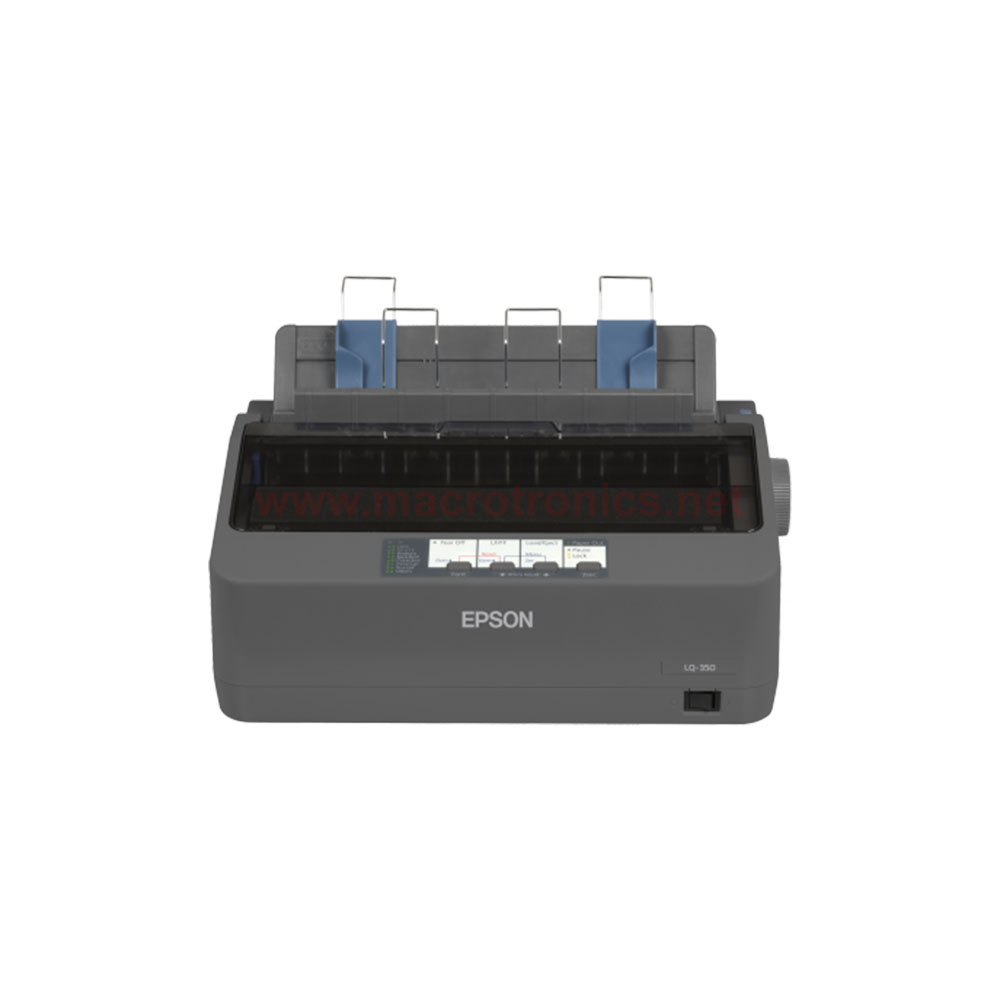
Epson LQ-350 Dot-Matrix Printer – Monochrome
Additional information
Related products
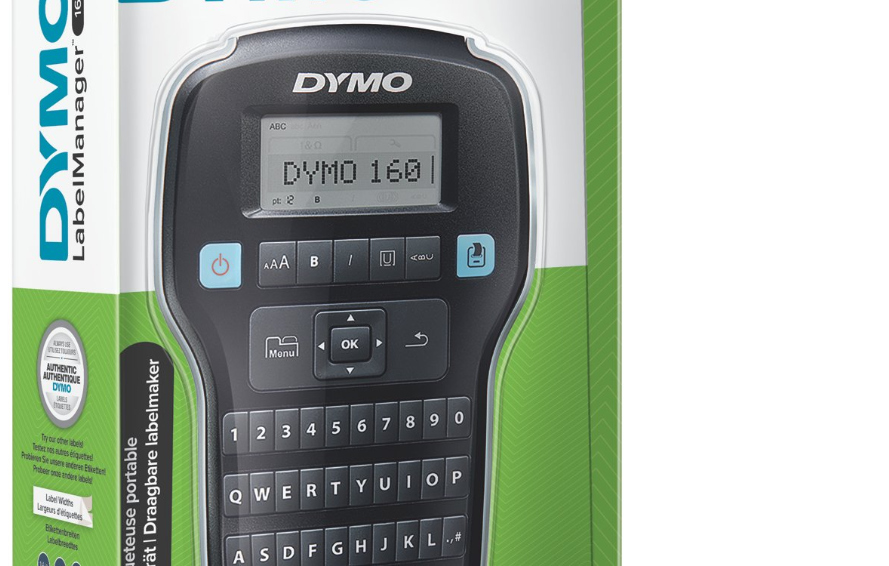

DYMO LabelManager 160 Portable Label Maker
Product Details
Description
The DYMO LabelManager® 160 is a fast, simple label maker that's easy to take with you. Quickly type text on the computer-style QWERTY keyboard, edit with one-touch fast-formatting keys, and print perfect, professional labels every time. Compact and lightweight for portability, making it easy to label just about anything, anywhere. 20+ ways to format text and more than 200 symbols and clip-art make it easy to create high-quality labels for all your organization needs. To extend the battery life, the auto power-off function turns the label maker off when not in use.
Features
- PORTABLE LABEL MAKER: Compact and lightweight for portability, making it easy to label just about anything, anywhere
- TYPE QUICKLY AND EASILY: Label maker lets you quickly type text on the familiar computer-style QWERTY keyboard, edit with one-touch fast-formatting keys and print perfect, professional labels every time
- PRINTS CUSTOM LABELS: Choose from 20+ ways to format text and 200+ symbols and clip art allows for personalization
- EXTENDED BATTERY LIFE: Enjoy extended battery life with automatic switch-off
- USE WITH AUTHENTIC DYMO LABELS: For best performance, use authentic DYMO Label Tapes in 1/4", 3/8" and 1/2" (6 mm, 9 mm, 12 mm) widths available in a variety of colors
Specifications
-
Item #1790415
-
Dimensions:10.437" x 6.312" x 2.625"
-
Color:Black
-
Label Compatibility:DYMO D1
Best For
-
Home OrganizationDYMO labels are perfect for home organization projects.
-
Files and BindersDYMO labels help organize files and binders.
-
Supplies StorageKeep track of storage and supplies with labeled boxes.


Recommended Use
- Retail
- Home Organization
- Food Service

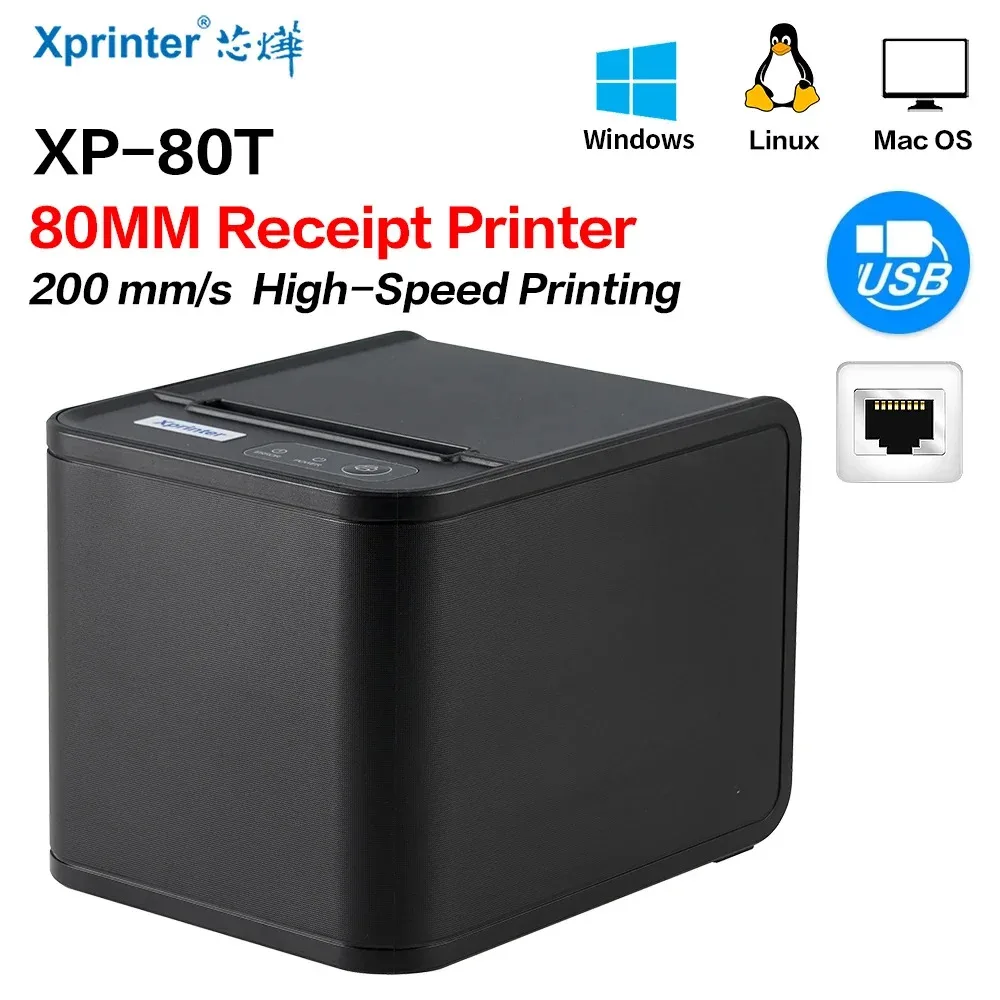
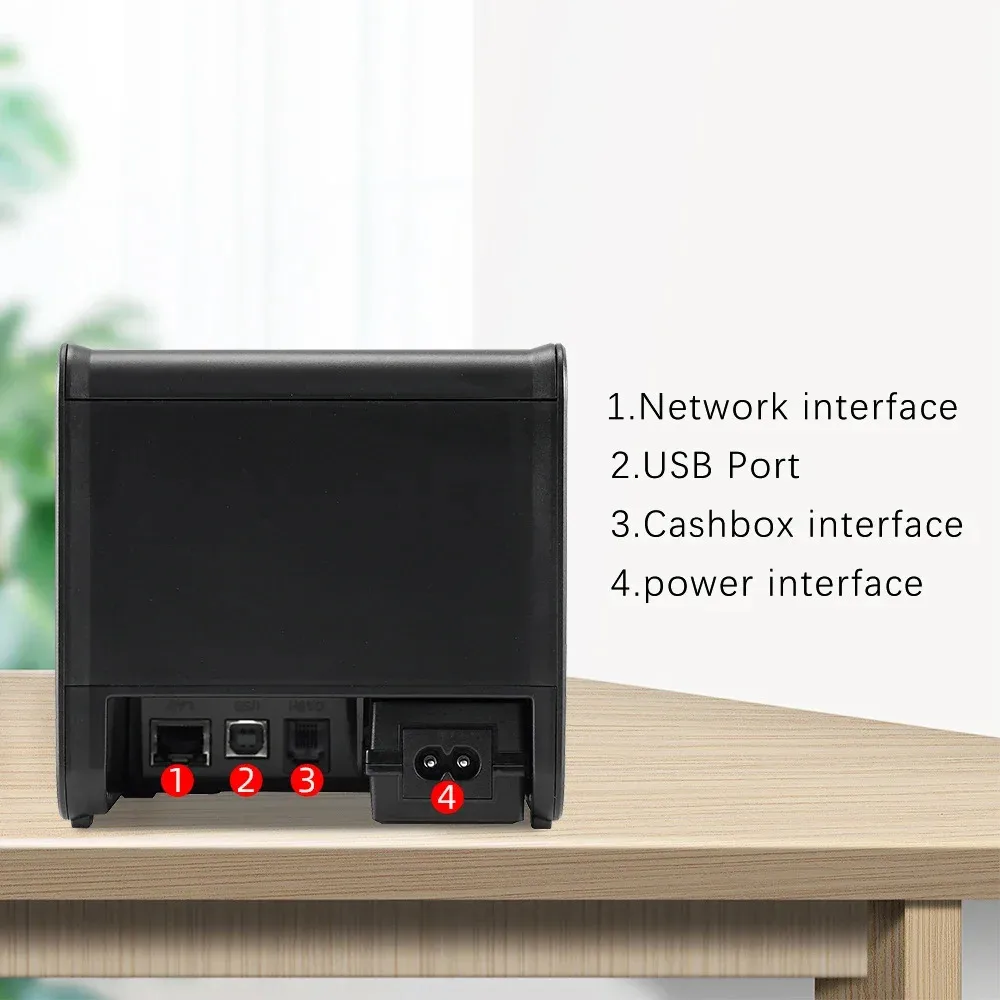
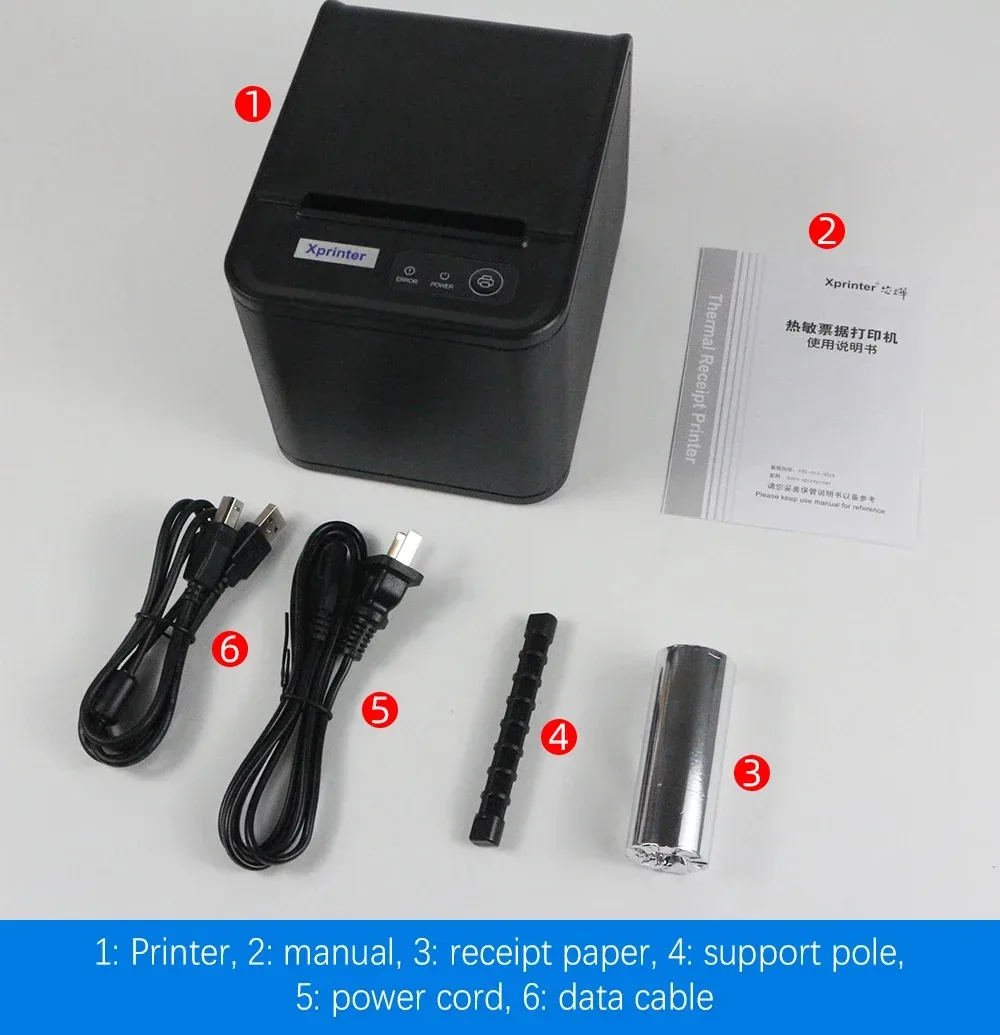
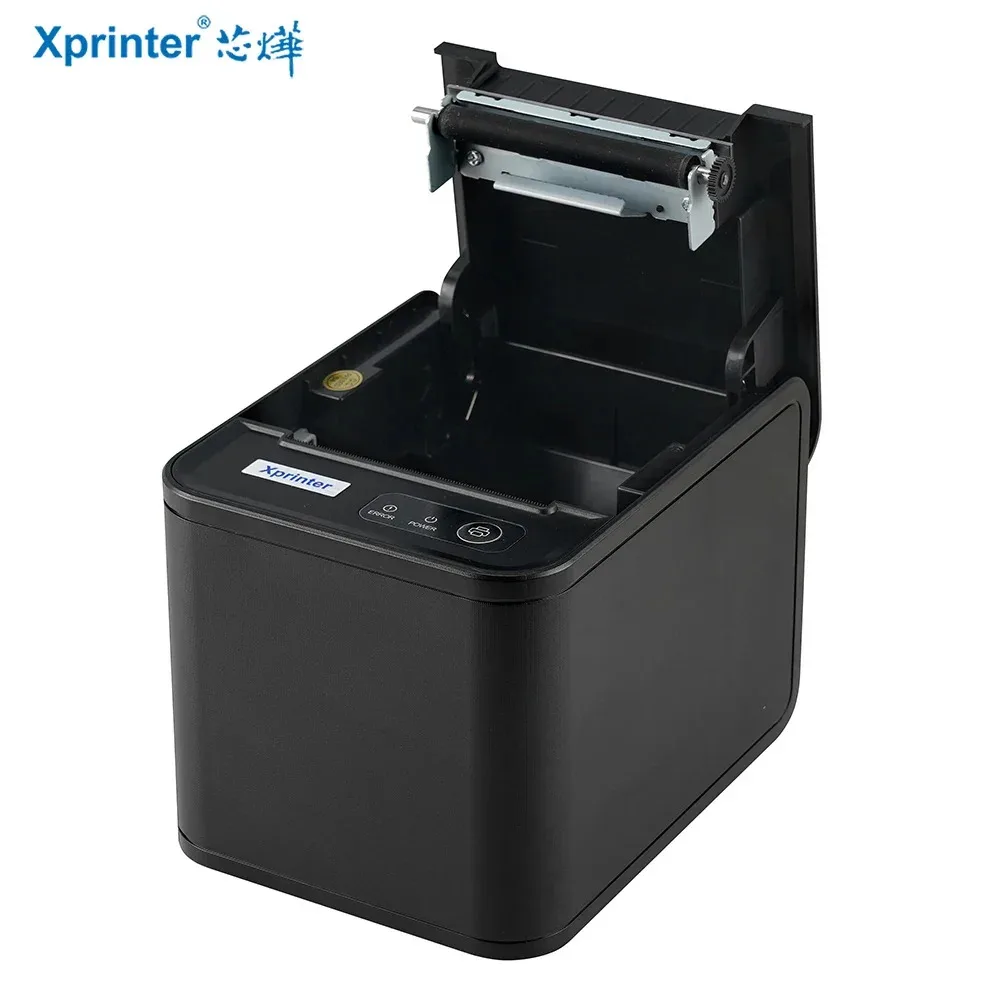
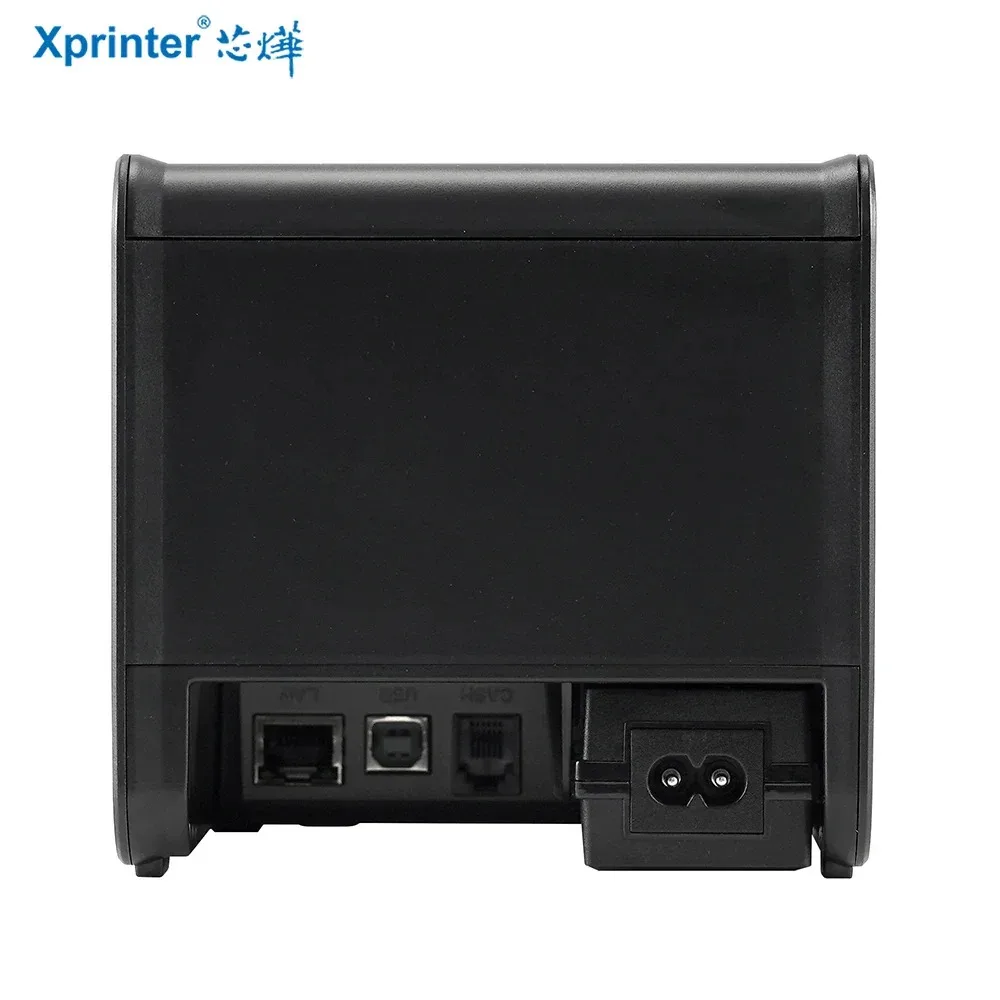
Xprinter XP-80T POS Thermal Receipt Printer, 80mm , Auto Cutter, Cash Drawer Connection Port, USB / USB+Lan Interface, Support Windows/Mac/Linux, Restaurant Kitchen Printer for ESC/POS – With 1 roll Paper
XP 80T POS Thermal Receipt Printer 80mm
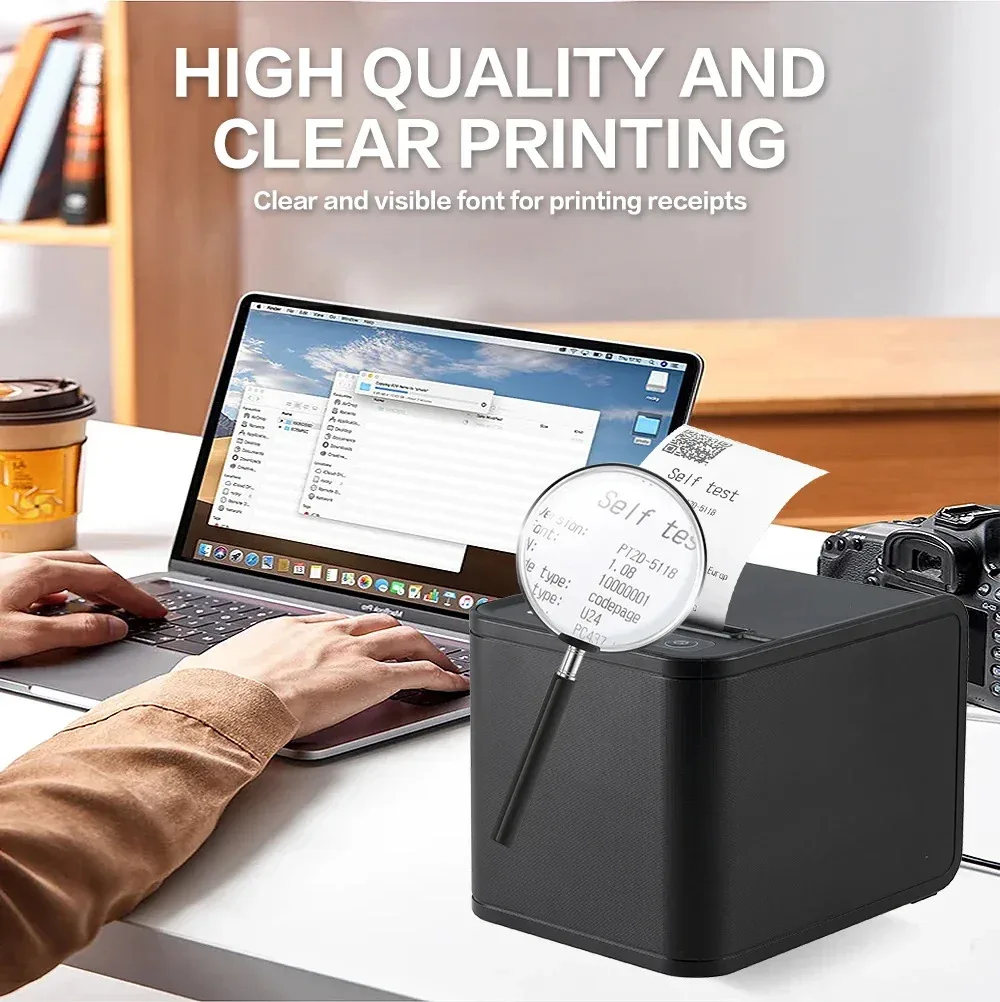
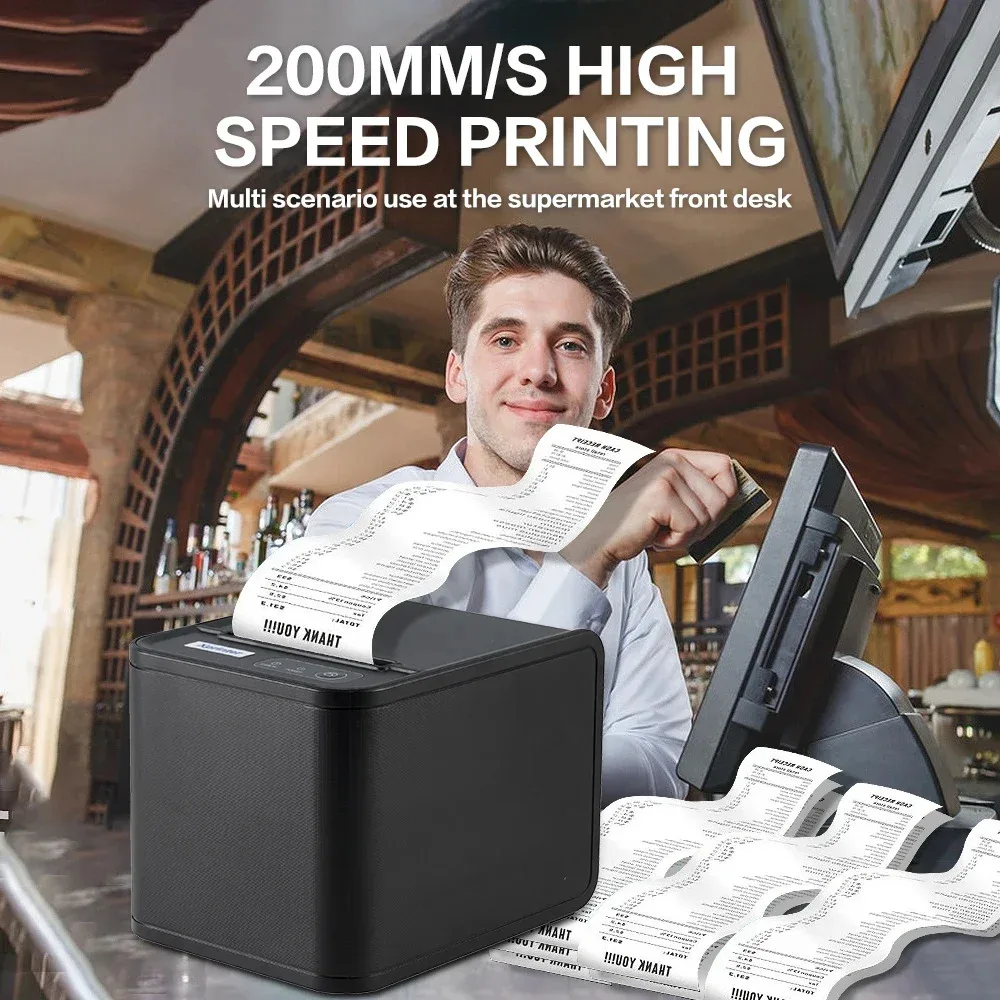
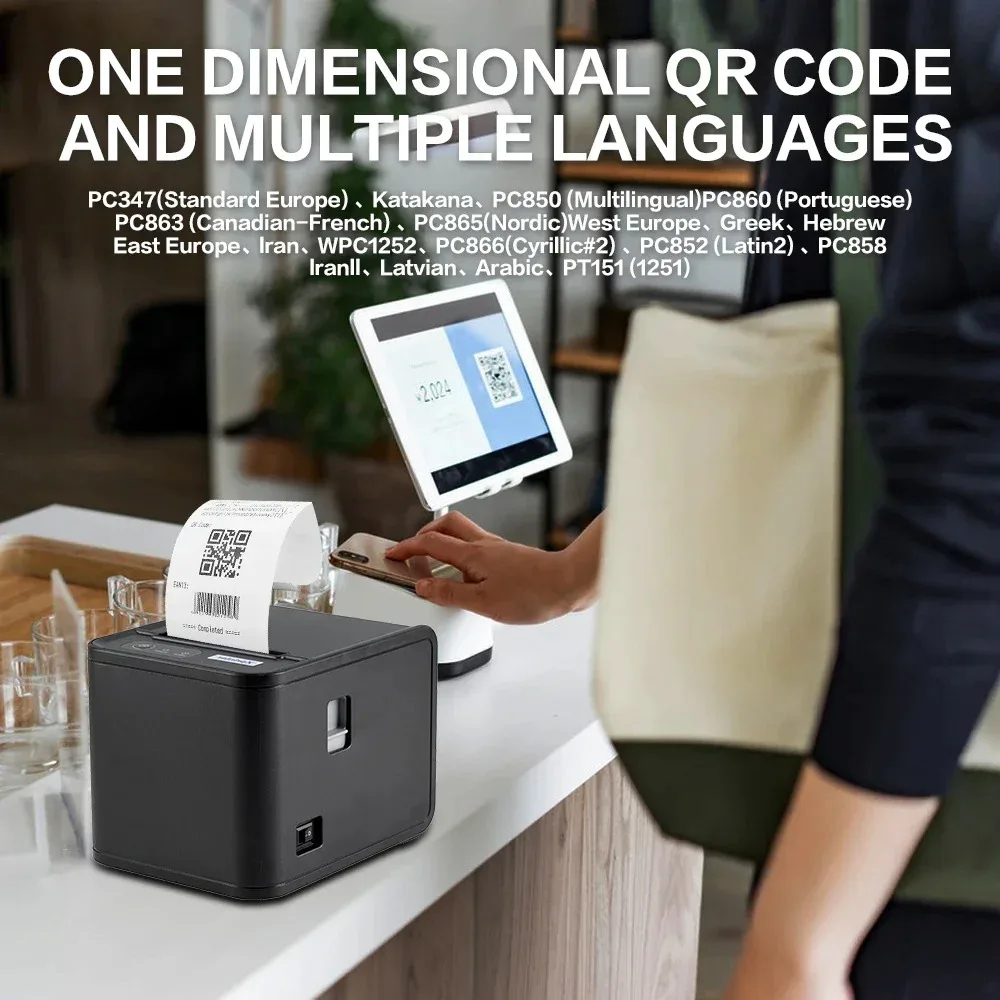
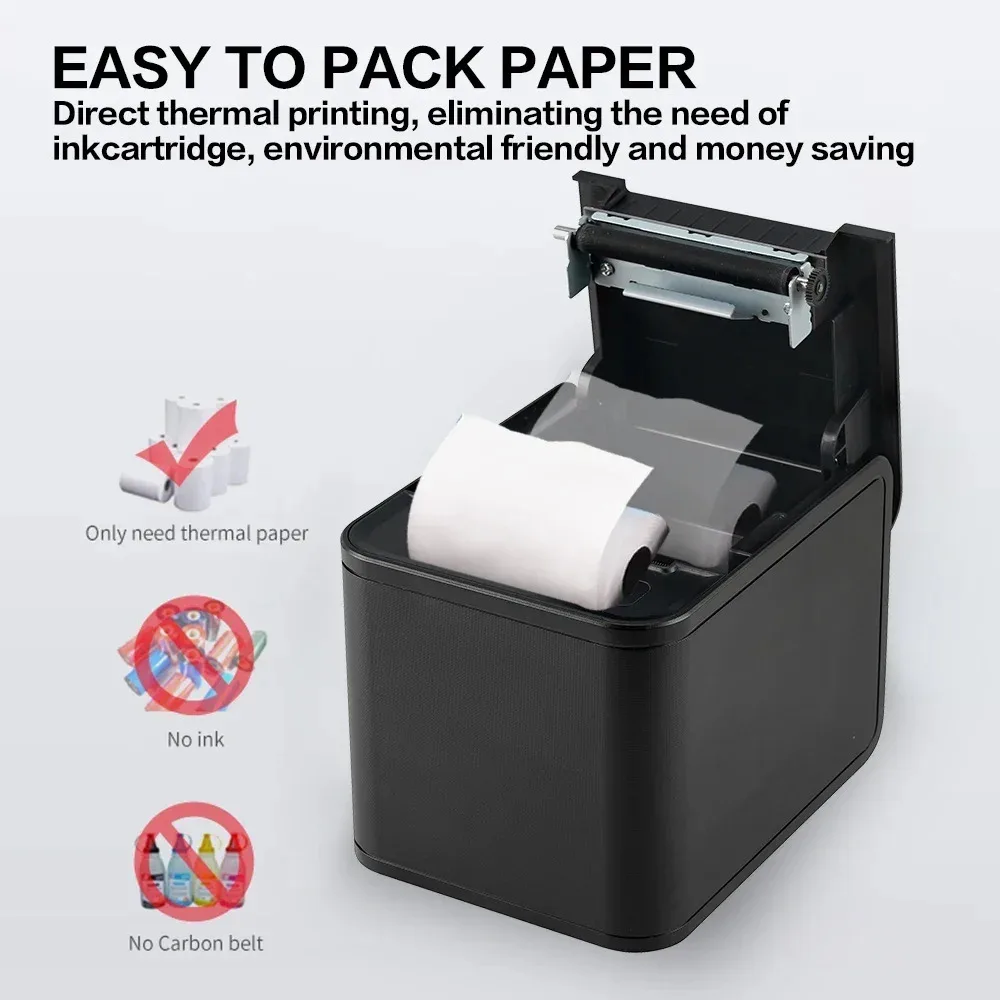
 XP-80T
XP 80T POS Thermal Receipt Printer 80mm
Xprinter XP-80T POS Thermal Receipt Printer, 80mm , Auto Cutter, Cash Drawer Connection Port, USB / USB+Lan Interface, Support Windows/Mac/Linux, Restaurant Kitchen Printer for ESC/POS - With 1 roll Paper
XP-80T
XP 80T POS Thermal Receipt Printer 80mm
Xprinter XP-80T POS Thermal Receipt Printer, 80mm , Auto Cutter, Cash Drawer Connection Port, USB / USB+Lan Interface, Support Windows/Mac/Linux, Restaurant Kitchen Printer for ESC/POS - With 1 roll Paper
Expert Features
- Xprinter Thermal Receipt Printer 80mm POS Printer USB/USB+Lan port Printer With Auto Cutter Kitchen Printer - With 1 roll Paper
- Printing speed of 200mm/s
- Support queuing/retyping/black marking function (middle black marking)
- Hidden wall mounting device, supporting wall mounting function
- Supports QR code printing, GB18030 large font library
- Equipped with paper shortage detection, supporting order prompt and error alarm functions
- Support cross network segment IP modification function (network port model)
Expert Specs
Voltage : 100-240V Dot Matrix Printer Type : Universal ticket printer Consumable Type : Thermal Paper Black Print Speed : 200MM/S Use : Receipt Printer Print Speed : 26ppm Double-sided Printing : No Supports Network Printing : Wired Paper Feed Mode : Auto Max Paper Size : 80MM Type : Thermal Printer Interface Type : USB Brand Name : Xprinter Certification : CE Xprinter Model : XP-80T
XP-80T
XP 80T POS Thermal Receipt Printer 80mm
Xprinter XP-80T POS Thermal Receipt Printer, 80mm , Auto Cutter, Cash Drawer Connection Port, USB / USB+Lan Interface, Support Windows/Mac/Linux, Restaurant Kitchen Printer for ESC/POS - With 1 roll Paper 
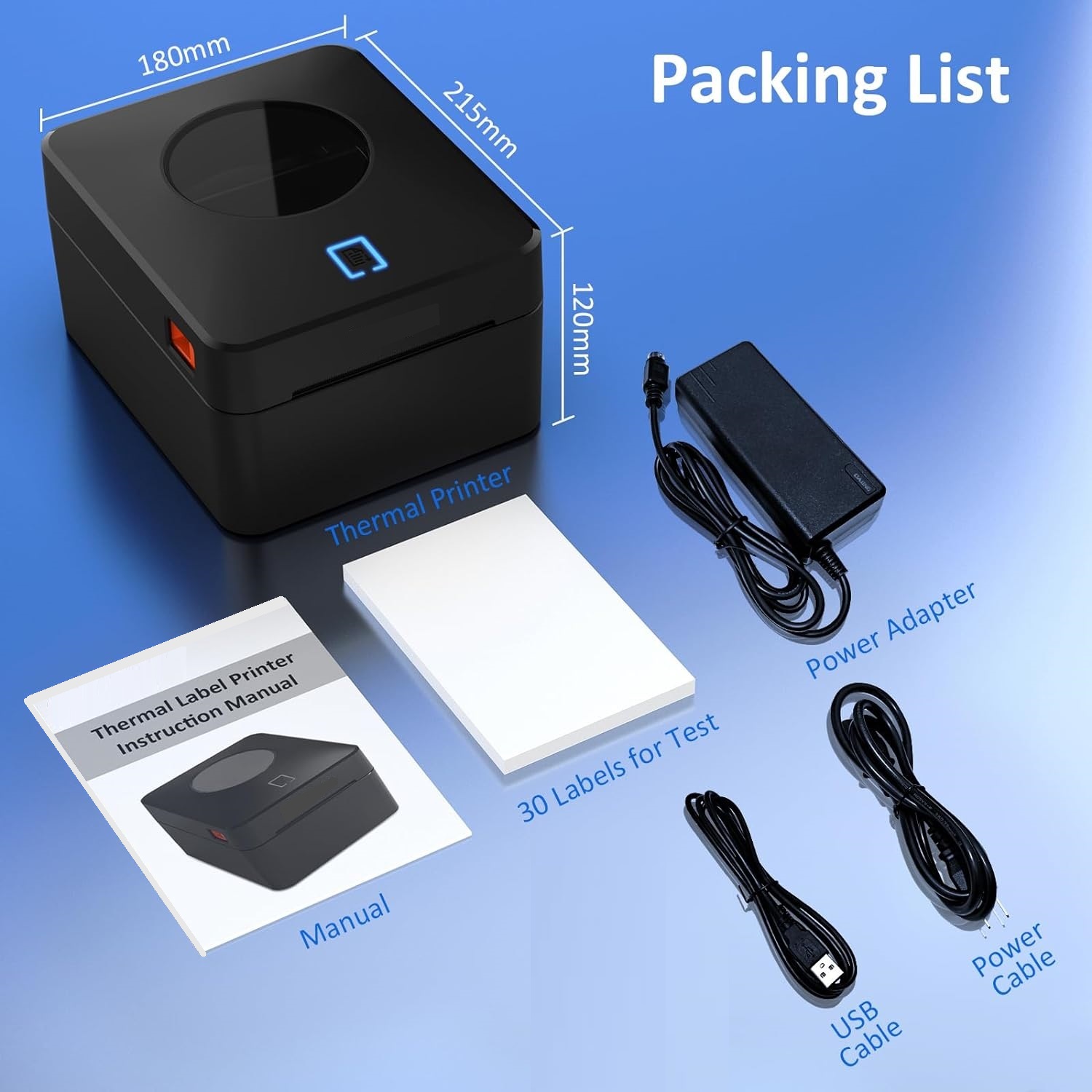
Thermal Label Printer – USB & LAN 110MM Connectivity – 4×6 Label Printer for Small Business Shipping Packages – Support Windows, Mac
Thermal Label Printer Windows Mac
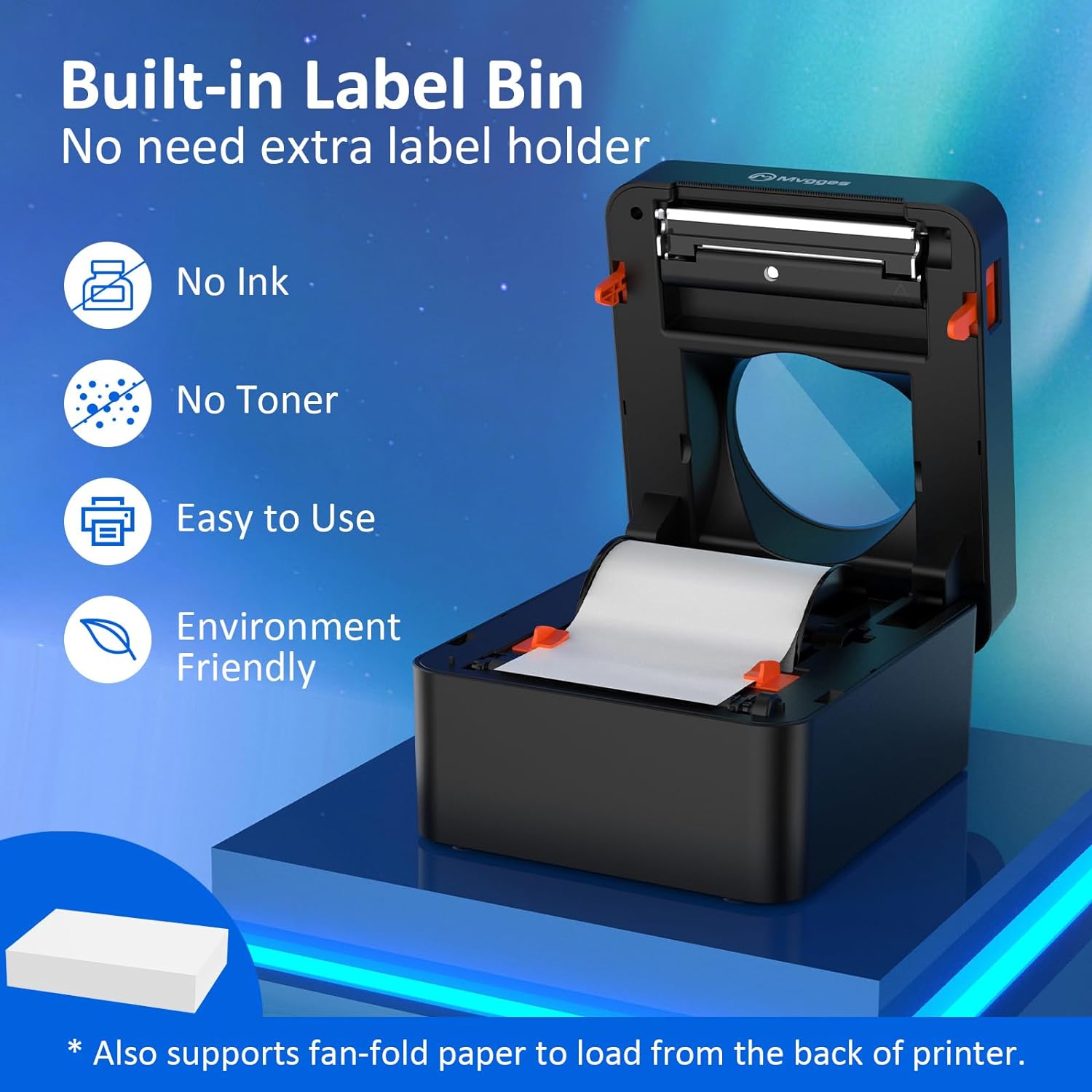
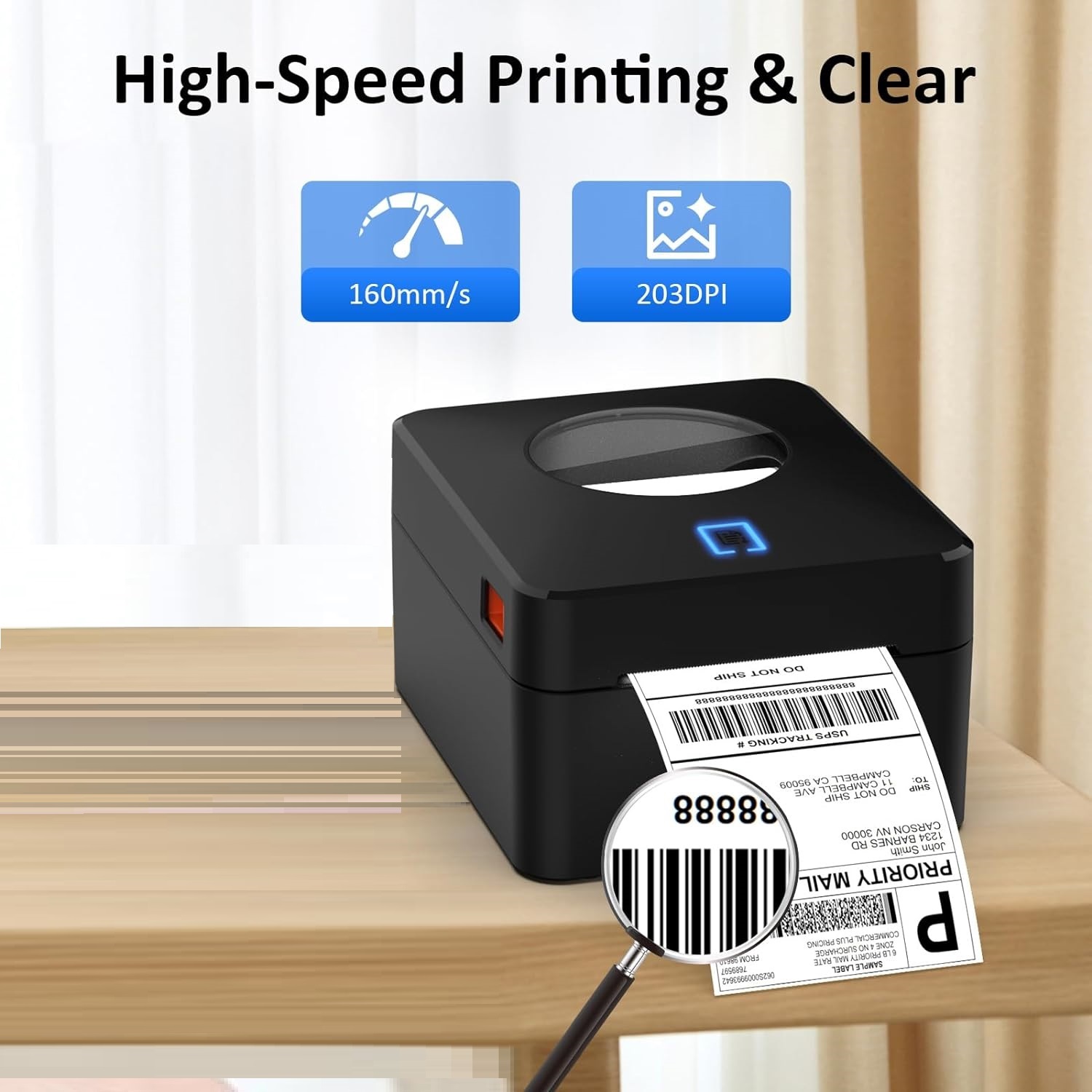
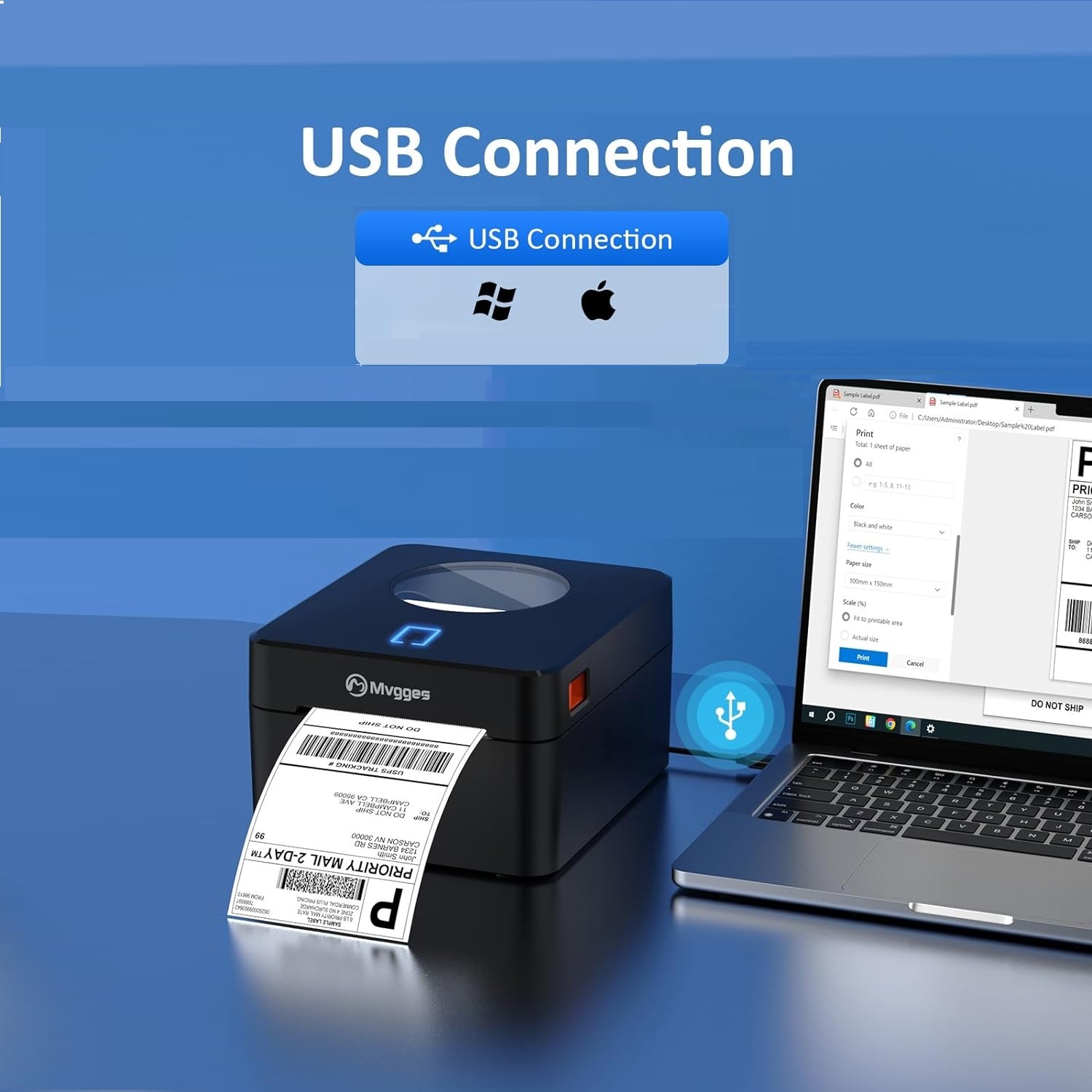
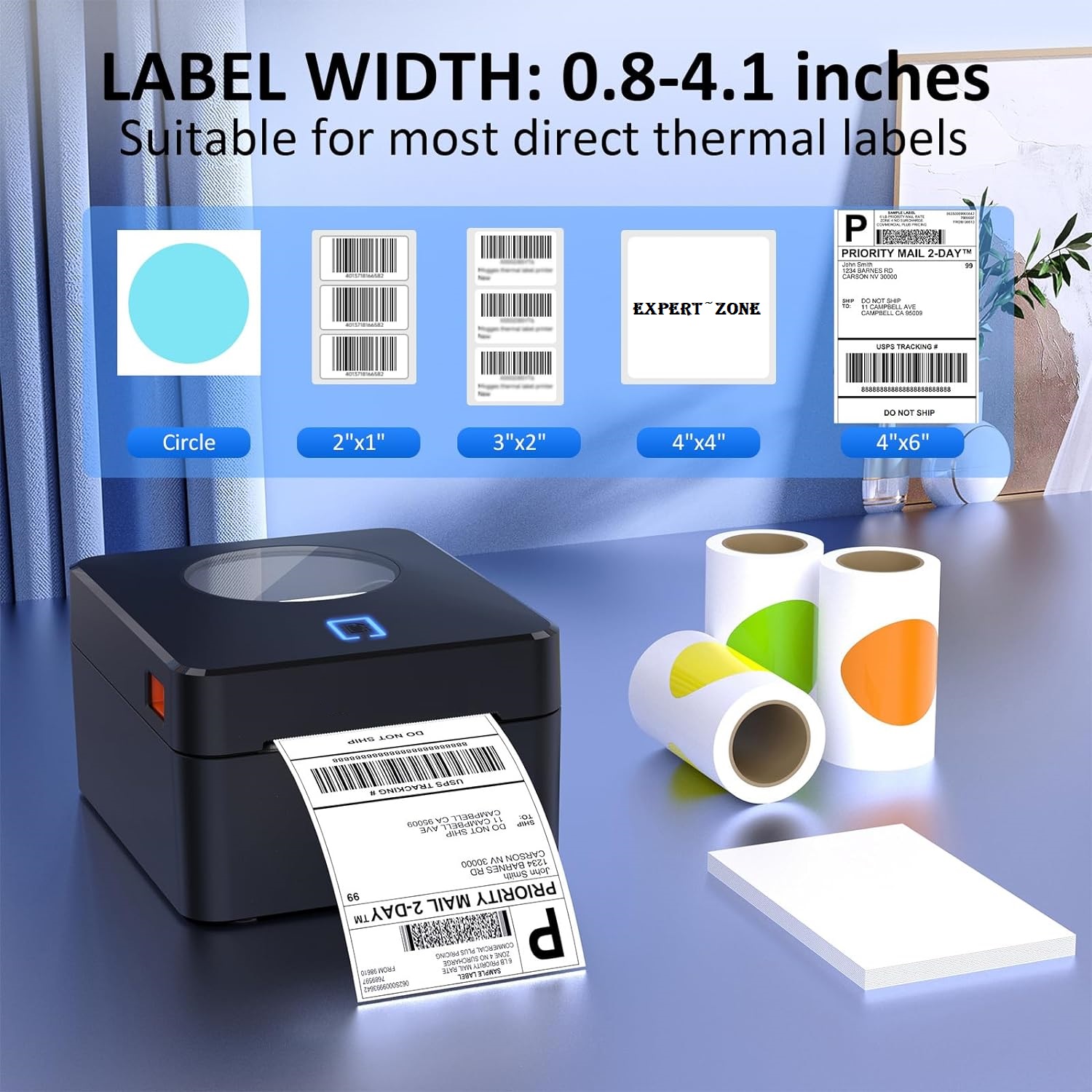
EXPERT FEATURES
【USB Thermal Label Printer】
- With USB connectivity options, this label printer allows you to easily connect and print from your computer.
【High-Quality Thermal Printing】
- Thermal printer features 203 DPI resolution for clear and professional label printing that is perfect for shipping labels, inventory management, and more.
- No ink or toner, to save your money and eliminate the hassle of replacing cartridges. It's perfect label printer for small business expert zone
【Fast and Efficient Printing for Small Business】
- Label printer with a printing speed of up to 160mm/s and support the width of 20-104mm thermal labels, making it suitable for various labeling tasks.
- Save time and increase productivity with our speedy printing capabilities.
【Flexible Between Fanfold & Roll Papers】
- Equipped with a built-in paper bin that supports both roll label and fold label, allowing you to choose the most convenient option for your labeling needs.
- This thermal label printer is compatible with all major sales platforms including USPS, UPS, Esty, eBay, Shopify, PayPal, and etc.
- Ideal for your online small business for shipping packages or product labels.
The package includes
- 4x6 label printer expert zone
- a USB drive with printer drivers and user manual.
- You'll have everything you need to get started, including 30 test labels.)

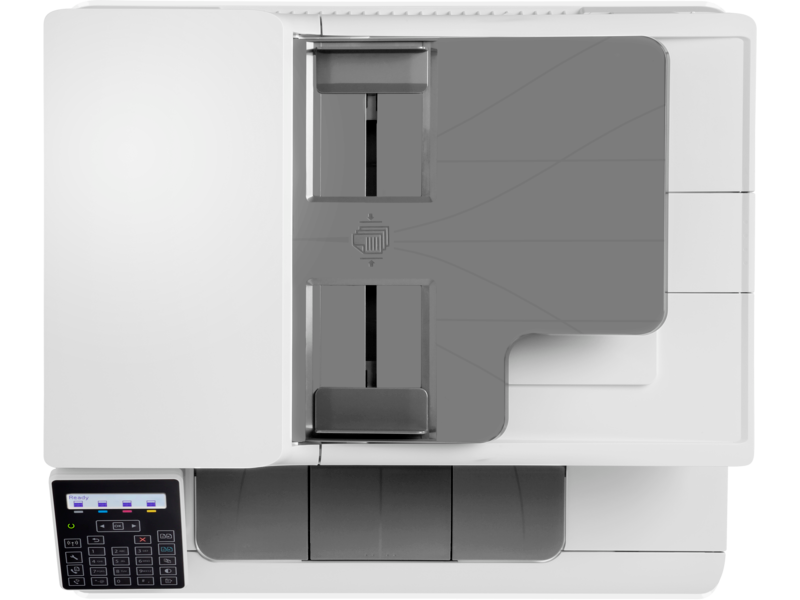
HP COLOR LASERJET PRO M183FW 4IN1 (Print, copy, scan, fax)
HP Color LaserJet Pro MFP M183fw (7KW56A)
HP-M183FW| Functions | Print, copy, scan, fax |
|---|
| Duty cycle (monthly, letter) | Up to 30,000 pagesUp to 30,000 pages |
|---|---|
| Duty cycle (monthly, A4) | Up to 30,000 pages |
| Recommended monthly page volume | 150 to 1,500 |
| Print quality black (best) | Up to 600 x 600 dpi |
| Print quality color (best) | Up to 600 x 600 dpi |
| Print languages | HP PCL6; HP PCL5c; HP postscript level 3 emulation; PWG raster; PDF; PCLm; PCLm-S; URF |
| Print technology | Laser |
| Connectivity, standard | Hi-Speed USB 2.0 port; Built-in Fast Ethernet 10/100 Base-TX network port; 802.11n 2.4/5GHz wireless; Fax port |
| Mobile printing capability | HP ePrint; Apple AirPrint™; Mobile Apps; Mopria™ Certified; Wi-Fi® Direct Printing |
| Network capabilities | Yes, via built-in 10/100 Base-TX Ethernet; Authentication via 802.1X |
| Wireless capability | Built-in 802.11 b/g/n; Authentication via WEP, WPA/WPA2, or 802.1X; Encryption via AES or TKIP; WPS; Wi-Fi Direct |
| Minimum System Requirements for Macintosh | Apple® macOS Sierra (v10.12), macOS High Sierra (v10.13), macOS Mojave (v10.14), macOS Catalina(v10.15), 200 MB available hard disk space, Internet required for download, USB |
| Minimum System Requirements | Windows® 10, 8.1, 8, 7 (32/64-bit): 2 GB available hard disk space, CD-ROM/DVD drive or Internet connection, USB port, Internet Explorer. Windows Vista® (32-bit): 2 GB available hard disk space, CD-ROM/DVD drive or Internet connection, USB port, Internet Explorer 8. Windows® XP SP3 or higher (32-bit only): any Intel® Pentium® II, Celeron® or 233 MHz compatible processor, 850 MB available hard disk space, CD-ROM/DVD drive or Internet connection, USB port, Internet Explorer 8. Windows Server support is provided via the command line installer and supports Win Server 2008 R2 and higher. |
| Display | 2-Line LCD |
| Processor speed | 800 MHz |
| Maximum Memory | 256 MB DDR, 128 MB Flash |
| Memory | 256 MB DDR, 128 MB Flash |
| Compatible Operating Systems | Windows 11; Windows 10; Windows 8; Windows 8.1; Windows 7; Windows Vista; Windows Server; macOS 10.12 Sierra; macOS 10.13 High Sierra; macOS 10.14 Mojave; macOS 10.15 Catalina; Linux; UNIX 1 (Not supporting Windows® XP 64-bit and Windows Vista® 64-bit; Compatible Operating Systems are not supported with INBOX software, but downloadable from online; Full solution software available only for Windows 7 and newer; Windows Server OS install driver only; Windows RT OS for Tablets (32/64-bit) uses a simplified HP print driver built into the RT OS; Linux systems use in-OS HPLIP software) |
| Paper handling input, standard | 150 sheet input tray |
| Paper handling output, standard | 100 sheet output bin |
| Finished output handling | Sheetfeed |
| Media types | Paper (bond, brochure, coloured, glossy, heavy, letterhead, light, photo, plain, preprinted, prepunched, recycled, rough), transparencies, labels, envelopes, cardstock |
| Media sizes supported | Executive (184 x 267 mm); Oficio 8.5x13 (216 x 330 mm); 4 x 6 (102 x 152 mm); 5 x 8 (127 x 203 mm); A4 (210 x 299 mm); A5 (148 x 210 mm); A6 (105 x 148 mm); B5(JIS) (182 x 257 mm); B6(JIS) (128 x 182 mm); 10 x 15cm (100 x 150 mm); Oficio (216 x 340 mm); 16K (195 x 270 mm; 184 x 260 mm; 197 x 273mm); Postcard(JIS) (100 x 147 mm); Double Postcard(JIS) (147 x 200 mm); Envelope #10 (105 x 241 mm); Envelope Monarch (98 x 191 mm); Envelope B5 (176 x 250 mm); Envelope C5 (162 x 229 mm); Envelope DL (110 x 220 mm); A5-R (210 x 148 mm) |
| Media sizes, custom | 76 x 127 to 216 x 356 mm |
| File Format Supported | PDF; JPG |
| Scanner type | Flatbed, ADF |
| Scan file format | JPG, RAW (BMP), PNG, TIFF, PDF |
| Enhanced scanning resolution | Up to 300 x 300 dpi (ADF); Up to 1200 x 1200 dpi (Flatbed) |
| Scan resolution, optical | Up to 300 dpi (colour and monochrome, ADF); Up to 1200 dpi (colour and monochrome, flatbed) |
| Scan size (ADF), maximum | 215.9 x 355.6 mm |
| Scan size (ADF), minimum | 148.5 x 210 mm |
| Scan size, maximum | 215.9 x 297 mm |
| Scan speed (normal, A4) | Up to 15.0 ppm (black and white); 8 ppm (colour) |
| Automatic document feeder capacity | Standard, 35 sheets |
| Duplex ADF scanning | No |
| Scan technology | Contact Image Sensor (CIS) |
| Copy speed (black, normal quality, A4) | Up to 16 ppm 2 |
| Copy speed (color, normal quality, A4) | Up to 16 ppm 2 |
| Copy resolution (black text) | Up to 600 x 600 dpi |
| Copy resolution (color text and graphics) | Up to 600 x 600 dpi |
| Copies, maximum | Up to 99 copies |
| Copy reduce / enlarge settings | 25 to 400% |
| Copier settings | Number of copies; Reduce/Enlarge; Lighter/Darker; Optimize; Paper; Multi-page copy; Collation; Draft Mode; Image Adjustment; Set as New Defaults; Restore Defaults |
| Faxing | Yes |
| Fax Transmission Speed | 33.6 kbps (maximum); 14.4 kbps (default) |
| Fax Resolution Black (best) | Up to 300 x 300 dpi |
| Fax Broadcast Locations | 119 |
| Fax memory | Up to 1300 pages |
| Fax Speed Dials, Maximum Number | Up to 120 numbers |
| Power consumption | 313 watts (active printing), 7.4 watts (ready), 0.7 watts (sleep), 0.05 (Manual-Off), 0.05 (Auto-Off/Manual-On), 1.0 watts (Auto-Off/Wake on LAN) 3 |
| Power | 220 to 240 VAC (+/- 10%), 50 Hz (+/- 3 Hz), 60 Hz (+/- 3 Hz) |
| Operating humidity range | 10 to 80% RH |
| Recommended operating humidity range | 30 to 70% RH |
| Non-Operating Humidity Range | 0 to 95% RH |
| Operating temperature range | 10 to 32.5°C |
| Typical electricity consumption (TEC) number | Energy Star: 0.203 kWh/Week; Blue Angel: 0.531 kWh/Week 4 (Power requirements are based on the country/region where the printer is sold. Do not convert operating voltages. This will damage the printer and void the product warranty. Energy Star value typically based on measurement of 115V device.) |
| Energy savings feature technology | HP Auto-On/Auto-Off Technology; Instant-on Technology |
| Ecolabels | EPEAT® Silver; ENERGY STAR® qualified |
| Energy star certified | Yes |
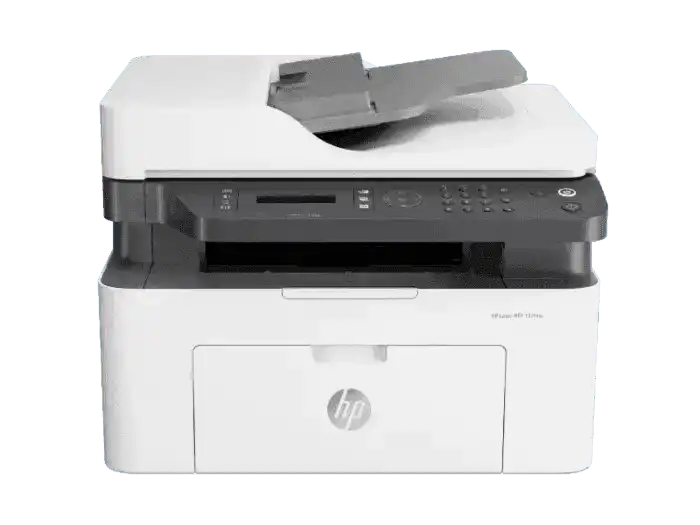
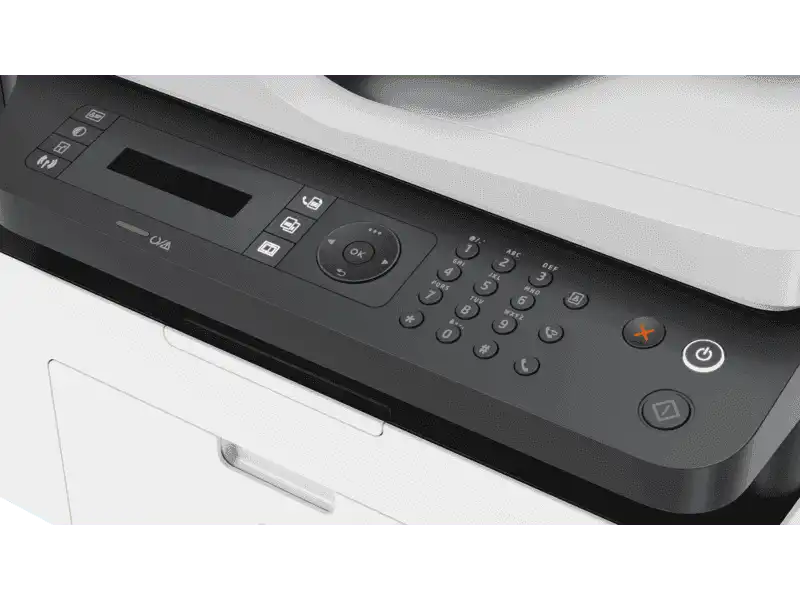
HP LaserJet M137fnw 4 In 1 Print, Scan, Copy, Fax Wireless Printer
HP LaserJet M137fnw 4 In 1 Print, Scan, Copy, Fax Wireless Printer
| FUNCTION | PRINT, COPY, SCAN, FAX AND WIRELESS |
|---|---|
| Ports | Hi-Speed USB 2.0; Fast Ethernet 10/100Base-Tx network port; Wireless 802.11 b/g/n |
| Wireless capability | Yes, built-in Wi-Fi 802.11b/g/n |
| Maximum Memory | 128 MB |
| Mobile printing services | Apple AirPrint™; Google Cloud Print™; Mobile Apps; Mopria™ Certified; Wi-Fi® Direct Printing |
| Media sizes supported (metric) | A4; A5; A5 (LEF); B5 (JIS); Oficio; Envelope (DL, C5) |
| Number of print cartridges | 1 Black |
| Replace cartridges | HP 105A Black Original Laser Toner Cartridge (1,000 pages yield) W1105A; HP 106A Black Original Laser Toner Cartridge (1,000 pages yield) W1106A; HP 107A Black Original Laser Toner Cartridge (1,000 pages yield) W1107A |
| Monthly duty cycle | Up to 10,000 pages |
| Maximum dimensions (W x D x H, metric) | 421.9 x 424 x 308.7 mm |
| Weight (metric) | 8.58 kg |

HP Color Laser 179fnw Wireless All in One (4ZB97A)
HP LASER PRINTER WIRELESS
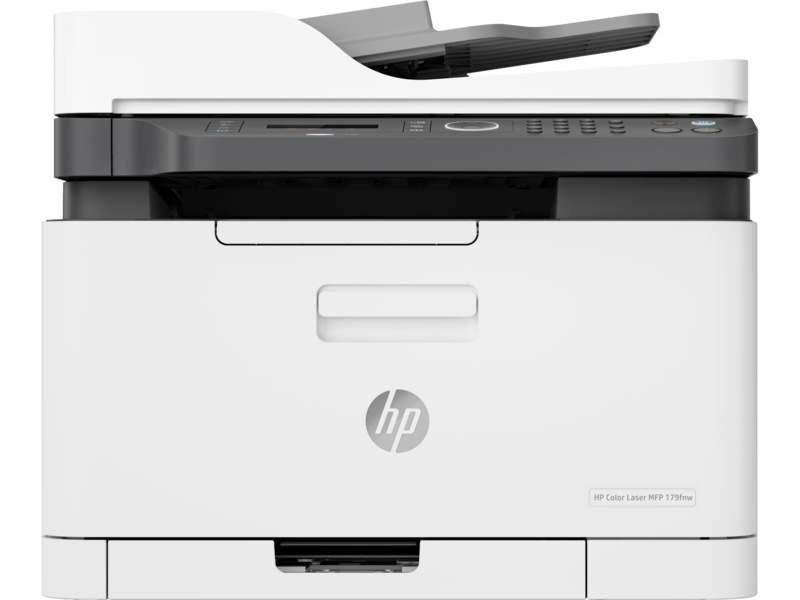
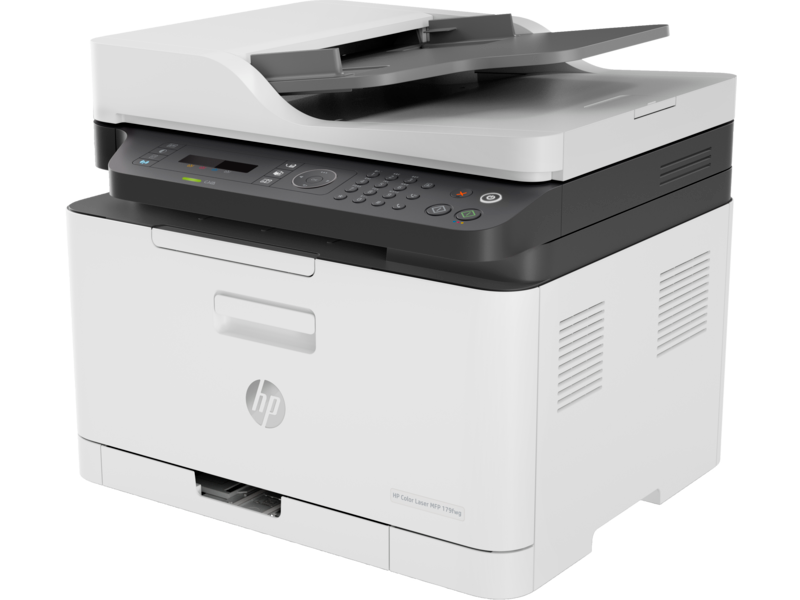
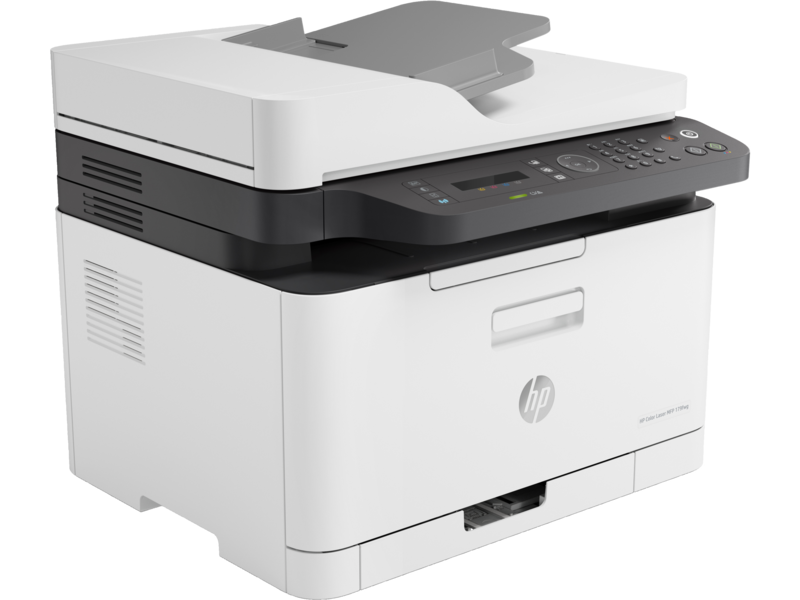
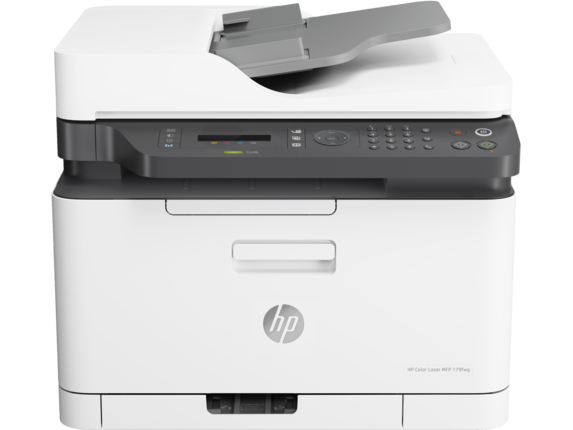
HP Color Laser MFP179fnw Wireless All in One Laser Printer with Mobile Printing & Built-in Ethernet, Works with Alexa (4ZB97A)
About this item
- Legendary quality – Print, scan, copy, and fax consistently exceptional documents with the HP Color Laser MFP 179fnw,
- a compact laser printer that produces high-quality, sharp black text and crisp color graphics
- World's smallest in-class printer
- Speed through tasks –up to 19 pages per minute black and 4 pages per minute color
- Best-in-class mobile print app – Automate scanning tasks, print and copy from your smartphone
- get simple setup with our highly-rated HP Smart app
- Hands-free productivity – 40-page automatic document feeder
- Extend your printing reach – Easily share resources by using wireless and Ethernet capabilities, or use Wi- Fi Direct to print without a network
- Self-healing wi-fi – Ensures up to 3 stages of reconnection to keep your Wi-Fi stable and reliable
- One-year limited hardware warranty
HP LASER PRINTER WIRELESS
Legendary quality at an affordable price
Get the quality you trust – sharp, black text and crisp colour graphics – with this affordable MFP.
Designed to fit your space
Quickly and easily print with an MFP that's designed to fit into your workspace like a glove.
Easy mobile printing and scanning with HP Smart app
Print, scan, and copy from virtually anywhere, and get simple setup on your phone. 3
Colour laser MFP performance at an affordable price
Sharp black text, high-quality colour
Produce sharp text, bold blacks, and crisp colour graphics.
The right price
Rely on a high-performance laser printer at an affordable price.
The power of your printer in the palm of your hand
Get simple setup, and print and scan from your phone, with the HP Smart app.
HP Color Laser MFP 179fnw (4ZB97A)
| Functions | Print, copy, scan, fax |
|---|---|
| Print speed black (ISO, A4) | Up to 18 ppm 1 |
| Print Speed Color (ISO) | Up to 4 ppm 1 |
| Manual (driver support provided) | |
| Duty cycle (monthly, letter) | Up to 20,000 pages (Duty cycle is defined as the maximum number of pages per month of imaged output.) |
| Duty cycle (monthly, A4) | Up to 20,000 pages (Duty cycle is defined as the maximum number of pages per month of imaged output.) |
| Print quality black (best) | Up to 600 x 600 dpi 4 bits |
| Print quality color (best) | Up to 600 x 600 dpi 4 bits |
| Print languages | SPL |
| Print technology | Laser |
| Connectivity, standard | Hi-speed USB 2.0 port; Fast Ethernet 10/100Base-Tx network port; Wireless 802.11 b/g/n |
| Mobile printing capability | HP Smart App; Apple AirPrint™; Mobile Apps; Mopria™ Certified; Wi-Fi® Direct Printing; Google Cloud Print™ 4 May require a firmware upgrade to be compatible, download at http://www.hp.com/go/support |
| Network capabilities | Via built-in 10/100 Base-TX networking |
| Wireless capability | Yes, built-in Wi-Fi 802.11 b/g/n |
| Minimum System Requirements for Macintosh | Apple®OS X El Capitan (v10.11), macOS Sierra (v10.12), macOS High Sierra (v10.13), 1.5 GB available hard disk space, Internet required, USB |
| Minimum System Requirements | Windows® 10, 8.1, 8, 7: 32/64-bit, 2 GB available hard disk space, CD-ROM/DVD drive or Internet connection, USB port, Internet Explorer |
| Digital sending standard features | Scan to WSD; PC Scan |
| Display | 2-Line LCD |
| Processor speed | 800 MHz |
| Maximum Memory | 128 MB |
| Memory | 128 MB |
| Compatible Operating Systems | Windows 11; Windows 8; Windows 7; macOS 10.11 El Capitan; macOS 10.12 Sierra; macOS 10.13 High Sierra; macOS 10.14 Mojave 4 (Windows 7 or higher) |
| Paper handling input, standard | 150 sheet input tray |
| Paper handling output, standard | 50 sheet output bin |
| Finished output handling | Sheetfed |
| Media types | Plain, Light, Heavy, Extra Heavy, Coloured, Preprinted, Recycle, Labels, Bond, Glossy |
| Media sizes supported | Tray1: A4; A5; A6; B5 (JIS); Oficio 216 x 340. Tray2: Not supported; Optional Automatic duplexer: Not supported |
| Media sizes, custom | 76 x 148.5 to 216 x 356 mm |
| Scanner type | Flatbed, ADF |
| Scan file format | PDF, JPG, TIFF |
| Enhanced scanning resolution | Up to 19,200 dpi |
| Scan resolution, optical | Up to 600 × 600 dpi (300 dpi for Mac OS) |
| Scan size (ADF), maximum | 216 x 356 mm |
| Scan size (ADF), minimum | 145 x 145 mm |
| Scan size, maximum | 216 x 297 mm |
| Scan speed (normal, A4) | Up to 15 ipm (black and white), up to 6 ipm (colour) |
| Automatic document feeder capacity | Standard, 40 sheets |
| Scan technology | Contact Image Sensor (CIS) |
| Copy speed (black, normal quality, A4) | Up to 14 cpm 5 |
| Copy speed (color, normal quality, A4) | Up to 4 cpm 5 |
| Copy resolution (black text) | Up to 600 x 600 dpi (flatbed); Up to 600 x 600 dpi |
| Copy resolution (color text and graphics) | Up to 600 x 600 dpi (flatbed); Up to 600 x 600 dpi |
| Copies, maximum | Up to 999 copies |
| Copy reduce / enlarge settings | 25 to 400% |
| Copier settings | Copies; Original Size; Reduce/Enlarge; Darkness; Original Type; Collation; 2-Up; 4-Up; ID Copy; Adjust Background; Auto Fit Copy; Colour Mode |
| Faxing | Yes |
| Fax Transmission Speed | 33.6 kbps |
| Fax Resolution Black (best) | Up to 300 x 300 dpi |
| Fax Broadcast Locations | 210 |
| Fax memory | Up to 400 pages |
| Fax Speed Dials, Maximum Number | Up to 200 numbers |
| Power consumption | 300 watts (active printing), 38 watts (ready), 1.9 watts (sleep), 0.2 watts (manual off) 6 |
| Power | 220-volt input voltage: 220 to 240 VAC, 50/60 Hz |
| Operating humidity range | 10 to 80% RH (non-condensing) |
| Recommended operating humidity range | 20 to 70% RH (non-condensing) |
| Operating temperature range | 10 to 30°C |
| Typical electricity consumption (TEC) number | 0.876 kWh/Week (Blue Angel); 1.093 kWh/Week (Energy Star) 7 (Power requirements are based on the country/region where the printer is sold. Do not convert operating voltages. This will damage the printer and void the product warranty. Energy Star value typically based on measurement of 115V device and 230V for Blue Angel.) |
| Energy savings feature technology | HP Auto-Off Technology |
| Ecolabels | CECP 8 |
| Energy star certified | No |
| Security management | Password-protected network embedded Web server; Enable/disable Network ports; SNMPv1 community password change; SNMPV2&V3; IPSec; Filtering : MAC, IPv4, IPv6 |
| Minimum dimensions (W x D x H) | 406 x 363 x 344.1 mm 9 (Dimensions vary as per configuration) |
| Maximum dimensions (W x D x H) | 421.9 x 422.9 x 344.1 mm 9 (Dimensions vary as per configuration) |
| What's in the box | HP Color Laser MFP 179fnw; Preinstalled introductory HP Laser Printer Black print cartridge (700 pages); HP Laser Printer Cyan print cartridge (500 pages); HP Laser Printer Yellow print cartridge (500 pages); HP Laser Printer Magenta print cartridge (500 pages); Imaging drum; Toner collection unit; Setup poster; Reference guide; Support flyer; Warranty guide; No CD-ROM; Power cord; USB cable; Tel line cable 11 |
| Number of print cartridges | 4 (1 each black, cyan, magenta, yellow) |

Wavlink USB 2.0 Network Print Server, LAN Print Share Server for USB Printers, LPR Print Protocol 10/100Mbps Computer Print Server Adapter for Windows 7/8/8.1/XP/10/11/Vista, MacOS 10.7 or Above
Wavlink USB2.0 Network Print Server LAN Print


Expert Features
⭐USB2.0 Network Printer:
- Tired of maintaining the printer's host PC? Wavlink print server converts an old USB printer into a network printer, sharing a USB printer with multiple users over an Ethernet.
- No additional printers are needed and save money, space and less cable mess.
⭐Print From Anywhere:
- Print from any computer connected to the LAN.
- This print server doesn’t require a wired connection to the computer, however you must connect the server to your network device (eg. router/switch) with the included RJ45 network cable.
⭐Note Before Purchase:
- This print server requires networking and computer system settings, No Driver Required.
- Read "Printer Compatibility List" in "Product Document" before purchase.
- GUI(Graphical User Interface)-based management, DHCP and auto IP supported.
⭐Extensive Compatibility:
- This print adapter is USB2.0 compliant, it works with Windows 2003/2008/2012/XP/Vista/7/8/8.1/10/11, Mac 10.7 or later. Compatible with almost all the USB printers such as ink-jet printer, laser printer, needle printer, multi-function printer, etc..
⭐Perfect Solution:
- This USB printer network adapter allows any computer in the same LAN to access the USB printer connected with this print server device.
- It is suitable for home or business applications, and government or educational institutions that require shared printing capabilities.
- Please download the latest user manual on the listing page. If any problems, please contact us first. We have professional team to solve your problems.
From The Manufacturer
Wavlink new palm-sized Networking USB 2.0 Server enables any USB printer into wired network printer so printer can be accessed by all computer users on the network, provides users with an auto-sensing Ethernet port that works with either 10Base-T or 100Base-T networks.
Print Over LAN
Connect a USB-only printer to the LAN and share it among all computers on the network.
Easy Configuration
Easy configuration with intuitive web based GUI(Graphics User Interface)
Easy to use:
Features & Tips:
Package List:
- 1x Instruction Manual
- 1x Power Adapter (Length: 120cm/3.9ft/47in)
- 1x RJ45 Ethernet Cable (Length:100cm/3.3ft/39.4in)
- 1x Networking USB LPR Print Server (Dimensions: 54*54*25mm / 2.1*2.1*1inches)
- System Requirement: Windows 2003/2008/2012/XP/7/8/8.1/10/11, Mac 10.7 or later.


NIIMBOT D11 Label Maker Black with Tape
Label Maker Machine NIIMBOT D11 Label Printer Tape Included Portable Wireless Connection Multiple Templates Available for Phone Pad Easy to Use Office Home Organization USB Rechargeable
About this item
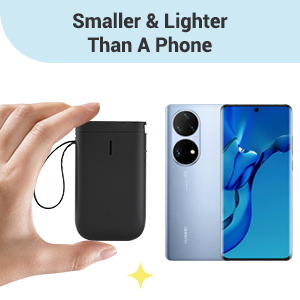
- 【2022 New Version】After the technical updating, we combine the label maker with the smart device, which is more convenient and powerful. The weight and volume are only half of the traditional version. from now on, we bid farewell to the heavy, power-consuming, and money waste old version.
- 【Rechargeable & Money Saver】 It's rechargeable and can be used for 2 months on a single charge, which saves the trouble of long-term battery purchasing and replacement, and it's also very environmentally-friendly.
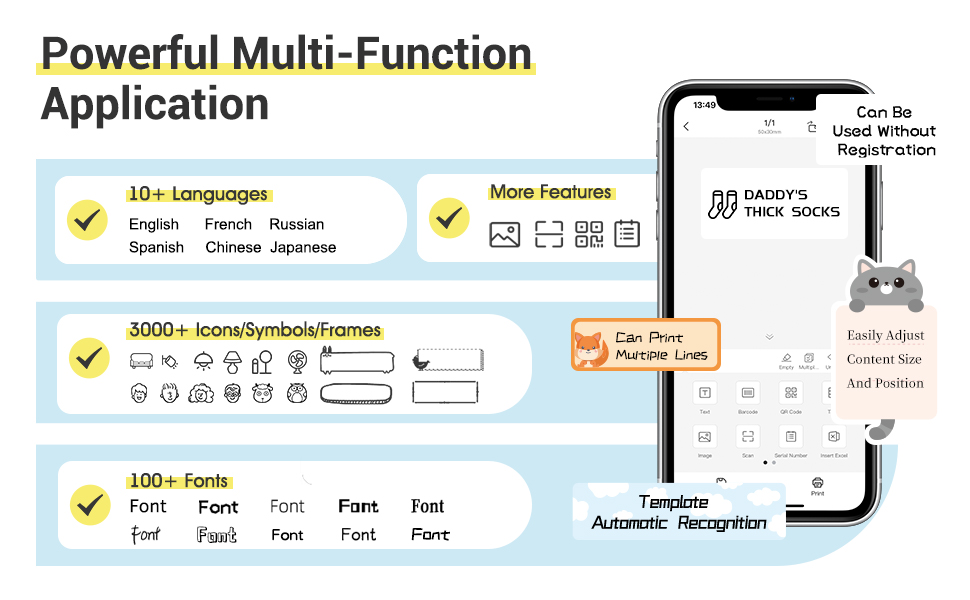
- 【Powerful Functions】It is support to print various texts, numbers, graphics, symbols, logos, barcodes, QR codes,etc. And intelligent recognition of voices and pictures.
- 【Design Your Own Labels】The APP NIIMBOT contains various texts, graphic symbols and business icons,and our label paper has varieties of colors and styles to choose from, You can make your own product labels and QR code labels.
- 【Design Your Own Labels】The APP NIIMBOT contains various texts, graphic symbols and business icons,and our label paper has varieties of colors and styles to choose from, You can make your own product labels and QR code labels.
-
Product Description
NIIMBOT D11 Bluetooth Label Maker

- TECHNOLOGICAL REVOLUTION
Only half weight and volume of the traditional keyboard version,but more convenient and powerful.
- COST-EFFECTIVE
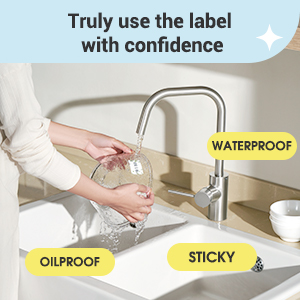
Printing with thermal technology, No ink ribbon or toner refill needed.
- NON-TOXIC
The label paper produced by NIIMBOT is non-toxic and harmless, BPA free.
- RECHARGEABLE
Built-in 1500 mAh rechargeable battery, no need to buy extra batteries.3 months of use on a single charge.
- HD PRINTING
Printing accuracy increased to 203 dpi,content size from 0.2 to 0.5 inches.

SUPER EASY 4 STEPS TO MAKE LABELS
Useful Reminder:
- Search and download NIIMBOT through your phone's application center or Google application market. IT WON'T CHARGE ANY PENNY FOR DOWNLOAD OR USING OUR APP! If reminded that you need to pay for our APP, that's an advertisement of the app center, please ignore or report it.
- The gifted-label paper is brand new and sealed, the sealing sticker NEEDS TO BE PEELED OFF BEFORE USING.
- If you don’t want to register an account the first you use,you can SKIP the registration step,REGISTER THE ACCOUNT IS FOR CUSTOMERS TO KEEP THE LABELs AND EASY TO FIND AND PRINT OUT AGAIN IN FUTURE.
- Please USE A CHARGER DIRECTLY while you need charging the label maker,not the USB ports of other electronic equipment.
- The machine will flash a blue light when connecting the power supply , even if the charging is completed.
- The default print density is 2, you can adjust it to 3 or enlarge and bold the content by needs.
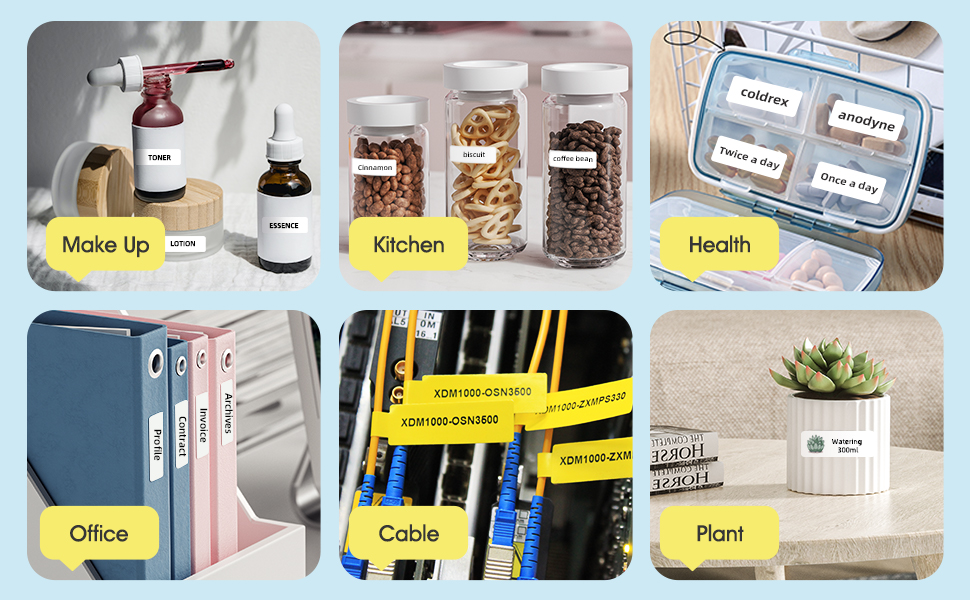

- Various styles of label paper
- More font styles
- Adjustable content size
- Symbols, graphics and text can be randomly matched for printing
- Support voice input
- Automatically recognize picture information
- More printable label materials,numbers, text, symbols, graphics, QR codes, etc.
- Create your own secret QR code and label it!
- Click on the QR code graphic
- Edit the content of the QR code
- Print out the QR code label
- The printed QR code is identifiable!