
HP LASER PRINTER WIRELESS
-9%


TP-Link Deco WiFi 6 Mesh System Deco X20-3-Pack
Call for Price

Cooler Master MP511 XL Gaming Mouse Pad
Call for Price
HP Color Laser 179fnw Wireless All in One (4ZB97A)
Description
Additional information
| VEIKK , A50 , DRAWING , TABLET , 10 |
{attribute:VEIKK , A50 , DRAWING , TABLET , 10 |
|---|
Related products


NIIMBOT D11 Label Maker Black with Tape
Label Maker Machine NIIMBOT D11 Label Printer Tape Included Portable Wireless Connection Multiple Templates Available for Phone Pad Easy to Use Office Home Organization USB Rechargeable
About this item
- 【2022 New Version】After the technical updating, we combine the label maker with the smart device, which is more convenient and powerful. The weight and volume are only half of the traditional version. from now on, we bid farewell to the heavy, power-consuming, and money waste old version.
- 【Rechargeable & Money Saver】 It's rechargeable and can be used for 2 months on a single charge, which saves the trouble of long-term battery purchasing and replacement, and it's also very environmentally-friendly.
- 【Powerful Functions】It is support to print various texts, numbers, graphics, symbols, logos, barcodes, QR codes,etc. And intelligent recognition of voices and pictures.
- 【Design Your Own Labels】The APP NIIMBOT contains various texts, graphic symbols and business icons,and our label paper has varieties of colors and styles to choose from, You can make your own product labels and QR code labels.
- 【Design Your Own Labels】The APP NIIMBOT contains various texts, graphic symbols and business icons,and our label paper has varieties of colors and styles to choose from, You can make your own product labels and QR code labels.
-
Product Description
NIIMBOT D11 Bluetooth Label Maker

- TECHNOLOGICAL REVOLUTION
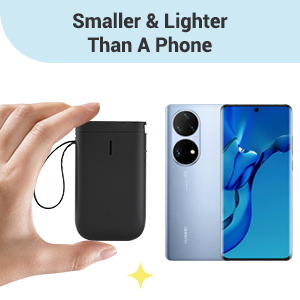
Only half weight and volume of the traditional keyboard version,but more convenient and powerful.
- COST-EFFECTIVE
Printing with thermal technology, No ink ribbon or toner refill needed.
- NON-TOXIC
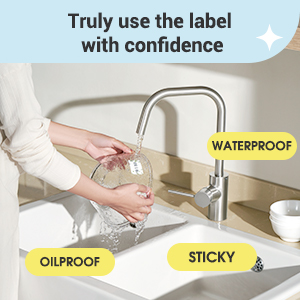
The label paper produced by NIIMBOT is non-toxic and harmless, BPA free.
- RECHARGEABLE
Built-in 1500 mAh rechargeable battery, no need to buy extra batteries.3 months of use on a single charge.
- HD PRINTING
Printing accuracy increased to 203 dpi,content size from 0.2 to 0.5 inches.
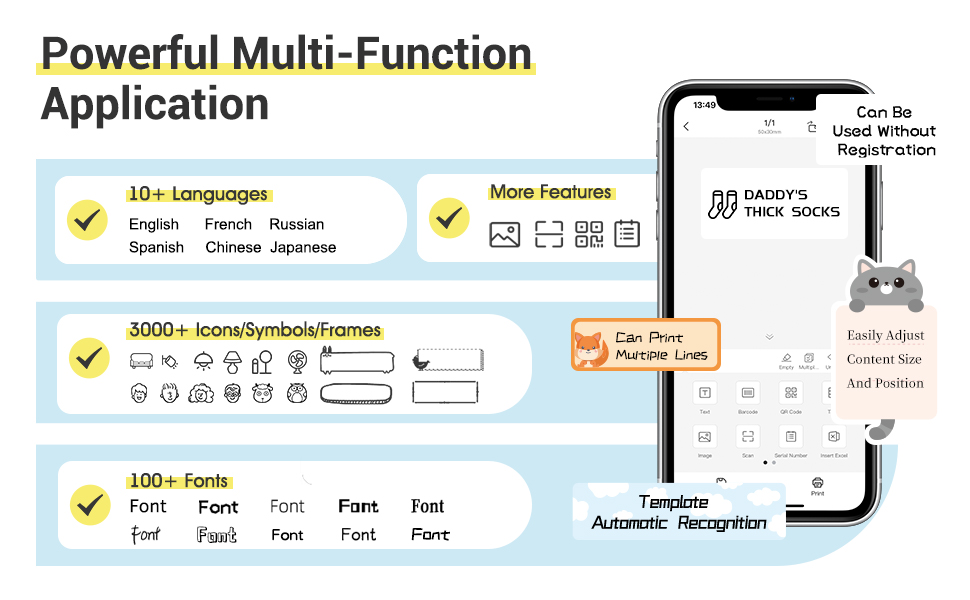

SUPER EASY 4 STEPS TO MAKE LABELS
Useful Reminder:
- Search and download NIIMBOT through your phone's application center or Google application market. IT WON'T CHARGE ANY PENNY FOR DOWNLOAD OR USING OUR APP! If reminded that you need to pay for our APP, that's an advertisement of the app center, please ignore or report it.
- The gifted-label paper is brand new and sealed, the sealing sticker NEEDS TO BE PEELED OFF BEFORE USING.
- If you don’t want to register an account the first you use,you can SKIP the registration step,REGISTER THE ACCOUNT IS FOR CUSTOMERS TO KEEP THE LABELs AND EASY TO FIND AND PRINT OUT AGAIN IN FUTURE.
- Please USE A CHARGER DIRECTLY while you need charging the label maker,not the USB ports of other electronic equipment.
- The machine will flash a blue light when connecting the power supply , even if the charging is completed.
- The default print density is 2, you can adjust it to 3 or enlarge and bold the content by needs.
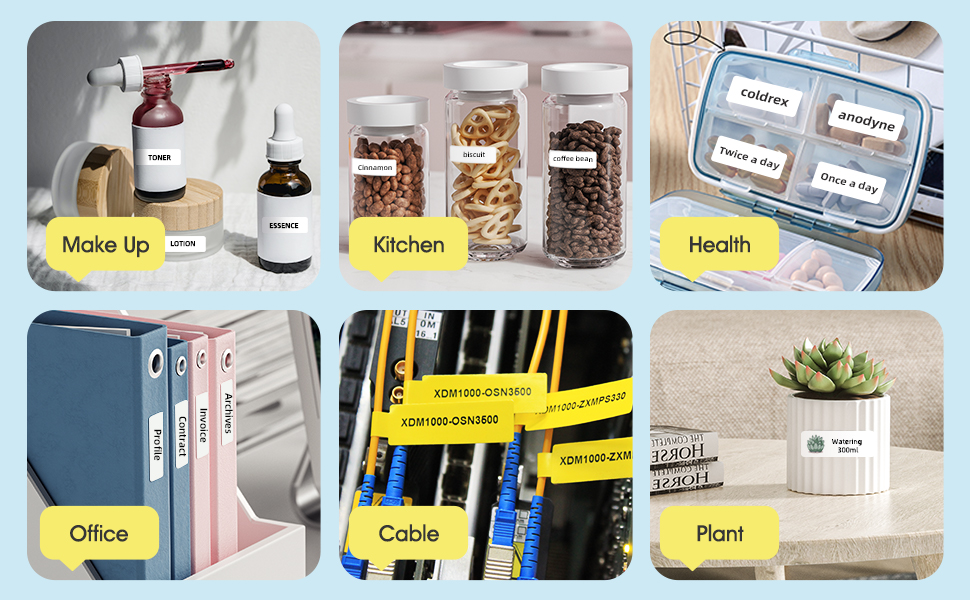

- Various styles of label paper
- More font styles
- Adjustable content size
- Symbols, graphics and text can be randomly matched for printing
- Support voice input
- Automatically recognize picture information
- More printable label materials,numbers, text, symbols, graphics, QR codes, etc.
- Create your own secret QR code and label it!
- Click on the QR code graphic
- Edit the content of the QR code
- Print out the QR code label
- The printed QR code is identifiable!
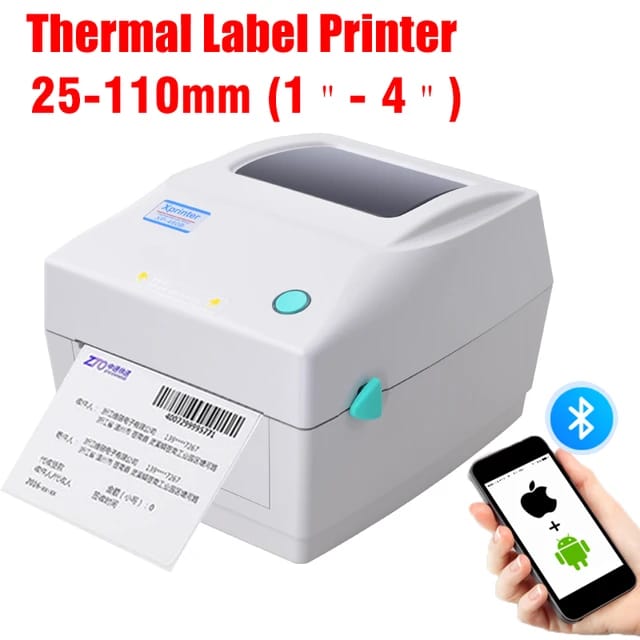
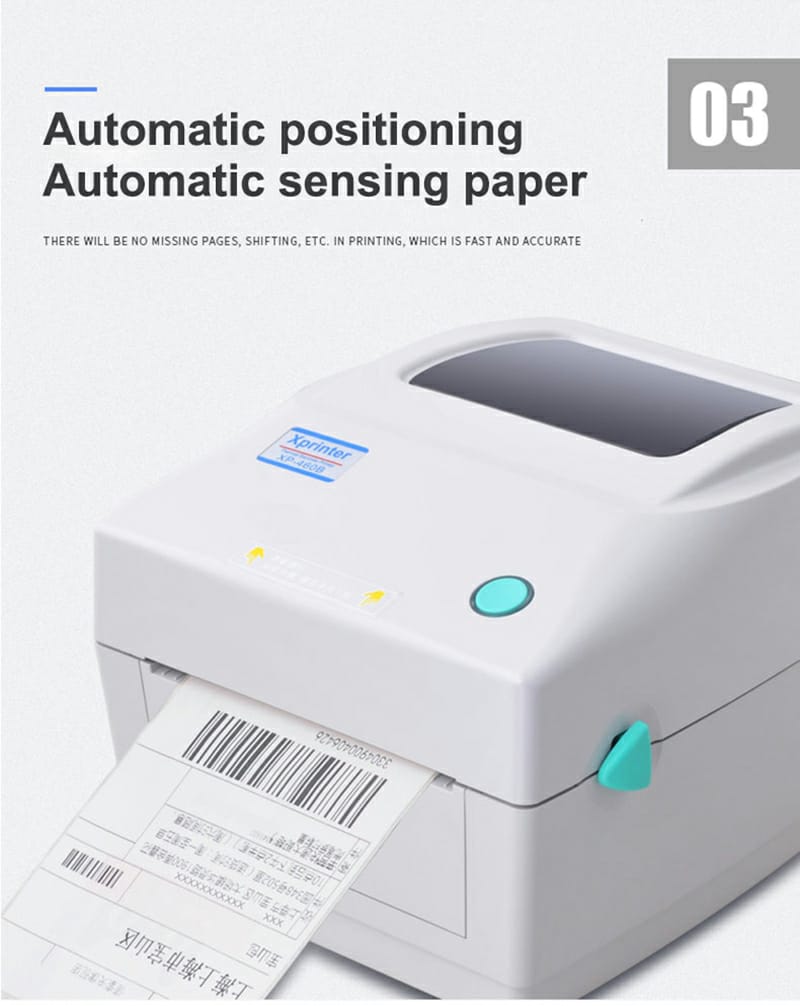
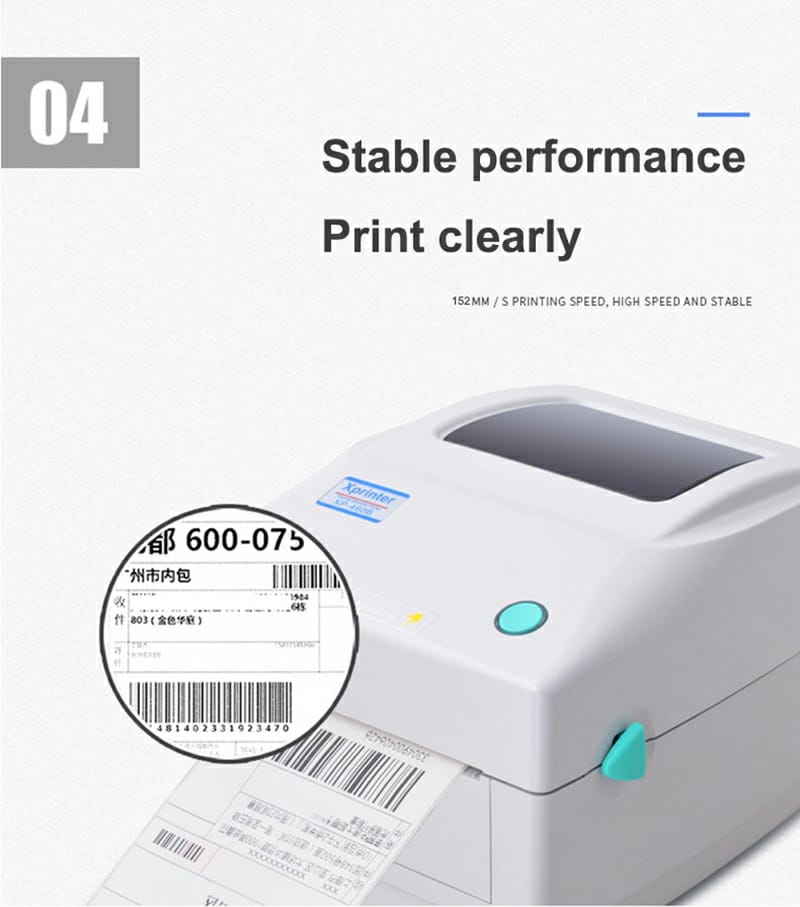
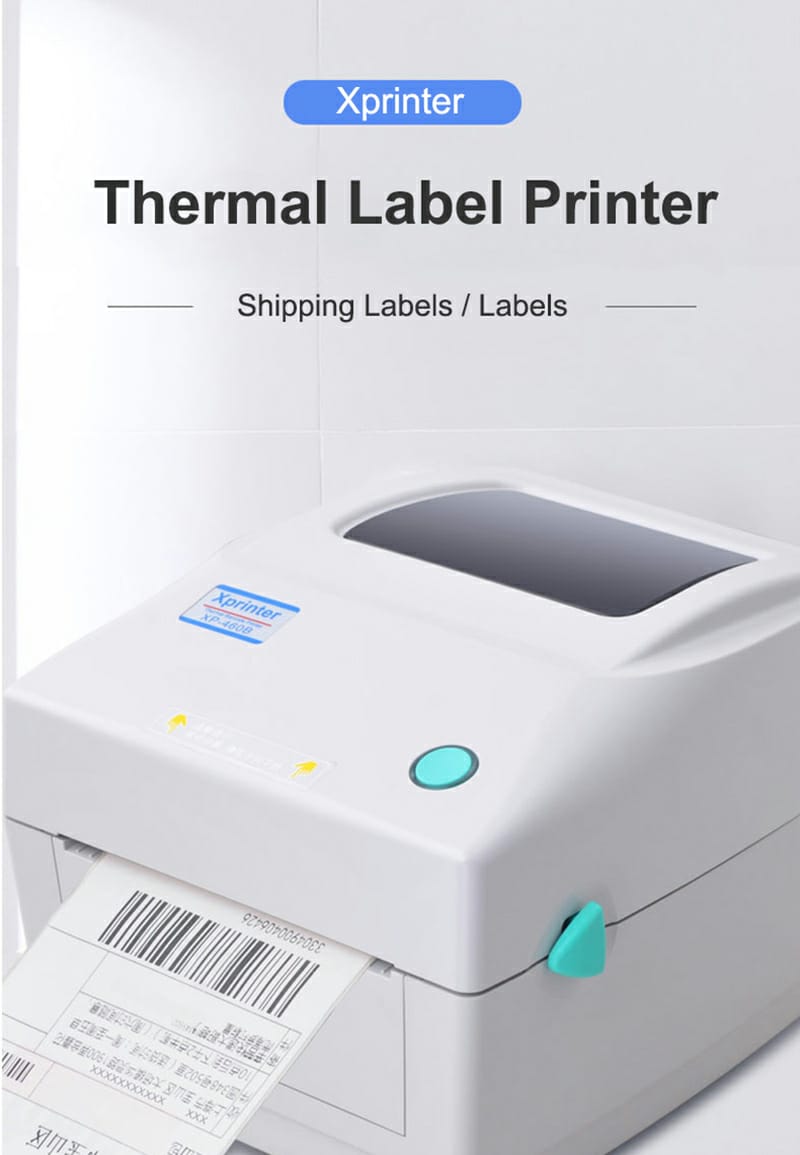
XP-460B Desktop Thermal Label Printer for Shipping Packages, Barcode Thermal Printer for Windows & Mac, 25-110mm Label – USB Interface + BLUETOOTH – High Speed 152mm/s
Thermal Label Printer Shipping Barcode BLUETOOTH USB - Interface: USB + BLUETOOTH




EXPERT FEATURES:
- 【152MM/S High-Speed & High Resolution】 This label printer applies newest Thin-film direct thermal printing technology, making the printing speed more faster and stable. High printing quality with 203DPI resolution, supports printing labels from 1.57'' to 4.3'' width and 1'' to 11.8'' height, compatible with most shipping and e-commerce platforms, such as FedEx, USPS , DHL, Amazon, Etsy, eBay, Shopify, etc. Please download the driver from official website or USB Driver before printing.
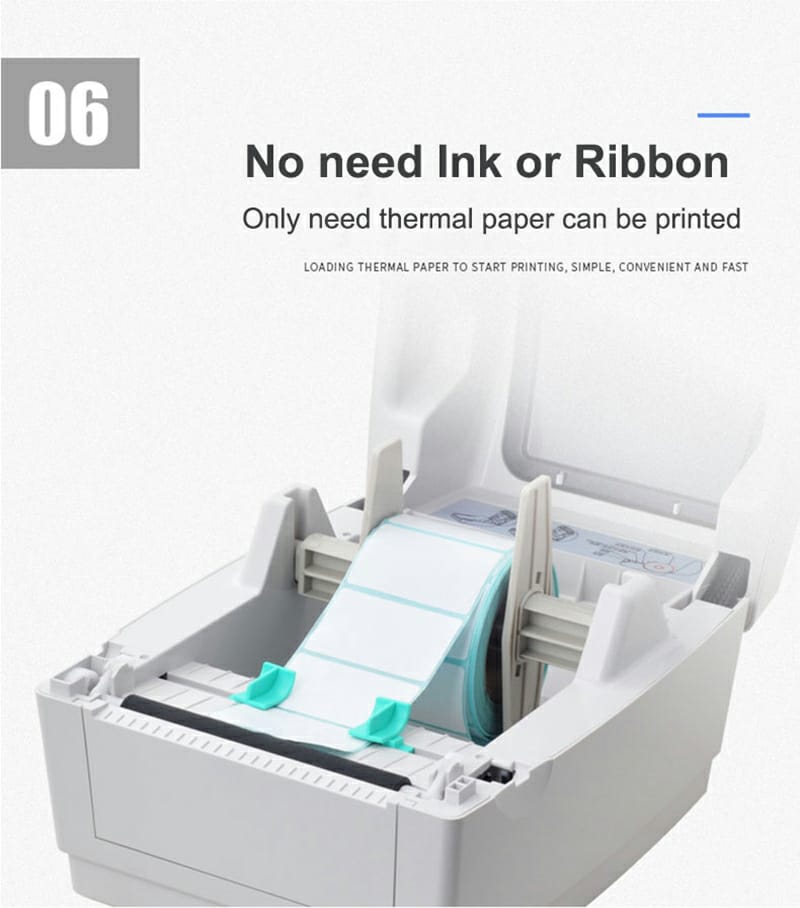
- 【Durable & Cost Saving】 The 4x6 label printer comes with the newest generation high temperature print head,it can non-stop working 12 hours or longer and stably print labels up to 500,000 PCS till print head life end. Besides, our direct thermal label printers don't need any toner or ink or ribbon, just need thermal papers.
- 【Widely Use & Multi-System Compatible】This label printers can smoothly run on all version of Windows and Mac System. It can be setting up in 1 min .it supports various sizes of direct thermal labels, such as 4" x 6" shipping labels, warehouse labels, barcode labels, product labels, address labels, ID labels, market labels,etc., it's a ideal choice for your purchasing.
- 【Automatic Label-Detection】 This thermal label printer can automatically capture and feed labels, it can automatically and accurately adjust printing head according to label size, what's more, it was built in intelligent Paper-Return function, Whenever you change the paper, it can save your 1st label all the time, greatly reduce your thermal paper wasting.
Printing Features:
- Resolution:203 DPI
- Printing method: Direct Thermal
- Max. print speed:152 mm (6") / s
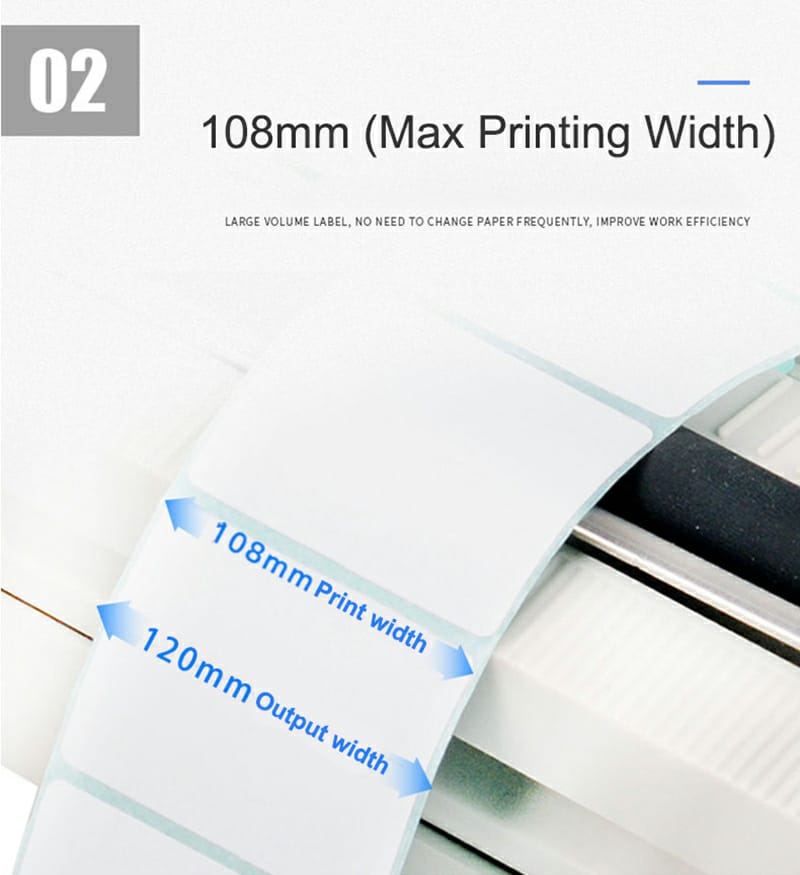
- Max. print width:108 mm (4.25”)
- Max. print length:1778 mm
Media:
- Media type:Continuous, gap, black mark, fan-fold and punched hole
- Media width:25.4 mm ~ 115 mm
- Media thickness:0.06~0.254 mm (2.36~10mil)
- Media core diameter:25.4 ~ 76.2 mm (1 "~ 3 ")
- Label length:10 mm ~1778 mm
- Performance Features Processor:32-bit CPU Memory:8MB Flash Memory, 8MB SDRAM, Flash memory can be expanded to Max. 4 GB Interface: USB + BLUETOOTH


Xprinter XP-420B Direct Thermal Label Printer USB+LAN
Xprinter XP-420B Direct Thermal Label Printer

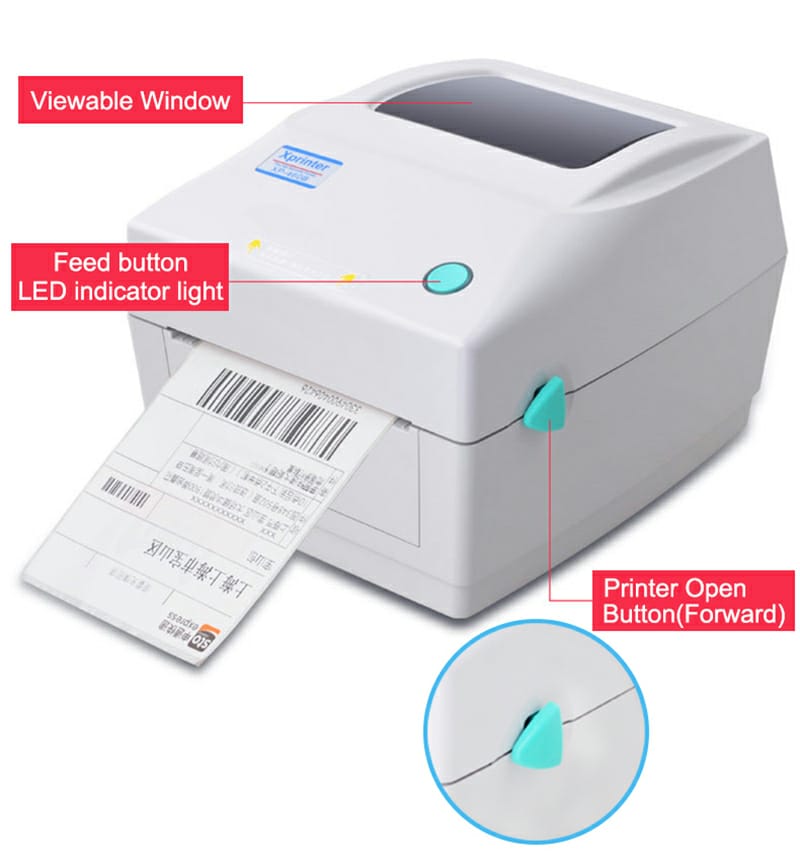
- XP-420B is the new model of Xprinter's 4 inches label printer. Its shell design looks so elegant . Having a space-saving body but keeping a large paper loading container.
- One multi-functional button and one two-color indicator, simple operation.
| ● 152 mm (6") / s Max. high speed print speed | ● 203 dpi resolution models |
| ● 8MB SDRAM,8 MB Flash | ● High quality double-walled clamshell design |
| ● Print head temperature intelligent control system make sure printer output stably | |
| Brand | Xprinter |
| Connectivity Technology | USB |
| Printing Technology | Thermal |
| Color | White |
| Model Name | Xprinter XP-420B |
| Printer Output | Monochrome |
| Maximum Print Speed (Color) | 152 ppm |
| Max Printspeed Monochrome | 152 ppm |
| Included Components | printer, Bartender Ultralite, Tags:, USB Cable, Power Supply |
| Print media | Labels |


Product Specification
| Model | XP-420B | |
| Printing Features | ||
| Resolution | 203 DPI | |
| Printing method | Direct Thermal | |
| Max.print speed | 152 mm (6") / s Max. | |
| Max.print width | 108 mm (4.25”) | |
| Max.print length | 1778 mm | |
| Media | ||
| Media type | Continuous, gap, black mark, fan-fold and punched hole | |
| Media width | 25.4 mm ~ 115 mm | |
| Media thickness | 0.06~0.254 mm (2.36~10mil) | |
| Media core diameter | 25.4 ~ 76.2 mm (1 "~ 3 ") | |
| Label length | 10 mm ~1778 mm | |
| Performance Features | ||
| Processor | 32-bit CPU | |
| Memory | 8MB Flash Memory, 8MB SDRAM, Flash memory can be expanded to Max. 4 GB | |
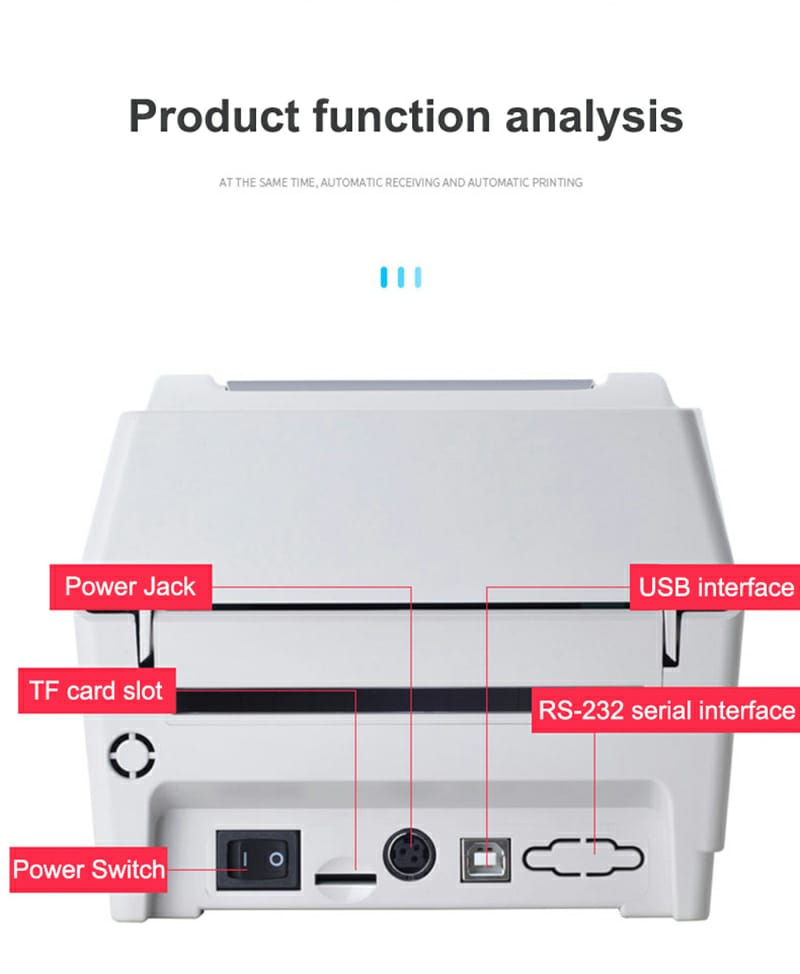
| Interface | Standard version: USB Optional:Lan/WIFI/Bluetooth/TF card | |
| Sensors | ①Gap sensor ②Cover opening sensor ③Black mark sensor | |
| Fonts/Graphics/Symbologies | ||
| Internal fonts | 8 alpha-numeric bitmap fonts, Windows fonts are downloadable from software. | |
| 1D bar code | Code 39, Code 93, Code 128UCC, Code 128 subsets A, B, C, Codabar, Interleaved 2 of 5, EAN-8,EAN-13,EAN-128, UPC-A, UPC-E, EAN and UPC 2(5) digits add-on, MSI, PLESSEY, POSTNET, China POST,GS1 DataBar, Code 11 | |
| 2D bar code | PDF-417, Maxicode, DataMatrix, QR code, Aztec | |
| Rotation | 0°、90°、180°、270° | |
| Emulaion | TSPL、EPL、ZPL、DPL | |
| Physical Features | ||
| Dimension | 215 mm (L) x 178 mm (W) x 155 mm (H) | |
| Weight | 1.31 kg | |
| Reliability | ||
| Warranty | One year | |
| Print head life | 30 km or first arrival first | |
| Software | ||
| Driver | Windows/ Linux/ Mac | |
| SDK | Windows/ Android/ iOS | |
| Power supply | ||
| Input | AC 110-240V | |
| Output | DC 24V 2.5A | |
| Options | ||
| Factory Options | ①Peeler ②Cutter ③RTC | |
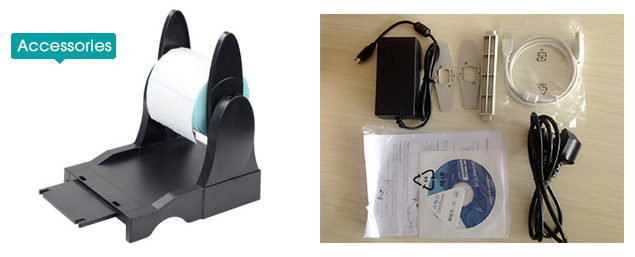
| Dealer Options | ①External paper roll holder ②Paper roll spindle ③Extension board for external paper roll holder | |
| Environmental Conditions | ||
| Operation environment | 5 ~ 40°C(41~104°F),Humidity: 25 ~ 85% no condensing | |
| Storage environment | -40 ~ 60°C(-40~140°F),Humidity: 10 ~ 90% no condensing | |
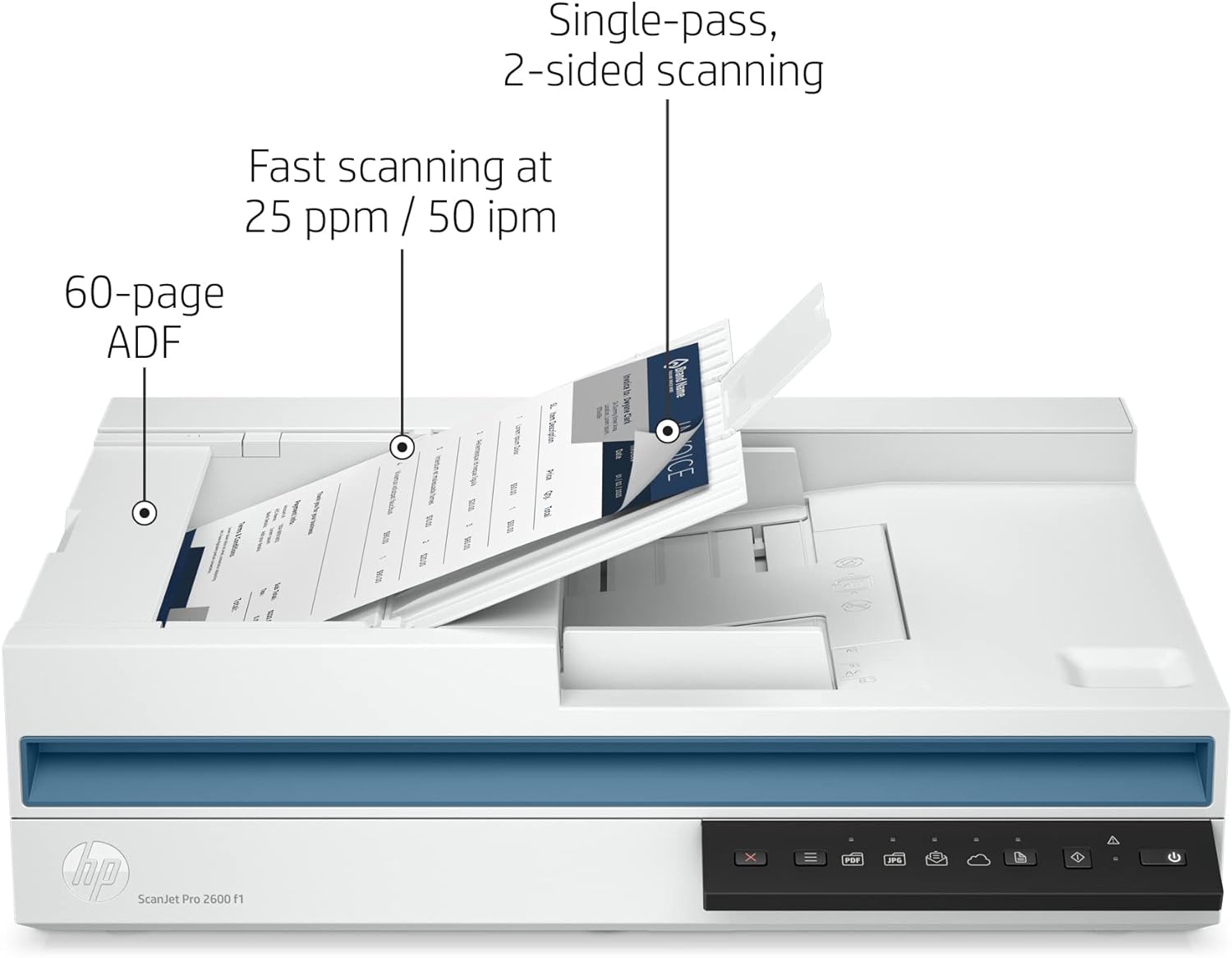
HP Scanner 24-bit (external), 48-bit (internal) CIS Up to 600 x 600 dpi (color and mono, ADF); Up to 1200 x 1200 dpi (color and mono, flatbed) ScanJet Pro 2600 f1 Scanner
Scanner color and mono ADF flatbed
BRIEF OVERWIEW
- Enhances productivity with 2-sided, single-pass, automatic document feeder
- Provides sharp scans of photos, graphics and documents
- Scan books, magazines, ID cards and more with ADF or flatbed scanning
- Strong security - uses authentic code-signing to protect firmware updates
- Compact design that fits on your desktop expert zone
- 25 ppm (Mono) - 25 ppm (Color)
- Duplex Scanning
- USB
- CIS
- Up to 600 x 600 dpi (color and mono, ADF); Up to 1200 x 1200 dpi (color and mono, flatbed)
- 24-bit (external), 48-bit (internal)
| Scanner type | ADF CIS scanning technology Flatbed |
|---|---|
| Digital sending optional features | Send to email Send to PC |
| Scan resolution, optical | Up to 600 dpi (color and mono, ADF) Up to 1200 dpi (color and mono, flatbed) |
| Duty cycle (daily) | Recommended daily duty cycle: 1500 pages (ADF) |
| Bit depth | 24-bit (external), 48-bit (internal) |
| Levels of grayscale | 256 |
| Multifeed detection | No |
| Scan size, maximum | 8.5 x 11.7 in |
| Media types | Paper (banner, inkjet, photo, plain), envelopes, labels, cards (greeting, index) |
| Media weights, supported ADF | 16 to 28 lb |
| Scan file format | For text and image pages: PDF, JPEG, PNG, BMP, TIF, Text(TXT), Rich Text(RTF), SEARCHABLE PDF, PDF/A, Word(DOC), Word(DOCX), Excel(XLS), Excel(XLSX), CSV |
| Automatic document feeder capacity | Standard, 60 sheets |
| Automatic document feeder scan speed | Up to 25 ppm/50 ipm (b&w, gray and color, 300 dpi) |
| Scanning options (ADF) | Single-pass Duplex scanning |
| Scan size (ADF), maximum | 8.5 x 122 in |
| Compatible Operating Systems | Windows 11 Windows 10 Windows 8 Windows 8.1 Windows 7 Windows Server macOS 10.14 Mojave macOS 10.15 Catalina macOS 11 Big Sur macOS 12 Monterey Linux expert zone |
| Mac compatible | Yes |
| Twain version | Version 2.4 |
| Connectivity, standard | USB 2.0 |
| Power | Input Voltage: 100 to 240 VAC |
| Power consumption | 12.90 watts (Active - Scanning), 5 watts (Ready), 1.11 watts (Sleep), 0.06 (Auto-Off), 0.06 (Manual-Off) |
| Ecolabels | CECP IT ECO Declaration SEPA EPEAT® Silver registered |
| Operating temperature range | 50 to 95°F |
| Recommended operating humidity range | 30 to 70% RH |
| Minimum dimensions (W x D x H) | 19.4 x 12.8 x 5.2 in |
| Weight | 11.9 lb |
| Software included | HP Scan Software, HP Scanner Device Driver, HP WIA scan driver, HP TWAIN scan driver, HP Scanner Tools Utility |
| What's in the box | HP ScanJet Pro 2600 f1 Scanner Install Guide Supporting flyers Cushions USB cable Power adapter Power cords |

Thermal Label Printer – USB & LAN 110MM Connectivity – 4×6 Label Printer for Small Business Shipping Packages – Support Windows, Mac
Thermal Label Printer Windows Mac
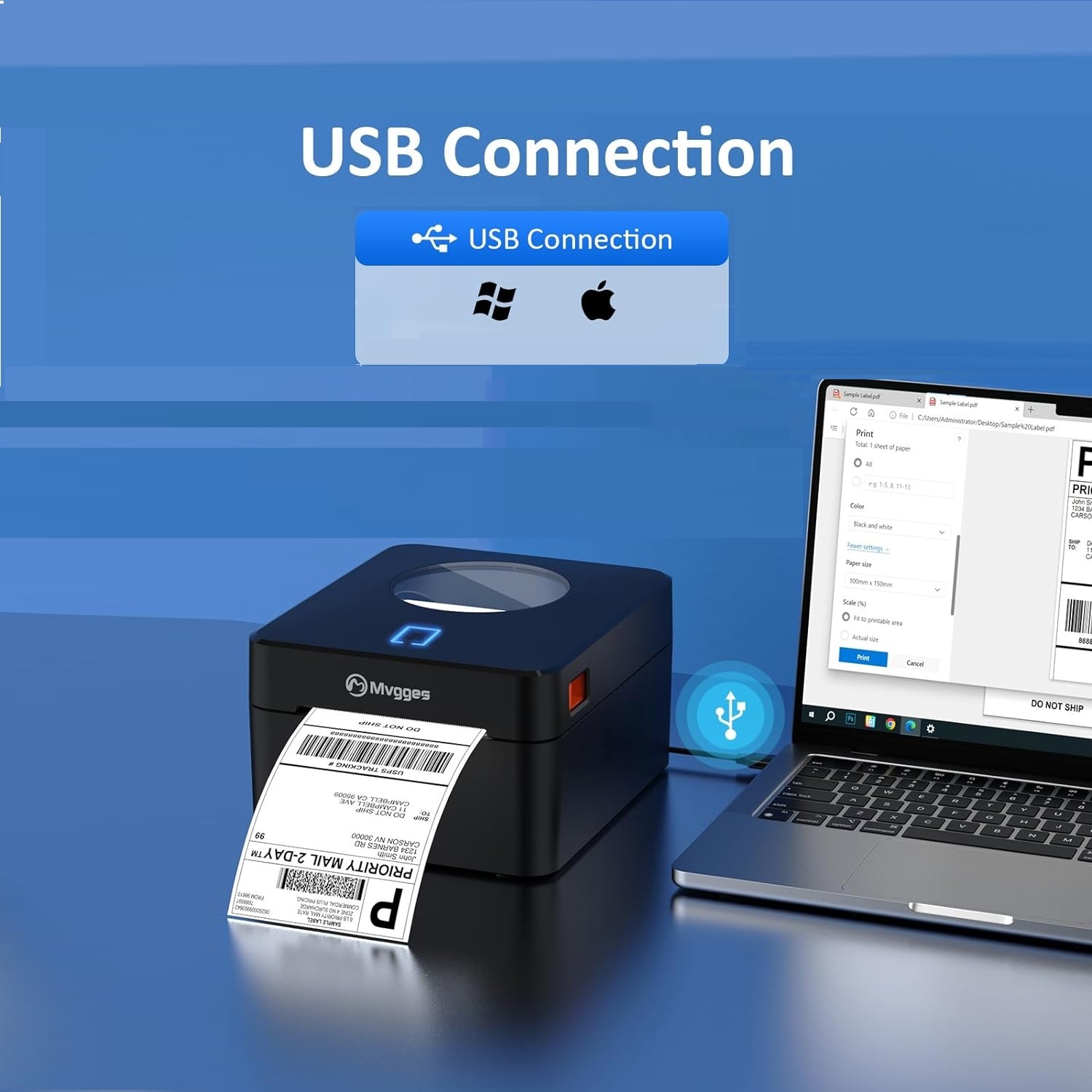
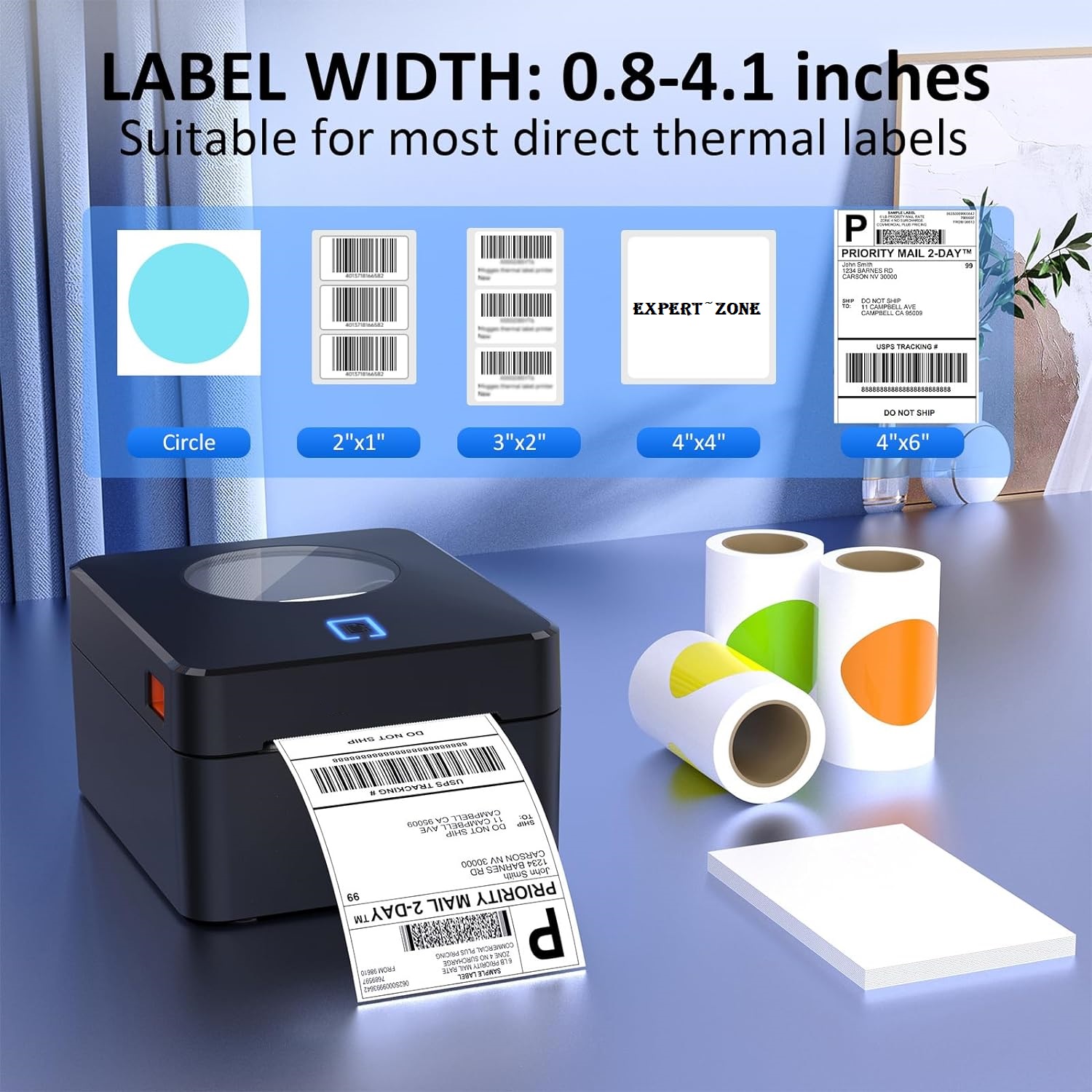
EXPERT FEATURES
【USB Thermal Label Printer】
- With USB connectivity options, this label printer allows you to easily connect and print from your computer.
【High-Quality Thermal Printing】
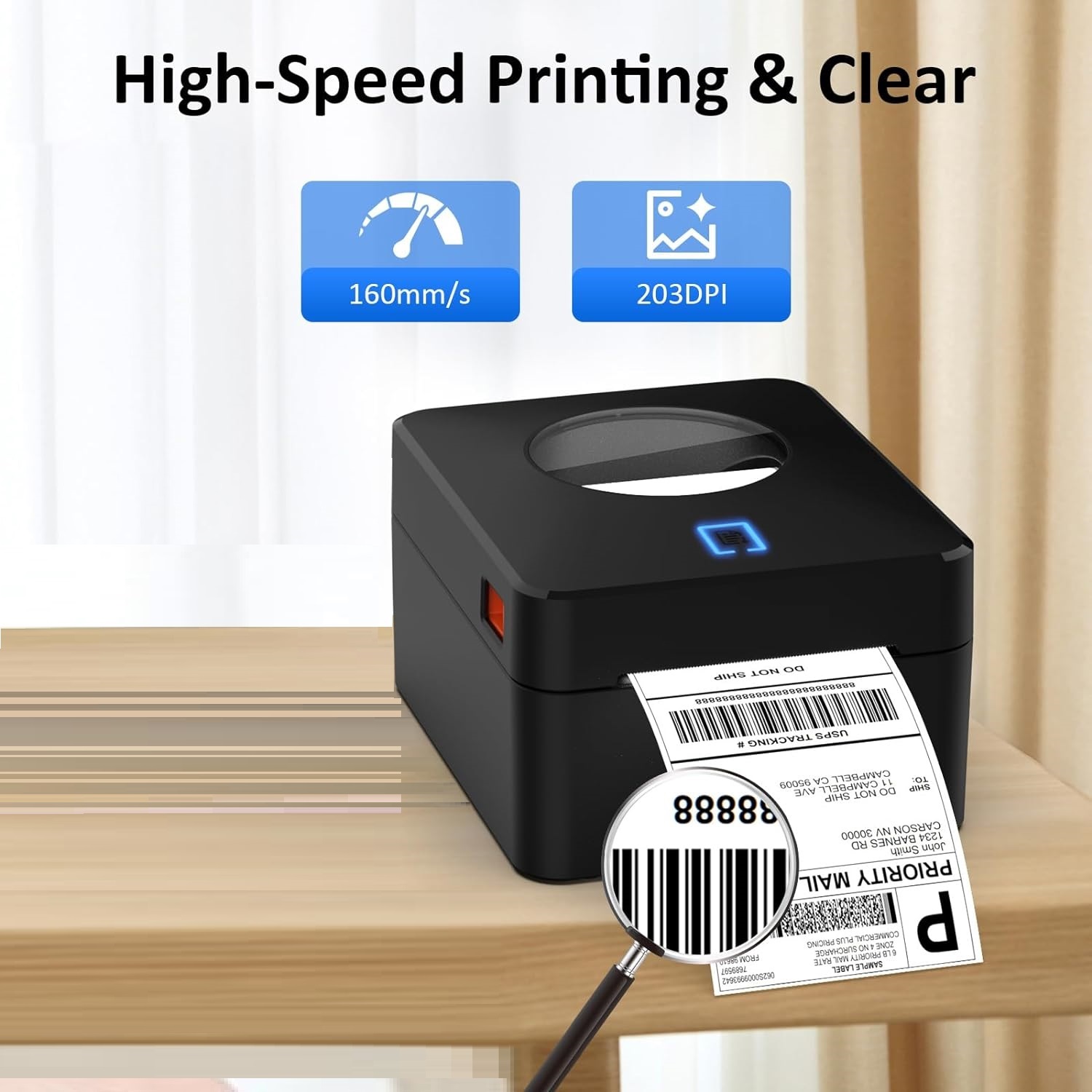
- Thermal printer features 203 DPI resolution for clear and professional label printing that is perfect for shipping labels, inventory management, and more.
- No ink or toner, to save your money and eliminate the hassle of replacing cartridges. It's perfect label printer for small business expert zone
【Fast and Efficient Printing for Small Business】
- Label printer with a printing speed of up to 160mm/s and support the width of 20-104mm thermal labels, making it suitable for various labeling tasks.
- Save time and increase productivity with our speedy printing capabilities.
【Flexible Between Fanfold & Roll Papers】
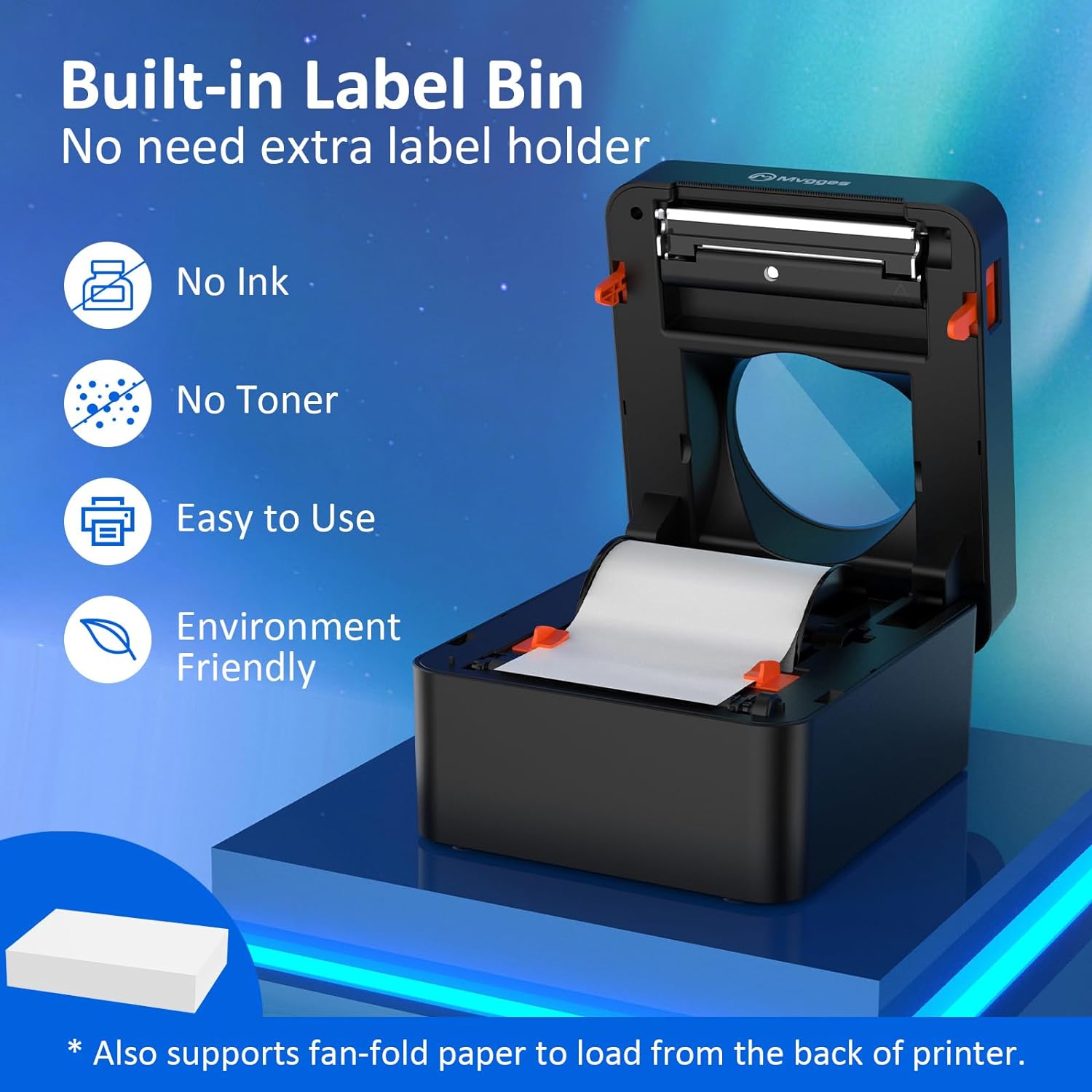
- Equipped with a built-in paper bin that supports both roll label and fold label, allowing you to choose the most convenient option for your labeling needs.
- This thermal label printer is compatible with all major sales platforms including USPS, UPS, Esty, eBay, Shopify, PayPal, and etc.
- Ideal for your online small business for shipping packages or product labels.
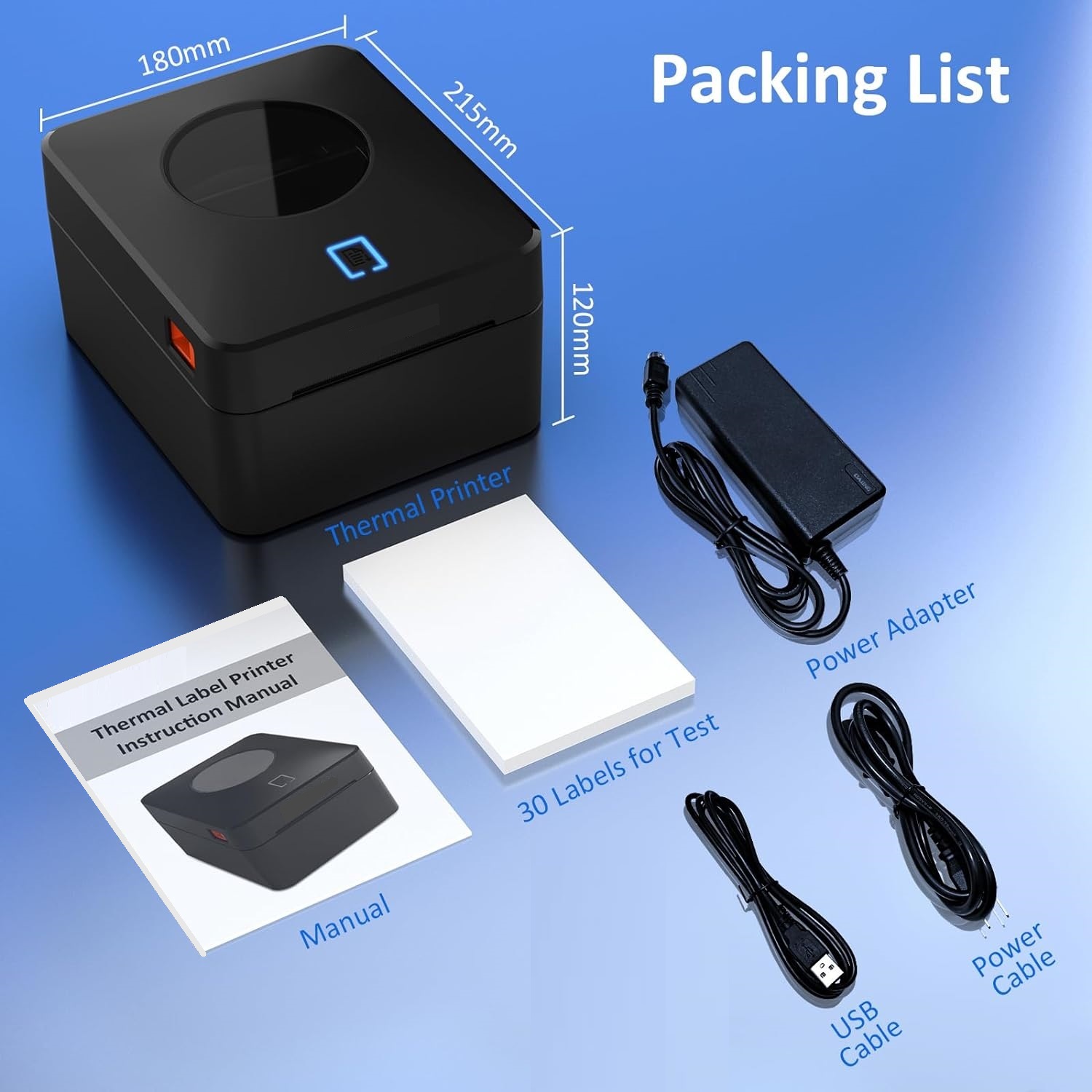
The package includes
- 4x6 label printer expert zone
- a USB drive with printer drivers and user manual.
- You'll have everything you need to get started, including 30 test labels.)

Epson Perfection V19 Color Photo & Document Scanner with scan-to-cloud & 4800 dpi optical resolution , Black
Fast 4800 dpi Scanner with Easy Cloud Sharing
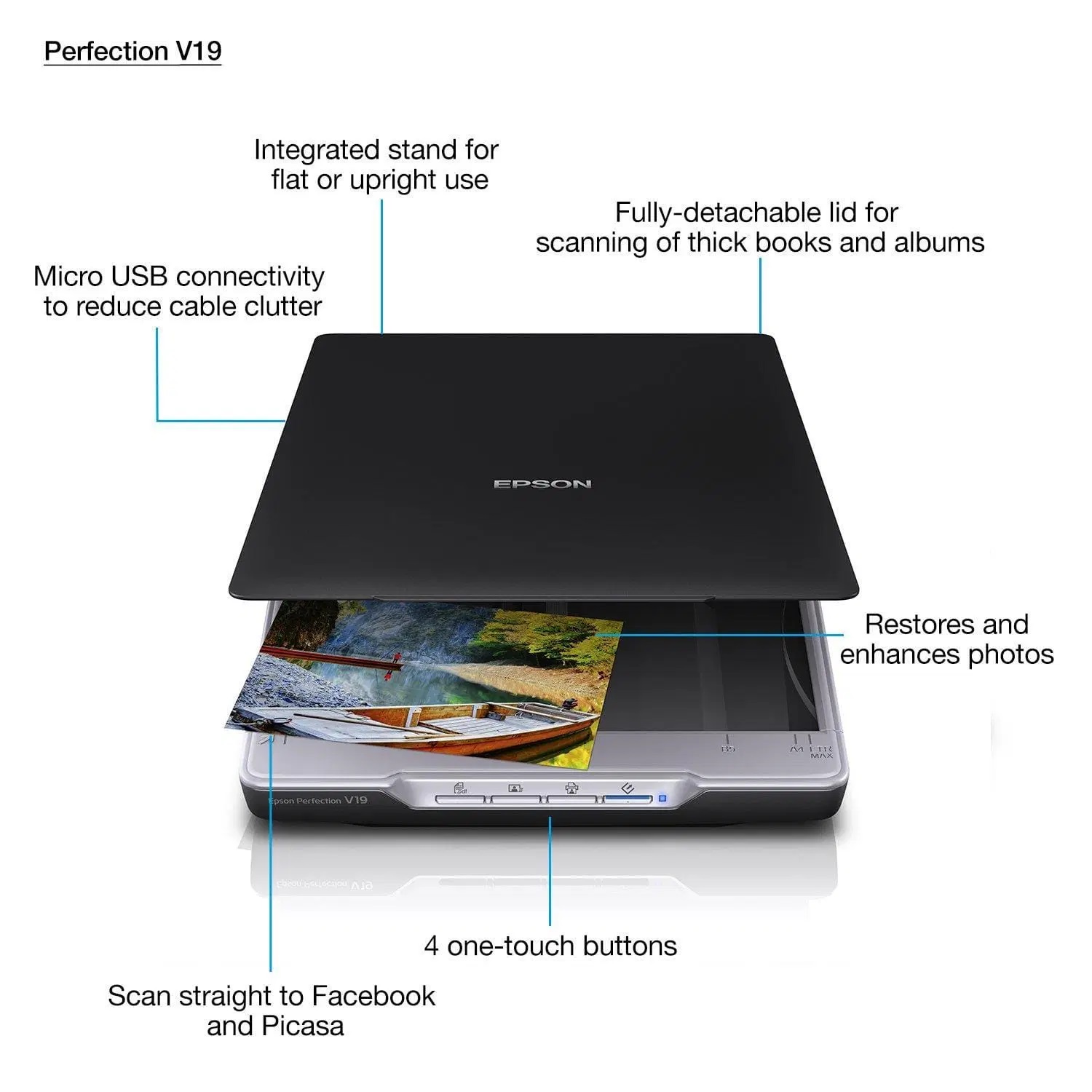
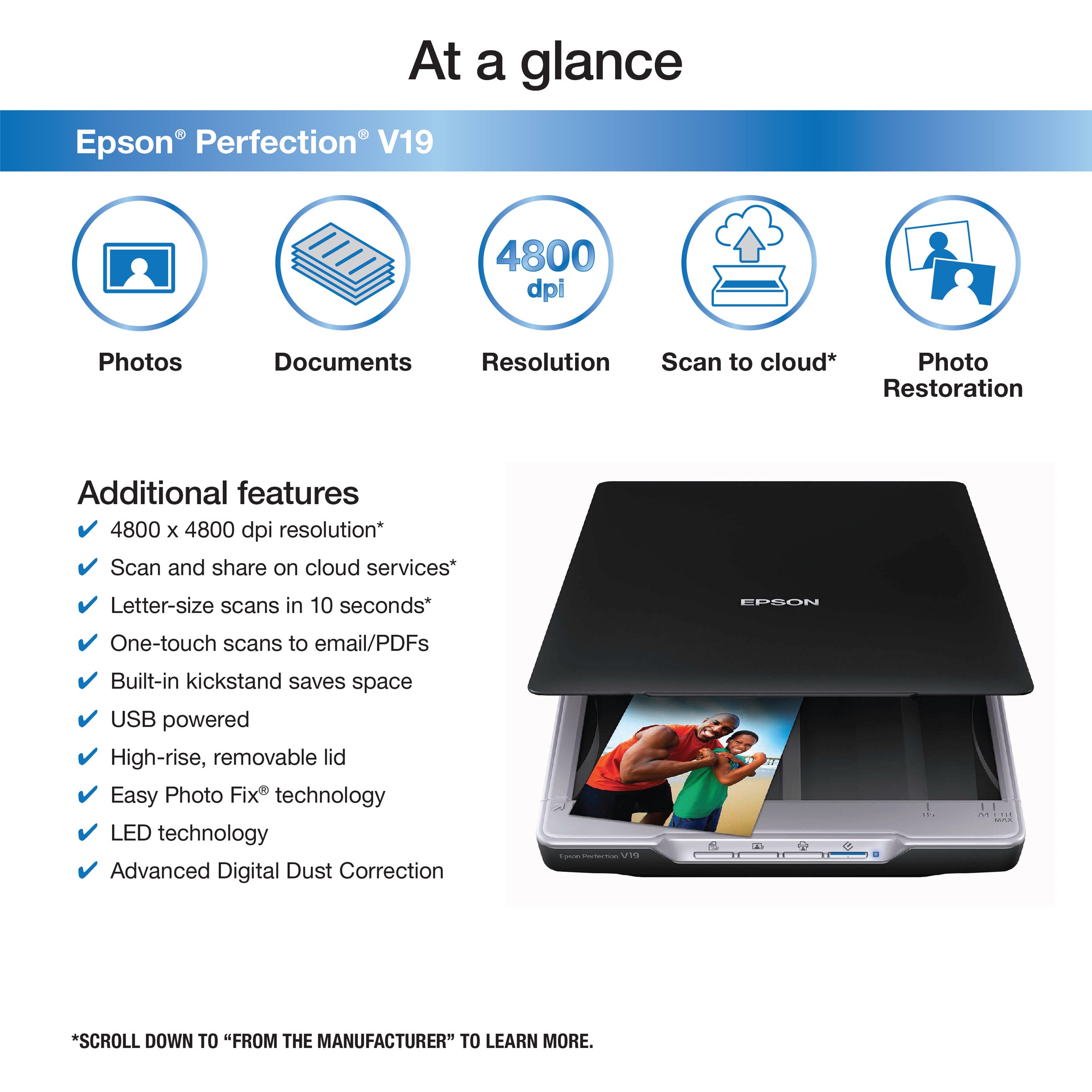
Expert Features
- Affordable and Compact: Designed for easy scanning and sharing.
- High Optical Resolution: 4800 dpi for detailed scans.
- Fast Scanning Speeds: Scans letter-sized documents in just 10 seconds.
- Easy-to-Use Buttons: Simplifies scanning to computers, emails, or PDFs.
- Cloud Sharing: Supports scanning and sharing on cloud services like Evernote.
- Single USB Connection: Provides both power and connectivity to the computer.
- No Warmup Time Needed: Ready to scan immediately.
- Space-Saving Design: Built-in kickstand allows for vertical placement.
- Removable Lid: Accommodates bulky items like photo albums.
- Photo Restoration Software: Includes tools for restoring color to faded photos and removing dust.

Wavlink USB 2.0 Network Print Server, LAN Print Share Server for USB Printers, LPR Print Protocol 10/100Mbps Computer Print Server Adapter for Windows 7/8/8.1/XP/10/11/Vista, MacOS 10.7 or Above
Wavlink USB2.0 Network Print Server LAN Print


Expert Features
⭐USB2.0 Network Printer:
- Tired of maintaining the printer's host PC? Wavlink print server converts an old USB printer into a network printer, sharing a USB printer with multiple users over an Ethernet.
- No additional printers are needed and save money, space and less cable mess.
⭐Print From Anywhere:
- Print from any computer connected to the LAN.
- This print server doesn’t require a wired connection to the computer, however you must connect the server to your network device (eg. router/switch) with the included RJ45 network cable.
⭐Note Before Purchase:
- This print server requires networking and computer system settings, No Driver Required.
- Read "Printer Compatibility List" in "Product Document" before purchase.
- GUI(Graphical User Interface)-based management, DHCP and auto IP supported.
⭐Extensive Compatibility:
- This print adapter is USB2.0 compliant, it works with Windows 2003/2008/2012/XP/Vista/7/8/8.1/10/11, Mac 10.7 or later. Compatible with almost all the USB printers such as ink-jet printer, laser printer, needle printer, multi-function printer, etc..
⭐Perfect Solution:
- This USB printer network adapter allows any computer in the same LAN to access the USB printer connected with this print server device.
- It is suitable for home or business applications, and government or educational institutions that require shared printing capabilities.
- Please download the latest user manual on the listing page. If any problems, please contact us first. We have professional team to solve your problems.
From The Manufacturer
Wavlink new palm-sized Networking USB 2.0 Server enables any USB printer into wired network printer so printer can be accessed by all computer users on the network, provides users with an auto-sensing Ethernet port that works with either 10Base-T or 100Base-T networks.
Print Over LAN
Connect a USB-only printer to the LAN and share it among all computers on the network.
Easy Configuration
Easy configuration with intuitive web based GUI(Graphics User Interface)
Easy to use:
Features & Tips:
Package List:
- 1x Instruction Manual
- 1x Power Adapter (Length: 120cm/3.9ft/47in)
- 1x RJ45 Ethernet Cable (Length:100cm/3.3ft/39.4in)
- 1x Networking USB LPR Print Server (Dimensions: 54*54*25mm / 2.1*2.1*1inches)
- System Requirement: Windows 2003/2008/2012/XP/7/8/8.1/10/11, Mac 10.7 or later.
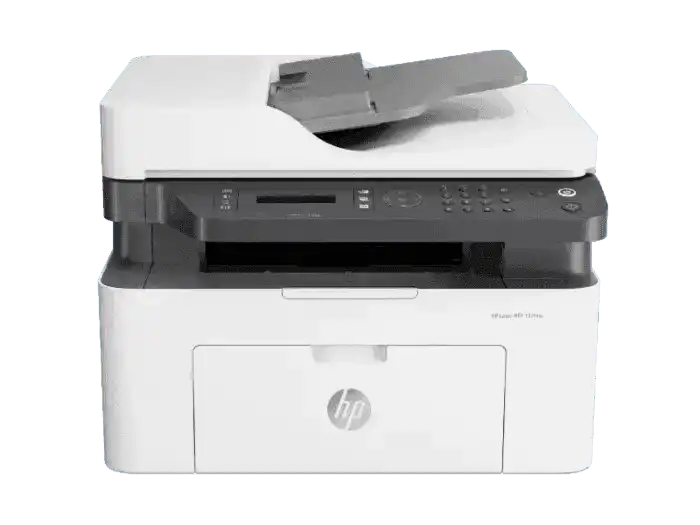
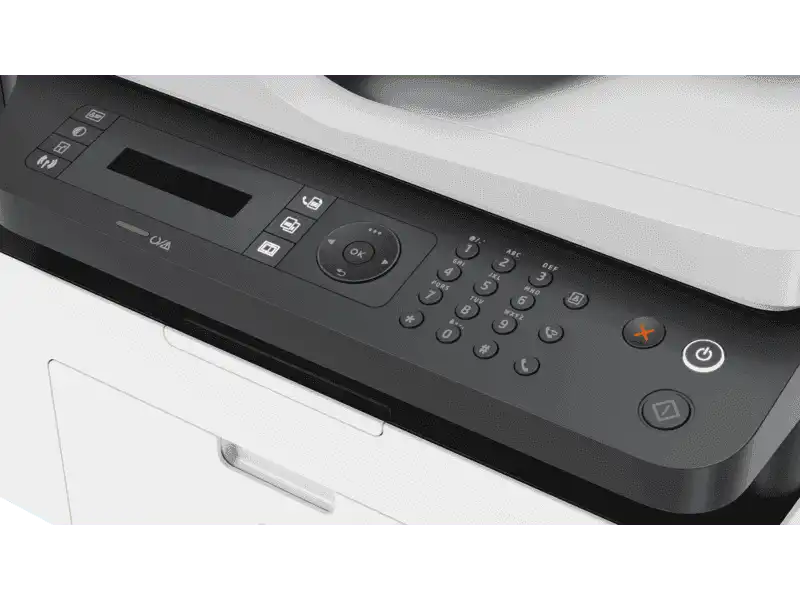
HP LaserJet M137fnw 4 In 1 Print, Scan, Copy, Fax Wireless Printer
HP LaserJet M137fnw 4 In 1 Print, Scan, Copy, Fax Wireless Printer
| FUNCTION | PRINT, COPY, SCAN, FAX AND WIRELESS |
|---|---|
| Ports | Hi-Speed USB 2.0; Fast Ethernet 10/100Base-Tx network port; Wireless 802.11 b/g/n |
| Wireless capability | Yes, built-in Wi-Fi 802.11b/g/n |
| Maximum Memory | 128 MB |
| Mobile printing services | Apple AirPrint™; Google Cloud Print™; Mobile Apps; Mopria™ Certified; Wi-Fi® Direct Printing |
| Media sizes supported (metric) | A4; A5; A5 (LEF); B5 (JIS); Oficio; Envelope (DL, C5) |
| Number of print cartridges | 1 Black |
| Replace cartridges | HP 105A Black Original Laser Toner Cartridge (1,000 pages yield) W1105A; HP 106A Black Original Laser Toner Cartridge (1,000 pages yield) W1106A; HP 107A Black Original Laser Toner Cartridge (1,000 pages yield) W1107A |
| Monthly duty cycle | Up to 10,000 pages |
| Maximum dimensions (W x D x H, metric) | 421.9 x 424 x 308.7 mm |
| Weight (metric) | 8.58 kg |