
| VEIKK , A50 , DRAWING , TABLET , 10 |
{attribute:VEIKK , A50 , DRAWING , TABLET , 10 |
|---|
-28%



THERMALTAKE TOUGHPOWER GF3 1000W GOLD PREMIUM EDITION
Call for Price
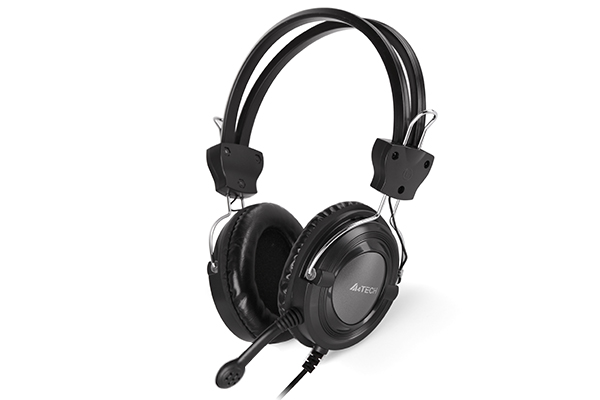
A4TECH HS-19 STEREO HEADSET IRON GREY
Call for Price
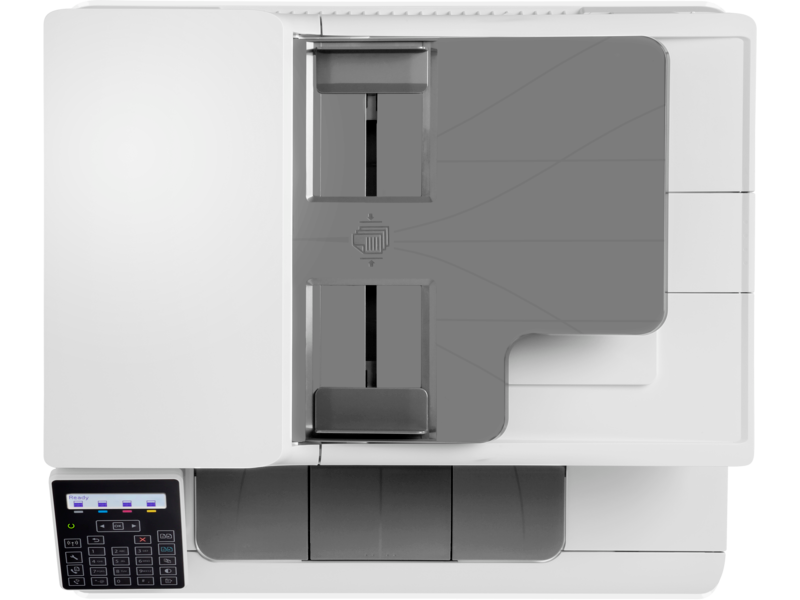
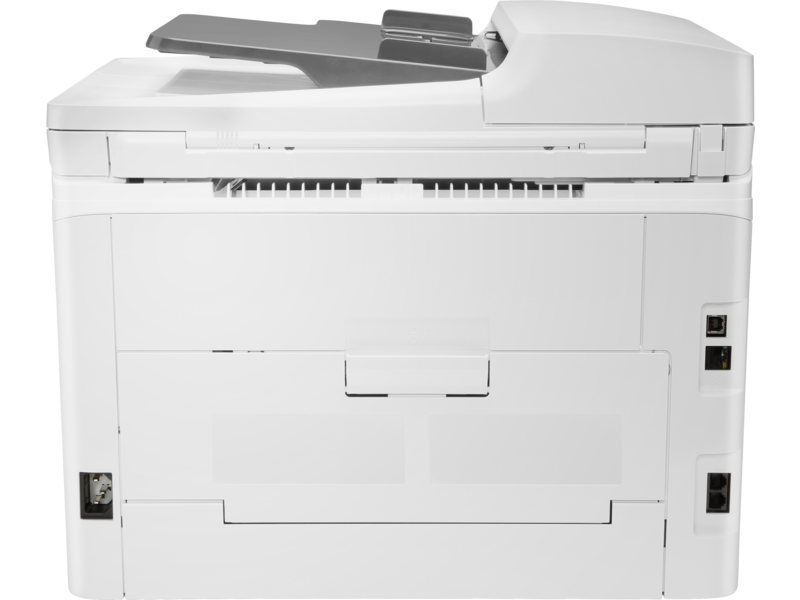
HP COLOR LASERJET PRO M183FW 4IN1 (Print, copy, scan, fax)
Additional information
Related products


HP LaserJet Pro 4003dn Network Printer – Black & White Monochrome – Up to 40 ppm (A4) 1200 x 1200 dpi – Duplex 2 Sided Printing – HP Wolf Pro Security – Ethernet Port – Hi-Speed USB 2.0 | White (2Z609A)
Pro 4003dn Monochrome Printer Duplex 40 ppm


Expert Features
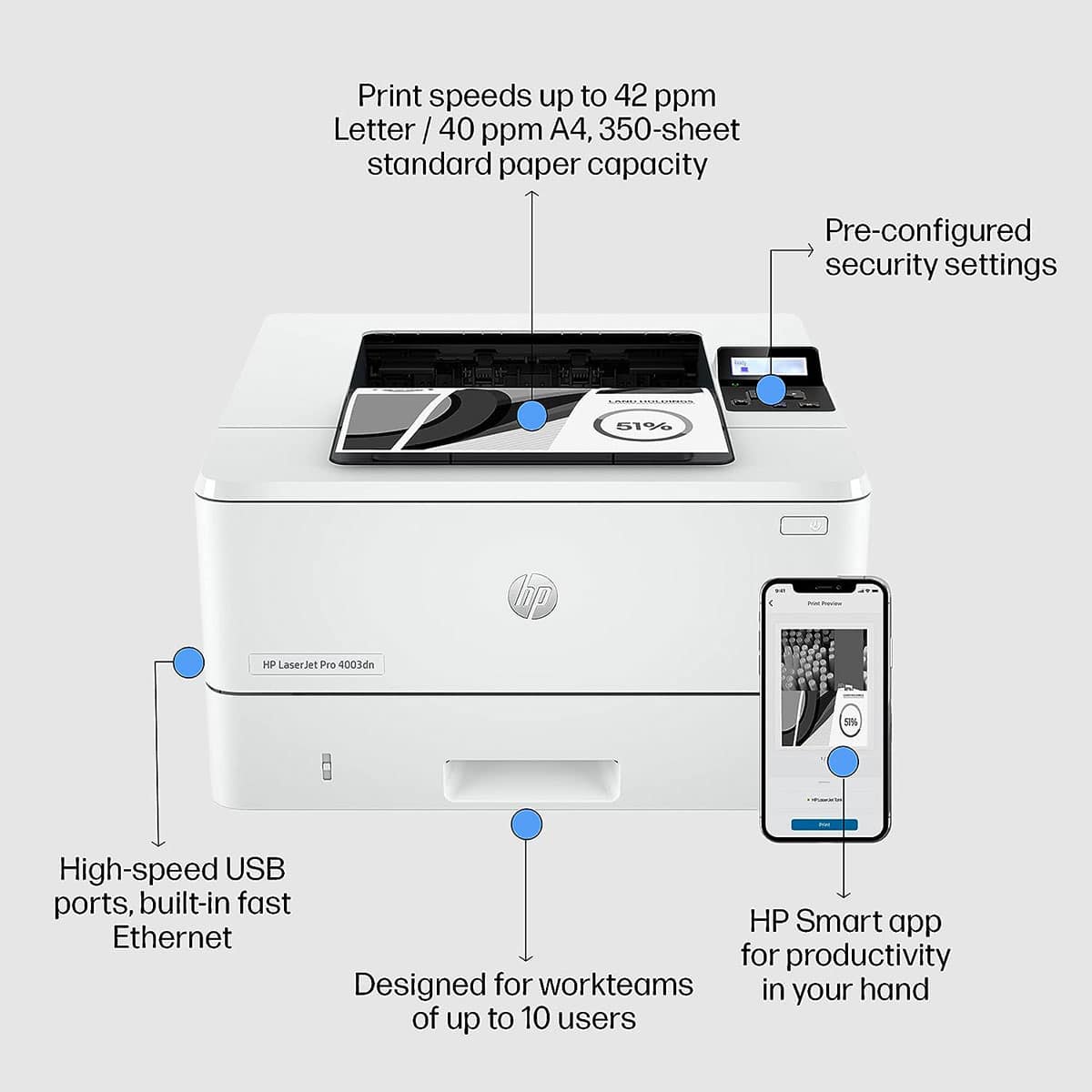
- GET BLAZING FAST PRINTING SPEEDS AND EASY MANAGEMENT TOOLS WITH LASERJET PRO: The HP Laserjet Pro 4003dn is perfect for your small/medium business: Effortlessly print with automatic 2-sided printing, 350 sheet standard paper capacity, and prints in black and white at up to 42 pages per minute letter and 40 pages per minute A4
- MAXIMUM PRODUCTIVITY: Support your dynamic work team with this high-speed printer, ideal for up to 10 users, step up your workflow, HP Pro-class print speed reaches up to 42 ppm to meet high-demand environments, get productivity in the palm of your hand, print and save time with Shortcuts from HP Smart
- SEAMLESS MANAGEMENT: Centralise your print management, HP Web Jetadmin makes it easy with its suite of features, set up your printers quickly, streamlined setup makes it easy to set up and get back to business
- HP WOLF PRO SECURITY: Get printer security out of the box, preconfigured settings mean it's ready when you are, add a layer of security, PIN/pull option authenticates your print jobs only when you're present
- SUSTAINABLE PRINTING: Save up to 20 percent energy, EcoSmart toner with JetIntelligence balances premium quality with sustainability, start saving paper right out of the box, the default duplex setting prints on both sides to cut usage in half, meet the industry standard for efficiency with Energy Start rating
- WHAT'S IN THE BOX: HP LaserJet Pro 4003dn Printer; Preinstalled HP Black Original LaserJet Toner Cartridge (2,900 pages); Getting Started Guide; Support Flyer; Warranty Guide; Regulatory Flyer; Power cord
- DYNAMIC SECURITY ENABLED PRINTER: Certain HP printers are intended to work only with cartridges that have a new or reused HP chip or electronic circuitry, these printers use dynamic security measures to block cartridges using a non-HP chip or electronic circuitry, periodic firmware updates will maintain the effectiveness of these measures and block cartridges that previously worked, reused HP chips and electronic circuitry enable the use of reused, remanufactured, and refilled cartridges
From the manufacturer
HP LaserJet Pro 4003dn Printer (2Z609A)
| Functions | |
|---|---|
| Print speed black (ISO, letter) | Up to 42 ppm 1 |
| Print speed black (ISO, A4) | Up to 40 ppm 1 |
| First page out black (letter, ready) | As fast as 6.1 sec 2 ( Measured using ISO/IEC 17629. For more information see http://www.hp.com/go/printerclaims. Exact speed varies depending on the system configuration, software application, driver, and document complexity.) |
| First page out black (A4, ready) | As fast as 6.3 sec 2 ( Measured using ISO/IEC 17629. For more information see http://www.hp.com/go/printerclaims. Exact speed varies depending on the system configuration, software application, driver, and document complexity.) |
| First page out color (letter, ready) | 2 ( Measured using ISO/IEC 17629. For more information see http://www.hp.com/go/printerclaims. Exact speed varies depending on the system configuration, software application, driver, and document complexity.) |
| First page out color (A4, ready) | 2 ( Measured using ISO/IEC 17629. For more information see http://www.hp.com/go/printerclaims. Exact speed varies depending on the system configuration, software application, driver, and document complexity.) |
| Duty cycle (monthly, letter) | Up to 80,000 pagesUp to 80,000 pages (Duty cycle is defined as the maximum number of pages per month of imaged output. This value provides a comparison of product robustness in relation to other HP LaserJet or HP Color LaserJet devices, and enables appropriate deployment of printers and MFPs to satisfy the demands of connected individuals or groups.) |
| Duty cycle (monthly, A4) | Up to 80,000 pages (Duty cycle is defined as the maximum number of pages per month of imaged output. This value provides a comparison of product robustness in relation to other HP LaserJet or HP Color LaserJet devices, and enables appropriate deployment of printers and MFPs to satisfy the demands of connected individuals or groups.) |
| Recommended monthly page volume | 750 to 4,000 (HP recommends that the number of printed pages per month be within the stated range for optimum device performance, based on factors including supplies replacement intervals and device life over an extended warranty period.) |
| Print quality black (best) | Fine Lines (1200 x 1200 dpi) |
| Print languages | HP PCL 6, HP PCL 5e, HP postscript level 3 emulation, PDF, URF, PWG Raster |
| Print technology | Laser |
| Connectivity, standard | 1 Hi-Speed USB 2.0; 1 host USB at rear side; Gigabit Ethernet 10/100/1000BASE-T network; 802.3az(EEE) |
| Mobile printing capability | HP Smart App; Apple AirPrint™; Mopria™ Certified |
| Network capabilities | Yes, via built-in 10/100/1000Base-TX Ethernet, Gigabit; Auto-crossover Ethernet; Authentication via 802.1X ( does not apply to D bundles) |
| Minimum System Requirements for Macintosh | 2 GB available hard drive space; Internet connection or USB port Internet browser. For additional OS hardware requirements see apple.com |
| Minimum System Requirements | 2 GB available hard disk space; Internet connection or USB port Internet browser. For additional OS hardware requirements see microsoft.com |
| Display | 2-line back lit LCD graphic display |
| Processor speed | 1200 MHz |
| Maximum Memory | 256 MB |
| Memory | 256 MB |
| Internal Storage | None |
| Storage | Optional Job storage via external rear host USB port (Minimum 16 GB) |
| Compatible Operating Systems | Windows 11; Windows 10; Android; iOS; Mobile OS; macOS 10.15 Catalina; macOS 11 Big Sur; macOS 12 Monterey; macOS 13 Ventura; Chrome OS |
| Paper handling input, standard | 100-sheet multipurpose Tray 1, 250-sheet input Tray 2 |
| Paper handling output, standard | 150-sheet output bin |
| Paper handling input, optional | Optional third 550-sheet tray |
| Finished output handling | Sheetfed |
| Media types | Paper (plain, EcoFFICIENT, light, heavy, bond, colored, letterhead, preprinted, prepunched, recycled, rough); envelopes; labels |
| Media sizes, custom | Tray 1: 76 x 127 to 216 x 356 mm; Tray 2, optional Tray 3: 104.9 x 148.5 to 2165.9 x 356.6 mm |
| Power consumption | 495 watts (active printing), 5.5 watts (ready), 0.5 watts (sleep), 0.5 (Auto Off/Wake on LAN, enabled at shipment), 0.05 watts (Auto-off/Manual-on), 0.05 (Manual Off) (Power requirements are based on the country/region where the printer is sold. Do not convert operating voltages. This will damage the printer and void the product warranty.) |
| Power | 110-volt input voltage: 110 to 127 VAC (+/- 10%), 50/60 Hz (+/- 2 Hz); 220-volt input voltage: 220 to 240 VAC (+/- 10%), 50/60 Hz (+/- 2 Hz) (Not dual voltage, product varies by part number with # Option code identifier) |
| Operating humidity range | 10 to 80% RH |
| Recommended operating humidity range | 30 to 70% RH |
| Operating temperature range | 10 to 32.5°C |
| Operating temperature range | 50 to 91°F |
| Minimum dimensions (W x D x H) | 381 x 357 x 216 mm (Without trays and covers not extended) |
|---|---|
| Maximum dimensions (W x D x H) | 381 x 634 x 241 mm (Without trays and covers not extended) |
| Weight | 8.56 kg |
| What's in the box | HP LaserJet Pro 4003dn Printer; Preinstalled HP Black Original LaserJet Toner Cartridge (3,050 pages); Getting Started Guide; Support Flyer; Warranty Guide; Regulatory Flyer; Power cord 6 |
| Number of print cartridges | 1 (black) |
| Replacement cartridges | HP 151A Black Original LaserJet Toner Cartridge (~3,050 pages), W1510A; HP 151X Black Original LaserJet Toner Cartridge (~9,700 pages), W1510X ( 3 Declared yields based on ISO/IEC 19752 and continuous printing. Actual yields vary considerably based on images printed and other factors. For details see http://www.hp.com/go/toneryield) |
| Manufacturer Warranty | One-year Bench/Depot Repair warranty. Warranty and support options vary by product, country and local legal requirements. Contact your Contractual Vendor or go to hp.com/support to learn about HP award winning service and support options in your region. (wty code 4E; wty ID A033) |


CANON IMAGECLASS 6030W WIRELESS LASER BLACK PRINTER
CANON-6030W
| Printing Method | Monochrome Laser Beam Printing | ||
| Print Speed | A4: | Up to 18ppm | |
| Letter: | Up to 19ppm | ||
| Print Resolution | 600 x 600dpi | ||
| Print Quality with Image Refinement Quality | 2400 (equivalent) × 600dpi | ||
| Warm-Up Time (From Power On) | 10secs. or less | ||
| First Printout Time (FPOT) | Approx. 7.8secs. | ||
| Recovery Time (From Sleep Mode) | Approx. 1sec. | ||
| Print Language | UFR II LT | ||
| Paper Handling | |||
| Paper Input (Standard) | 150 sheets (based on 80g/m2) | ||
| Paper Output | 100 sheets (face down) (based on 80g/m2) | ||
| Paper Size | A4, B5, A5, Legal*1, Letter, Executive, 16K, Envelope COM10, Envelope Monarch, Envelope C5, Envelope DL Custom: Width 76.2 to 216 x Length 188 x 356mm | ||
| Paper Weight | 60 to 163g/m2 | ||
| Paper Type | Plain paper, Heavy Paper, Transparency, Label, Envelope. | ||
| Connectivity and Software | |||
| USB Interface | USB 2.0 High Speed | ||
| Network Interface | Wi-Fi 802.11b/g/n (WPS Easy Set Up) | ||
| Network Protocol | Print: | LPD, RAW, WSD-Print | |
| Management: | SNMPv1, SNMPv3, SLP TCP/IP Application Services: WINS (IPv4), DHCP, BOOTP, RARP, DHCPv6 (IPv6), Auto IP, mDNS, DNS, DDNS | ||
| Network Security | WEP, WPA-PSK(TKIP/AES-CCMP), WPA2-PSK(TKIP/AES-CCMP) | ||
| Mobile Print | Canon PRINT Business | ||
| Compatible Operating Systems*2 | Windows 8.1 (32 / 64-bit), Windows 7 (32 / 64-bit), Windows Server 2012 (32 / 64-bit), Windows Server 2012 R2 (64-bit), Windows Server 2008 (32 / 64-bit), Windows Server 2008 R2 (64-bit), Mac OS 10.7.x - 10.9*3, Linux*3, Citrix | ||
| General Specification | |||
| Operation Panel | 3 LED indicators, 3 Operation Key | ||
| Device Memory | 32MB | ||
| Dimensions (W x D x H) | 364 x 249 x 199mm | ||
| Weight | Approx. 5.0kg (Without Cartridge) | ||
| Noise Level*4 | During Operation: | Sound Power Level: | 6.53B or less |
| Sound Pressure Level: | 49.3dB | ||
| During Standby: | Sound Power Level: | Inaudible*5 | |
| Sound Pressure Level: | Inaudible*5 | ||
| Maximum Power Consumption | 870W | ||
| Average Power Consumption | During Operation: | Approx. 330W | |
| During Standby: | Approx. 1.8W (USB connection) Approx. 2.8W (Wireless connection) | ||
| During Sleep: | Approx. 0.8W (USB connection) Approx. 1.6W (Wireless connection) | ||
| Energy Star TEC (Typical Electricity Consumption) | 0.47kWh/week | ||
| Operating Environment | Temperature: | 10 ~ 30°C | |
| Humidity: | 20 to 80% RH (no condensation) | ||
| Power Requirement | 220 - 240V (±10%), 50 / 60Hz (±2Hz) | ||
| Toner Cartridge*6 | Cartridge 325: | 1,600 pages (Bundled Cartridge: 700 pages) | |

HP LaserJet MFP M141a Multifunction All In One Printer, Print – Copy – Scan , 21 – 30 Print Speed, USB Connectivity, 100 Sheets Output Capacity, Up to 21 cpm Copy Speed, LED Display, White | 7MD73A
HP LaserJet MFP M141a Multifunction
HP MFP 141a Mono Laser Printer (7MD73A)
Print Size: A4, Functions: Print, Copy & Scan,
Print Speed: Up to 20ppm mono,
Print Resolution: Up to 600 x 600 dpi
Memory: 64MB RAM
Duplex Printing: Manual
Connectivity: Hi-Speed USB 2.0 port
Paper Handling: 150 sheet paper input tray.


Expert Features
- Small size. Big performance : A LaserJet MFP so small it can fit almost anywhere.
- Fast printing : Get print speeds up to 21/20ppm.
- Tackle the essentials – print, scan, copy : Easily handle tasks and get a lot from one device – print, scan, and copy.
- Seamless setup : Get started fast with simple setup that guides you through each step, with HP Smart app.
- Legendary laser quality : This surprisingly small laser delivers exceptional quality, page after page.
- Amazing scanning : Get high-quality scanning, and share to Dropbox, Google Drive, email, or the cloud - with HP Smart app.
- Printing just got more productive : Quickly access and print documents and images from Dropbox and Google Drive - with HP Smart app.
- Connect your printer with USB : Easily connect your printer to your computer with the built-in USB port.
- On when you need it, off when you don’t : Help save energy with HP Auto-On/Auto-Off Technology.
- Easy ID copying : Easily copy both sides of identification cards onto one side of paper.
What's In The Box
- Printer; Power cord; Toner Cartridge(~500 pages); Setup Poster; Reference Guide; Warranty Guide; Flyer
- Cable Included : 1 USB cable added for AP and wireless for EMEA, AMS (EM only)
System Requirements
- Minimum System Requirements For Macintosh : Apple® macOS Catalina (v10.15) macOS Big Sur (11.0) macOS Monterey (v12.0); 2 GB HD; Internet required; USB
- Minimum System Requirements : Microsoft® Windows® 11, 10, 7 SP1: 32-bit or 64-bit, 2 GB available hard disk space, Internet connection, USB port, Microsoft® Internet Explorer or Edge.
Expert Specs
Print technology |
|
|---|---|
| Print technology | Laser Black |
Functions |
|
| Functions | Print copy scan |
Specifications |
|
| Print speed black | Normal: Up to 20 ppm |
| First page out (ready) | Black: As fast as 8.5 sec |
| Duty cycle (monthly, A4) | Up to 8 000 pages |
| Print quality (best) | Up to 600 x 600 dpi |
| Display | LED |
| Processor speed | 500 MHz |
| Print languages | PCLm/PCLmS; URF; PWG |
| Automatic paper sensor | No |
| Replacement cartridges | HP 150A Black LaserJet Toner Cartridge (~975) W1500A 9 |
Connectivity |
|
| Wireless capability | No |
| Connectivity, standard | USB2.0 |
Memory specifications |
|
| Memory, standard | 64 MB |
| Maximum Memory | 64 MB |
Paper handling |
|
| Paper handling input, standard | 150-sheet input tray |
| Paper handling output, standard | 100-sheet output tray |
| Duplex printing | No |
| Media sizes supported | A4; A5; A6; B5 |
Power and operating requirements |
|
| Power | Input voltage: 220 to 240 VAC (+/- 10%) 50/60 Hz (+/- 2 Hz) |
| Power consumption |
|
| Energy efficiency | ENERGY STAR® qualified |
| Operating temperature range | 10 to 30°C |
After Sales Support |
|
| Warranty | 1 Year |

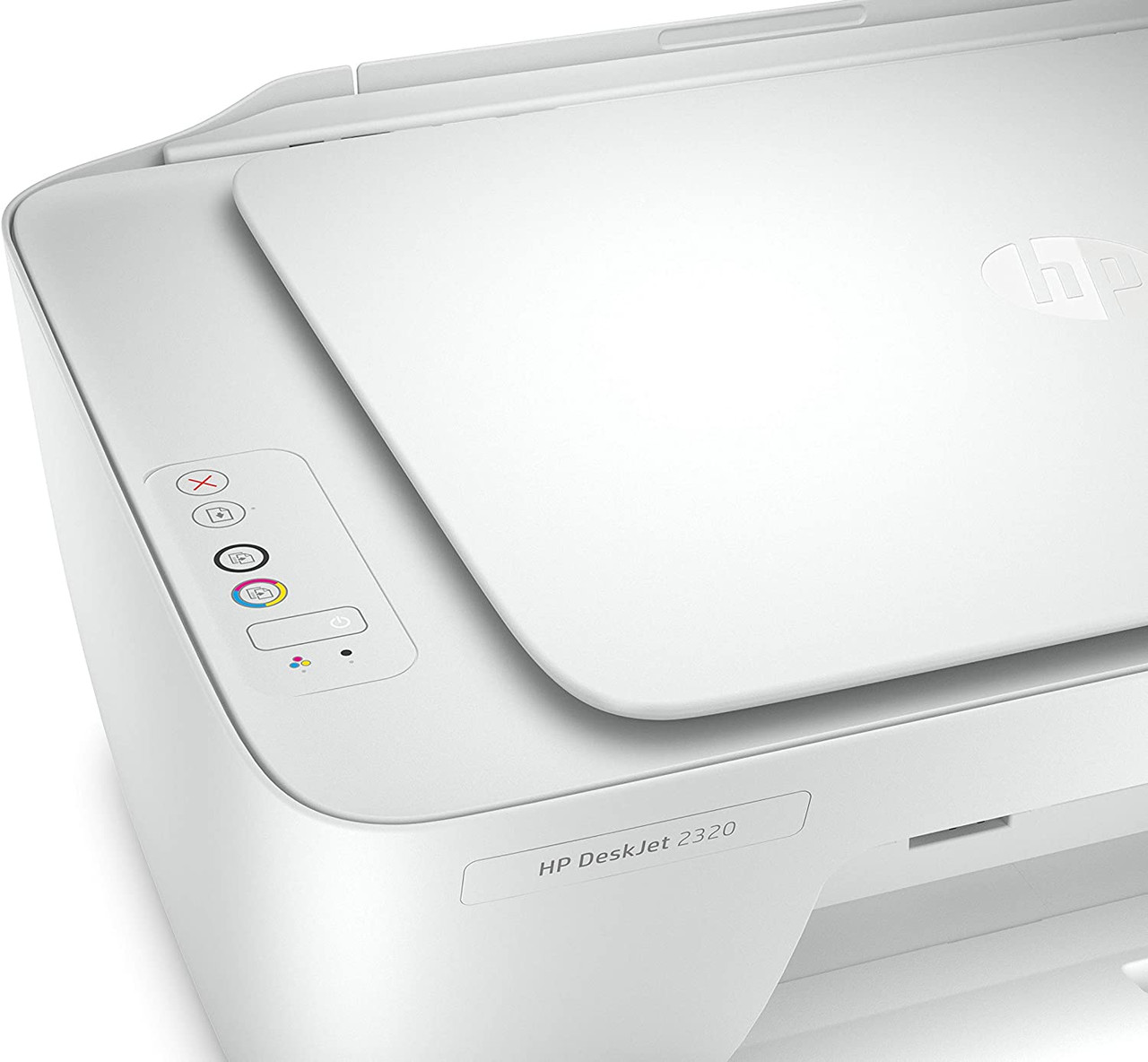
HP DeskJet 2320 All-in-One Printer Print, Scan, Copy
Specifications
- Interface(s)/Port(s)
- Ethernet Port: No
- Bluetooth: No
- Dimensions
- Length: 37 cm
- Weight: 3.42 kg
- Height: 24.9 cm
- Depth: 37 cm
- Width: 42.5 cm
- Network & Communication
- Wireless LAN: No
- Display
- Touchscreen: No
- Screen Size: No
- Other
- Memory Card Slot: No
- Made in: China
- Series Name: DeskJet 2320
- Mobile Device Printing: No
- Printer Resolution (Color): Up to 4800 x 1200 dpi
- Number Of Cartridges Included: 1 Black - 4 Colors
- Color Cartridge Type: Multi-Color
- Printer Resolution (Black): Up to 1200 x 1200 dpi
- Duplex Printing: Manual
- Borderless Printing: No
- Maximum Paper Size: A4
- Wireless Print Technology: No
- Auto Feeder: No
- Maximum Black Print Speed (ppm): Up to 7.5 ppm
- Maximum Color Print Speed (ppm): Up to 5.5 ppm
- USB: Yes
- Power Source: 220 to 240 VAC
- Product Type: Multifunction
- Brand Name: HP

HP ScanJet Pro 3000 s4 Sheet-Feed Scanner
HP ScanJet Pro 3000 s4 Sheet Feed Scanner
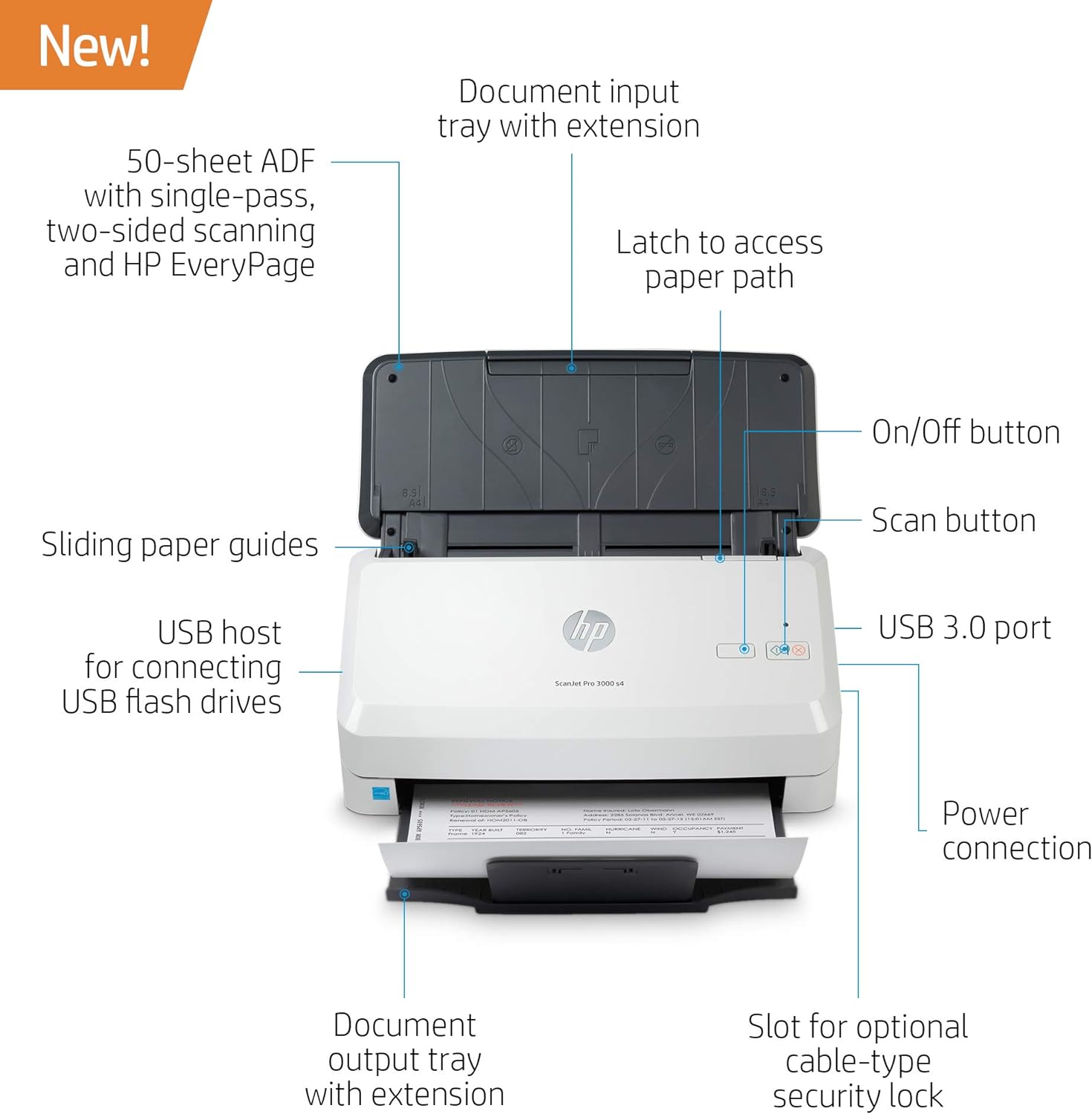
Product type: Document scanner
Paper format (max.): A4
Scan volume/day (max.): 4,000 pages
Scan speed (max.): 40.0 ppm
Connectors: 1 x USB 3.0 Type-A
| Media Type | Stapled Media, Carbonless Form, Laser Paper, Pre-punched Paper, Check, Plastic Card, Plastic Carrier Sheet, Cut Sheet Paper, Business Card |
| Scanner Type | Document, Business Card |
| Brand | HP |
| Model Name | 6FW07A#BGJ |
| Connectivity Technology | USB |
| Resolution | 1200 |
| Item Weight | 6 Pounds |
| Wattage | 24 watts |
| Sheet Size | 2 x 3 to 8.5 x 122 |
| Color Depth | 24, 48 |
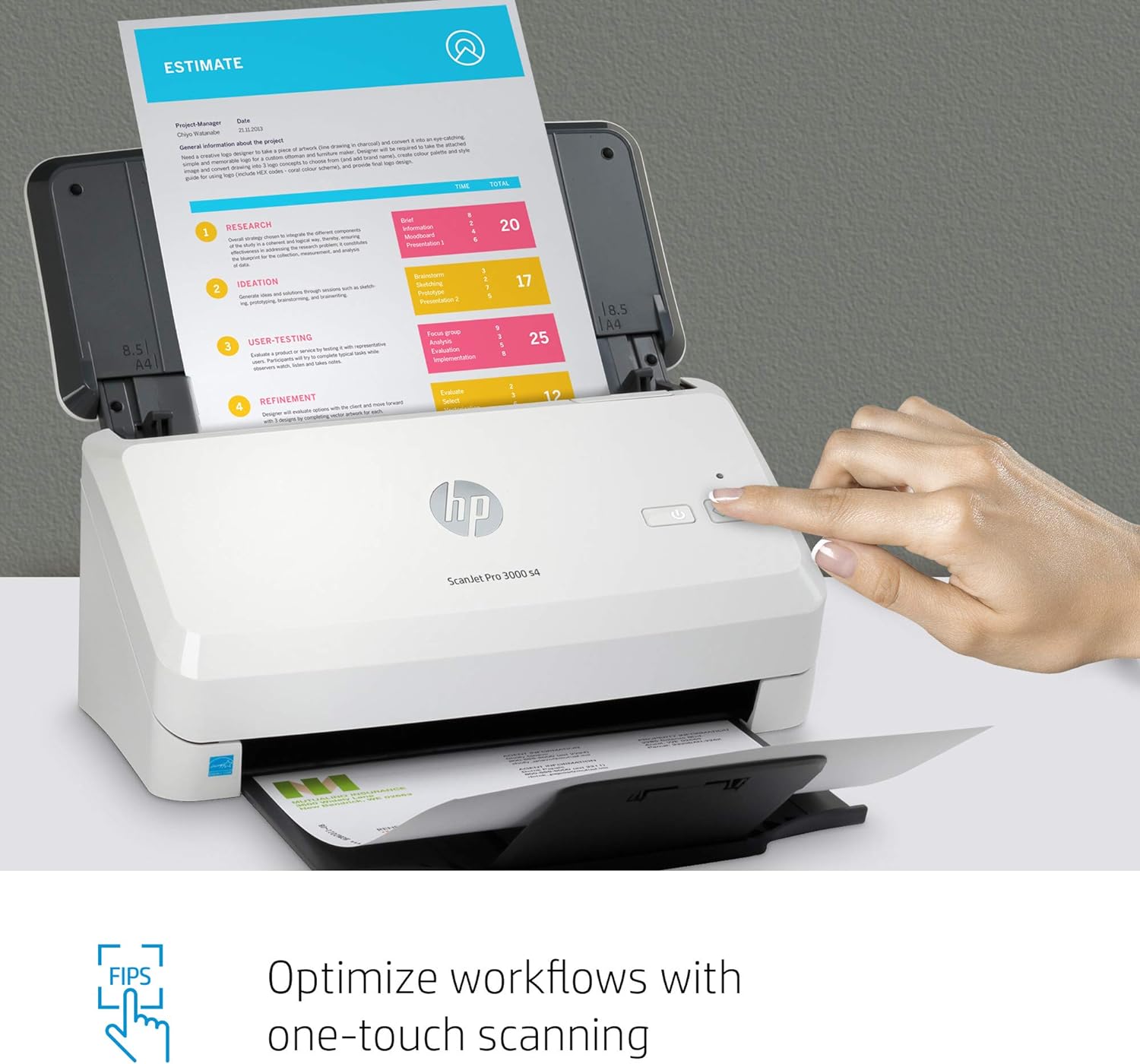
About HP ScanJet Pro Sheet Feed Scanner

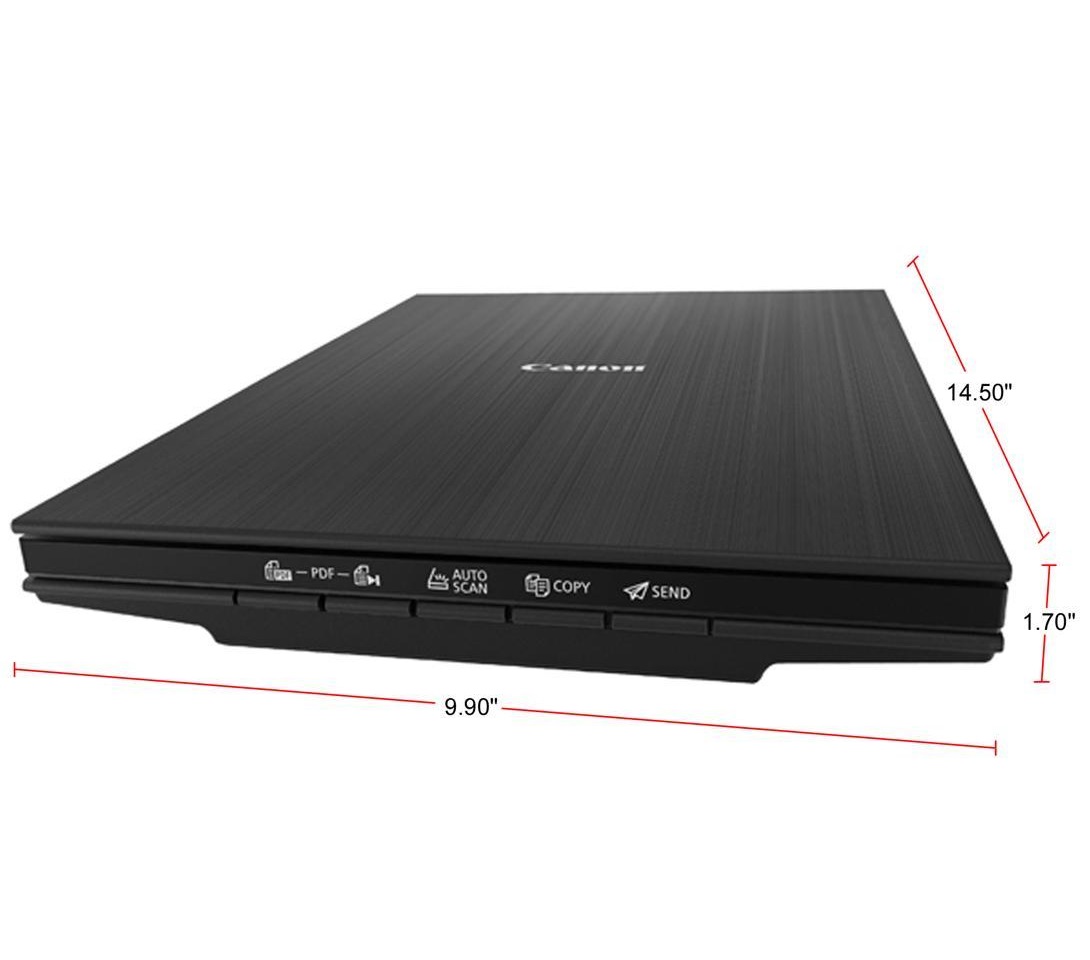
Canon CanoScan LiDE 400 (2996C002) 4800 x 4800dpi Color: 48-bit Internal / 48-bit or 24-bit External USB Type-C (One Cable For Data & Power) Interface Flatbed Scanner
Canon CanoScan LiDE 400 4800 x 4800 dpi
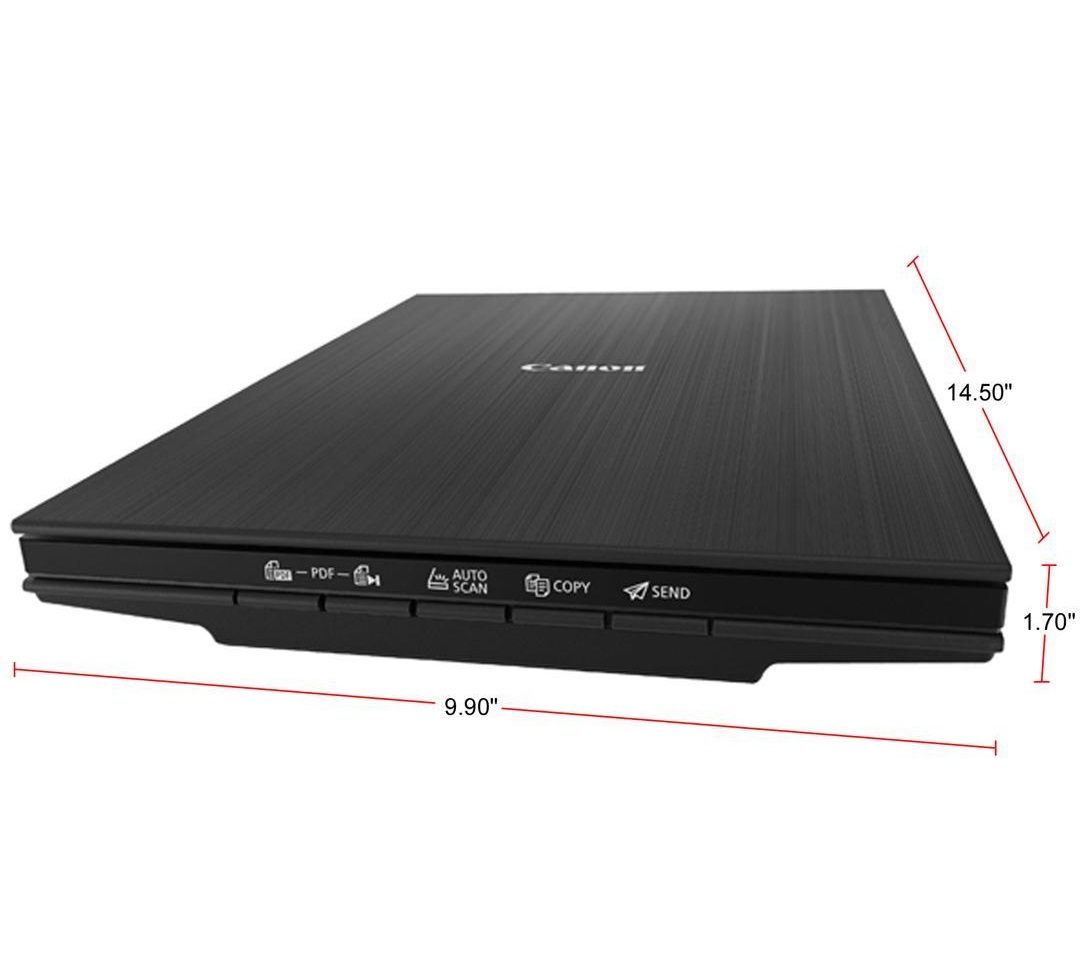

Expert Features
Canon CanoScan Lide 400 Slim Scanner
- The CanoScan LiDE 400 is a full color image scanner made for scanning photos and documents in high-resolution.
- With the CanoScan LiDE 400 high quality scanning. With 8 second high speed scanning1, 5 built-in 'EZ' buttons and 4800 x 4800 dpi resolution 2, every scan is fast, easy, and looks great.
8 second high-speed scanning and send to the cloud
- Enjoy high speed scanning in as fast as 8 seconds1, with the included USB Type-C cable.
- With USB Type-C the CanoScan LiDE 400 has one cable for data and power.
- Even Scan and send your files right to Cloud services, with Send to Cloud5 feature. With Send to Cloud5 you can easily upload your photos and documents right to Cloud services like Microsoft OneDrive and Dropbox.
4800 x 4800 dpi Resolution2 for High Quality Scanning
- Preserve detailed photos and images thanks to 4800 x 4800 dpi resolution2, and with image enhancements, such as color restore and dust removal, your photos will continue to look great.
- The CanoScan LiDE 400 is even able to scan upright - saving desk space without sacrificing quality.
Easy Scanning with Five 'EZ' Buttons
- Enjoy the ultimate ease of use with the 5 'EZ' Buttons. With Auto Scan Mode3, the scanner automatically adjusts settings by detecting what you are scanning.
- With the built-in PDF buttons, you can easily scan and save multi-page PDF's that are editable and searchable with OCR4.
Expert Specs
| Brand | Canon |
|---|---|
| Series | CanoScan |
| Model | LiDE 400 (2996C002) |
| Scanner Type | Flatbed |
|---|---|
| Image Sensor | CIS |
| Light Source | Three-color RGB LEDs |
| Scanning Speed | Document: Approx. 8 Seconds (300 dpi / Letter Size / Color) 4.00" x 6.00" Photo: Approx. 4 Seconds (300 dpi / Color) |
| Resolutions, Optical | 4800 x 4800dpi |
| Resolutions, Interpolated | 19200 x 19200 dpi |
| Color Depth | Color: 48-bit Internal / 48-bit or 24-bit External |
| Max. Document Size | 8.5" x 11.7" |
| File Formats | |
| Interface | USB Type-C (One Cable For Data & Power) |
| Power Consumption | 4.5 W (0.3 W Standby) |
| Operating Systems Supported | Windows: Windows 10, Windows 8.1, Windows 7 SP1 Mac: Mac OS X v10.10.5 - macOS v10.13 (High Sierra) Linux: 8 Requires ScanGear MP Driver Installed |
| Features | 8 Second High Speed Scanning with USB Type-C Enjoy high speed scanning in as fast as 8 seconds, with the included USB Type-C cable. With USB Type-C the CanoScan LiDE 400 has one cable for data and power. 4800 x 4800 dpi Resolution for High Quality Scanning Preserve detailed photos and images thanks to 4800 x 4800 dpi resolution, and with image enhancements, such as color restore and dust removal, your photos will continue to look great. Easy Scanning with Five "EZ" Buttons Enjoy the ultimate ease of use with the 5 "EZ" Buttons. With Auto Scan Mode, the scanner automatically adjusts settings by detecting what you are scanning. With the built-in PDF buttons, you can easily scan and save multi-page PDF's that are editable and searchable with OCR. Simply Upload to the Cloud With Send to Cloud you can easily upload your photos and documents right to Cloud services like Microsoft OneDrive and Dropbox. |
|---|
| Dimensions | 1.70" x 9.90" x 14.50" |
|---|---|
| Weight | 3.60 lbs. |
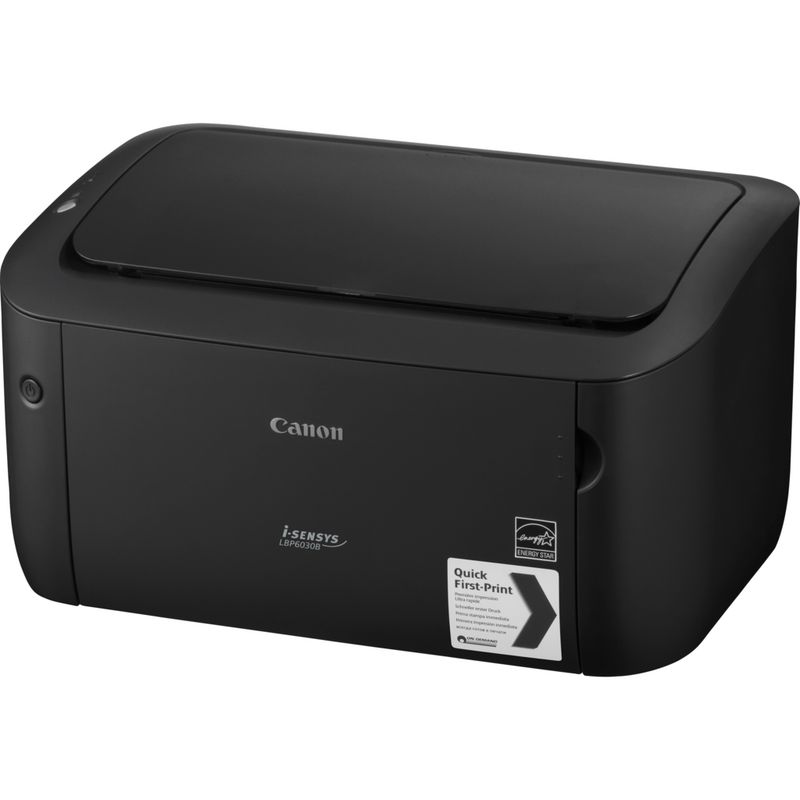

Canon LBP6030B Multifunction Printer
- Printing MethodLaser
- TypeMultifunction
- FunctionsPrint
- Memory / Storage32MB
- Printer LanguagesUFR II LT
- Printing OutputMonochrome
- Connectivity
- USB supportYes
- Power and Operating Requirements
- Operating Temperature range10 to 30°C
- Operating Humidity range20% to 80% RH
- Power requirements220 - 240V (+/-10%), 50 / 60Hz (+/-2Hz)
- Power consumption (standby)1.8W
- Power consumption (active)320W
- Dimensions
- W X D X H199 x 249 x 364 mm
- Weight5 kg

HP LaserJet M111a A4 Monochrome Laser Business Printer – 21 Pages Per Minute – Black & White Only – Hi-Speed USB – Compatible with Windows, macOS, and Linux | WHITE 7MD67A
M111a A4 Monochrome Laser Business Printer
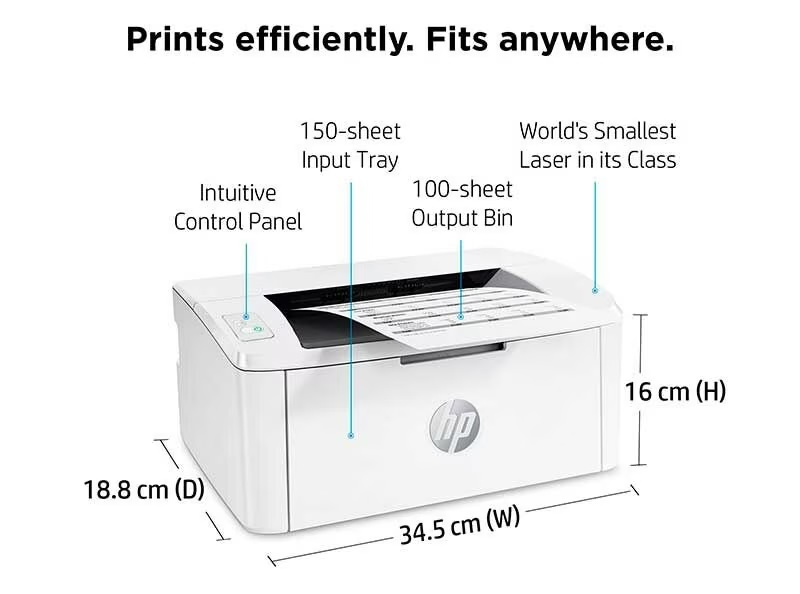
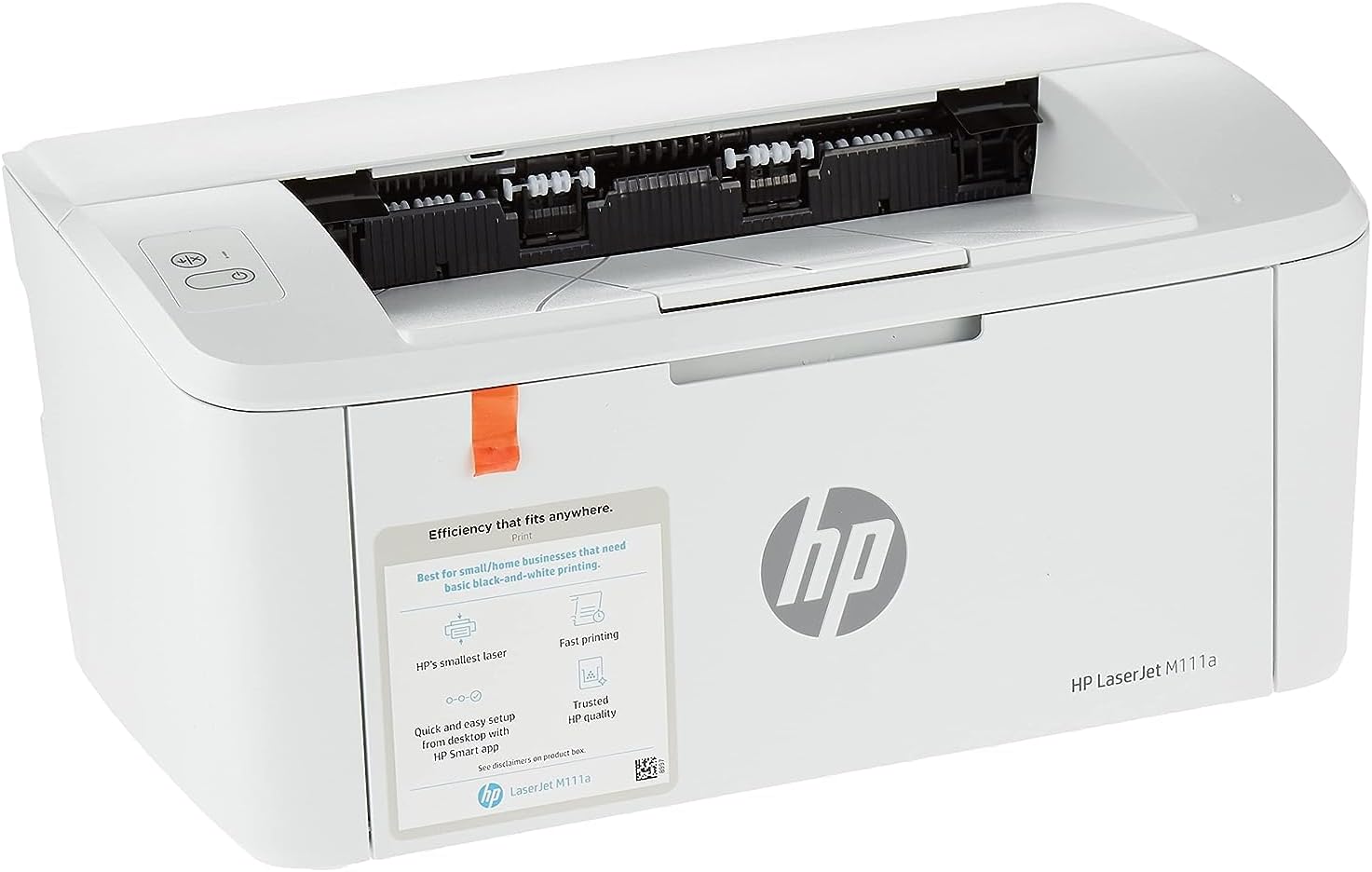
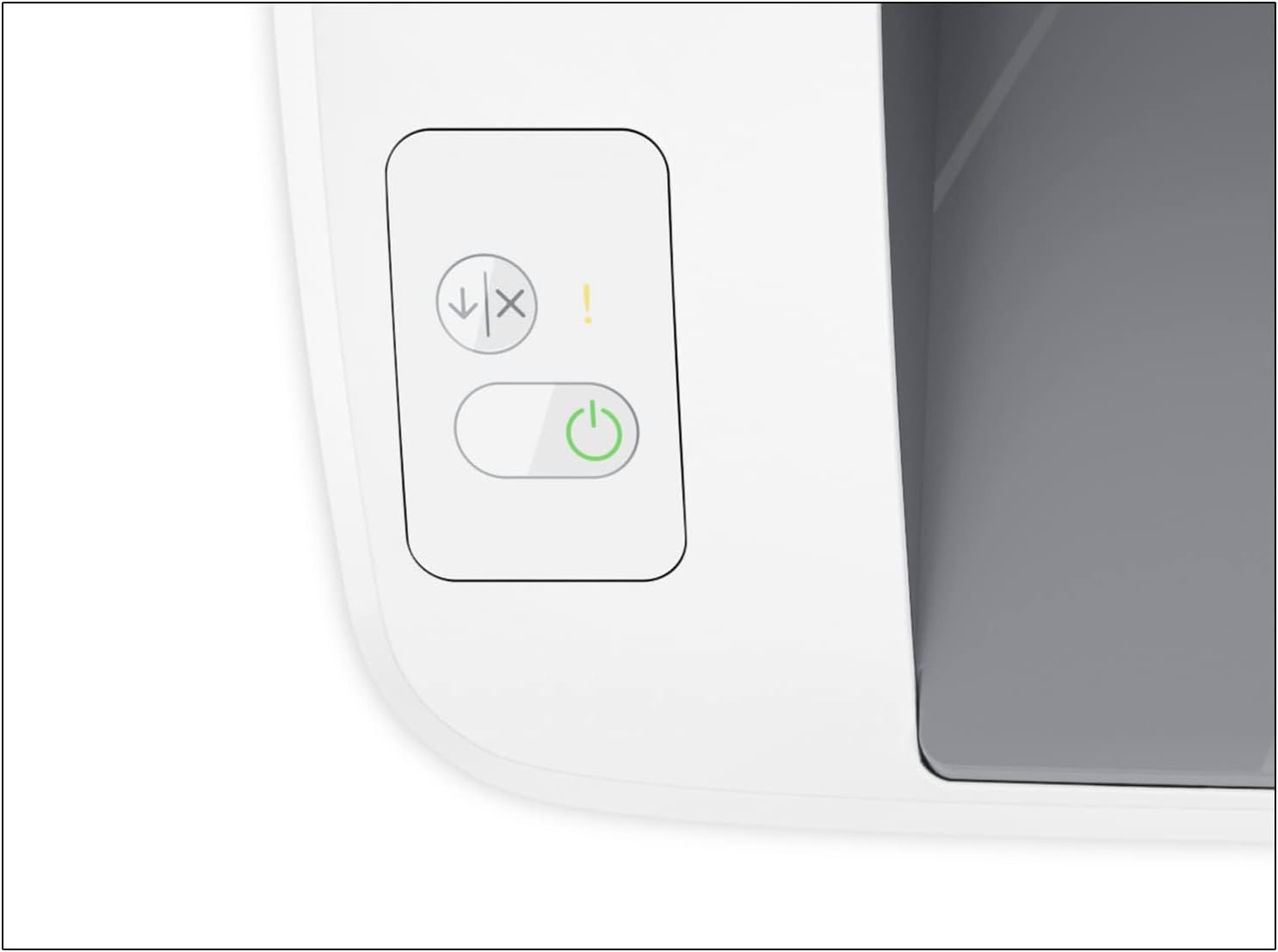
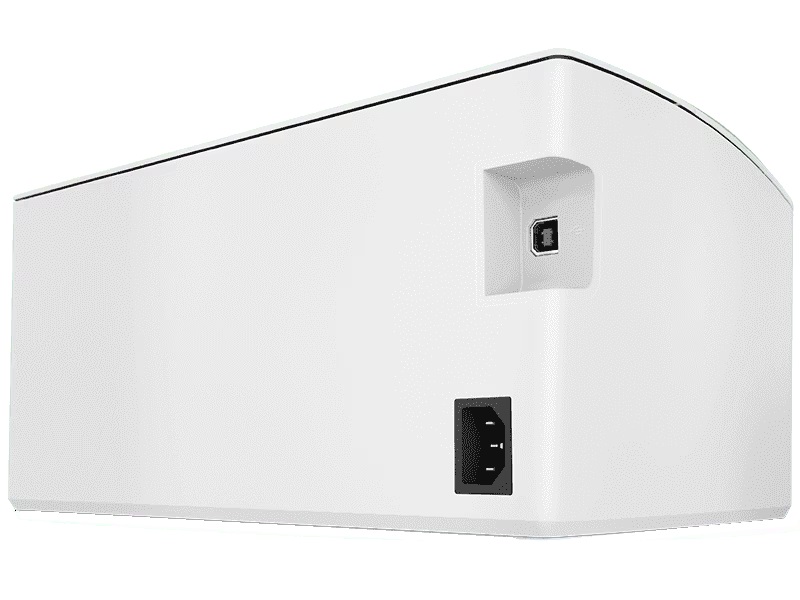
Say Hello to the HP LaserJet M111a
The Little Printer That Could (and Will, as Long as You Feed It Paper)Expert Attractions:
- Functionality: This bad boy does one thing and one thing only—print in BLACK ONLY ! No frills, no fuss, just pure, unadulterated printing action.
- Monthly Workhorse: With a duty cycle of up to 8,000 pages a month, it’s like the marathon runner of printers. Just don’t forget to give it a break now and then.
- Recommended Workload: Best pals with small teams (up to 3 users) cranking out 100 to 1,000 pages monthly. It won’t judge you for printing that many cat memes.
- Print Speed: Zips through up to 21 pages per minute—faster than your morning coffee can cool.
- Wireless: Not today. But it does have a Hi-Speed USB for all your plug-and-print needs.
- Print Colors: We like to keep it classic—black and white, like the good ol’ days.
- Print Tech: Laser-focused on getting your documents sharp and smudge-free.
- Duplex Printing: Nope, it’s a one-sided affair. Sorry, tree-huggers.
- Automatic Paper Sensor: It’s all manual here, but that’s how you keep things interesting!
- Paper Trays: Comes with 1 input tray, which is more than enough for its paper-munching needs.
- Paper Capacity: Holds up to 150 sheets, so it’s got some room to breathe. Outputs up to 100 sheets, because who wants paper flying everywhere?
- Envelope Enthusiast: Can handle up to 10 envelopes, perfect for all those “You’ve got mail!” moments.
- Number of Cartridges: Just one—keep it simple, keep it black.
- Replacement: When it’s time to refill, the HP 150A Black LaserJet Toner Cartridge is your new best friend (prints ~975 pages).
Handling & Margins:
- Paper Handling: Likes to keep things neat with a 150-sheet input and a 100-sheet output. Margins are a tight 2 mm on all sides—because every millimeter counts!
- Supported Media Sizes: From A4 to envelopes, it’s got you covered. Custom sizes? No problem.
Tech Specs & Compatibility:
- Memory: 16 MB—not much, but just enough to get the job done without a hitch.
- Control Panel: Two LEDs and two buttons—simple, straightforward, and no guesswork required.
- Dimensions: Compact at 346.3 x 189.3 x 158.9 mm—it won’t hog desk space, promise.
- OS Compatibility: Whether you’re Team Windows, macOS, or even Linux, this printer is ready to roll.
Power & Software:
- Power Supply: Plays by the rules of your region—no voltage conversions allowed.
- Software: No CD, but who uses those anymore? Download what you need from hp.com and get printing.
- Mac-Friendly: Yes, this printer gets along with your Mac.
Warranty & Box Contents:
- Warranty: One-year limited hardware onsite warranty—because we’ve got your back.
- What’s in the Box?: Everything you need to start printing—HP LaserJet M111a Printer, power cord, toner cartridge (~500 pages), USB cable, and all the setup guides you could ask for.