

| VEIKK , A50 , DRAWING , TABLET , 10 |
{attribute:VEIKK , A50 , DRAWING , TABLET , 10 |
|---|
-10%

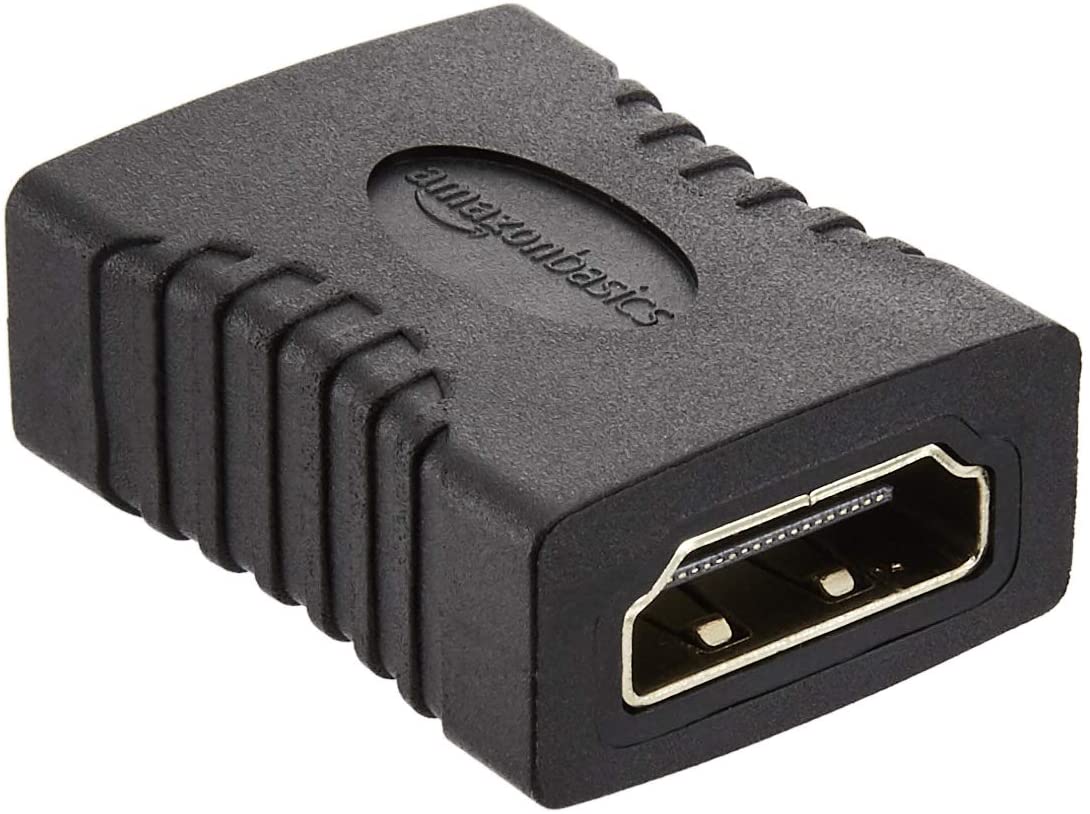
HDMI Female to Female Coupler Adapter
Call for Price
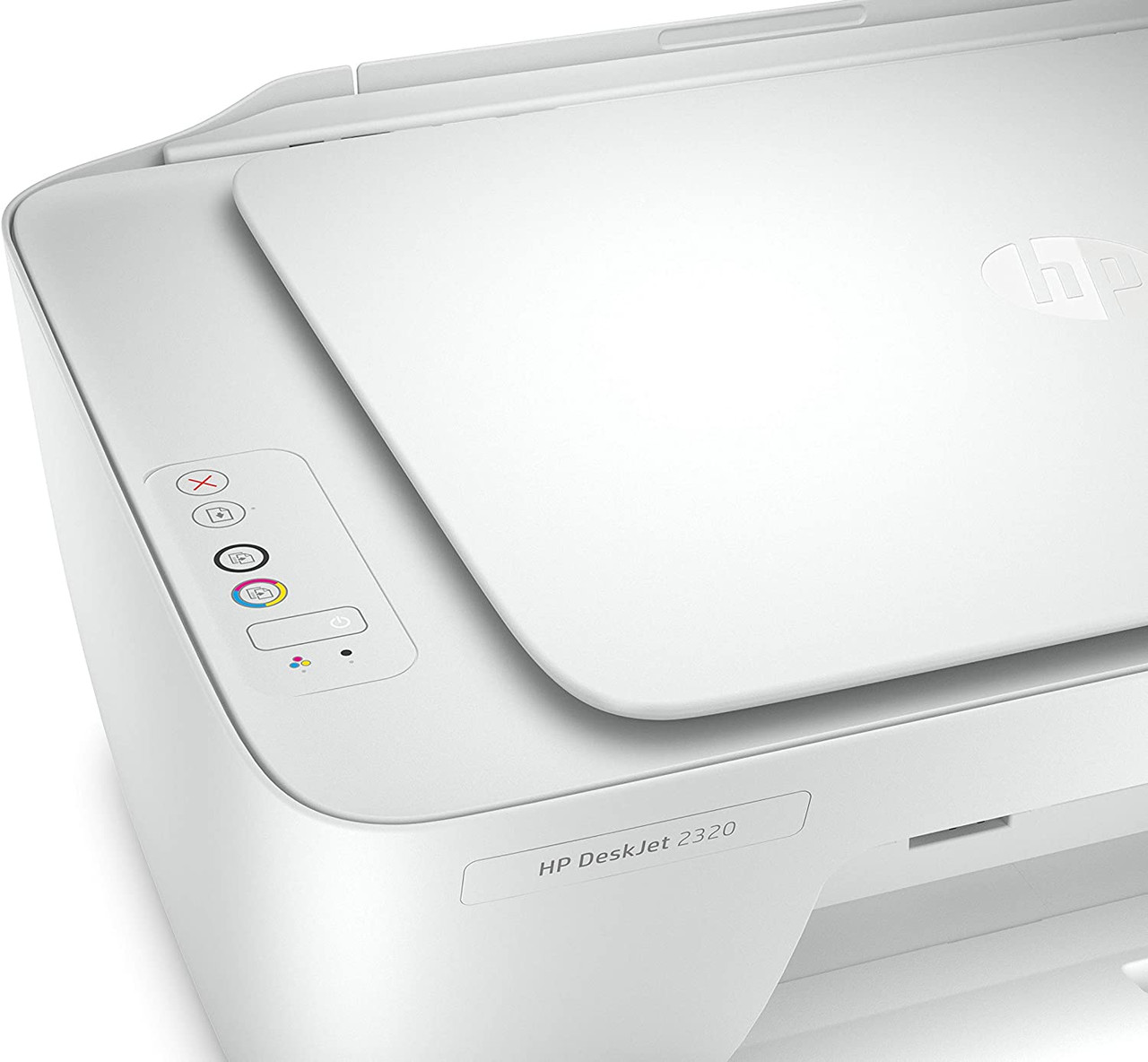
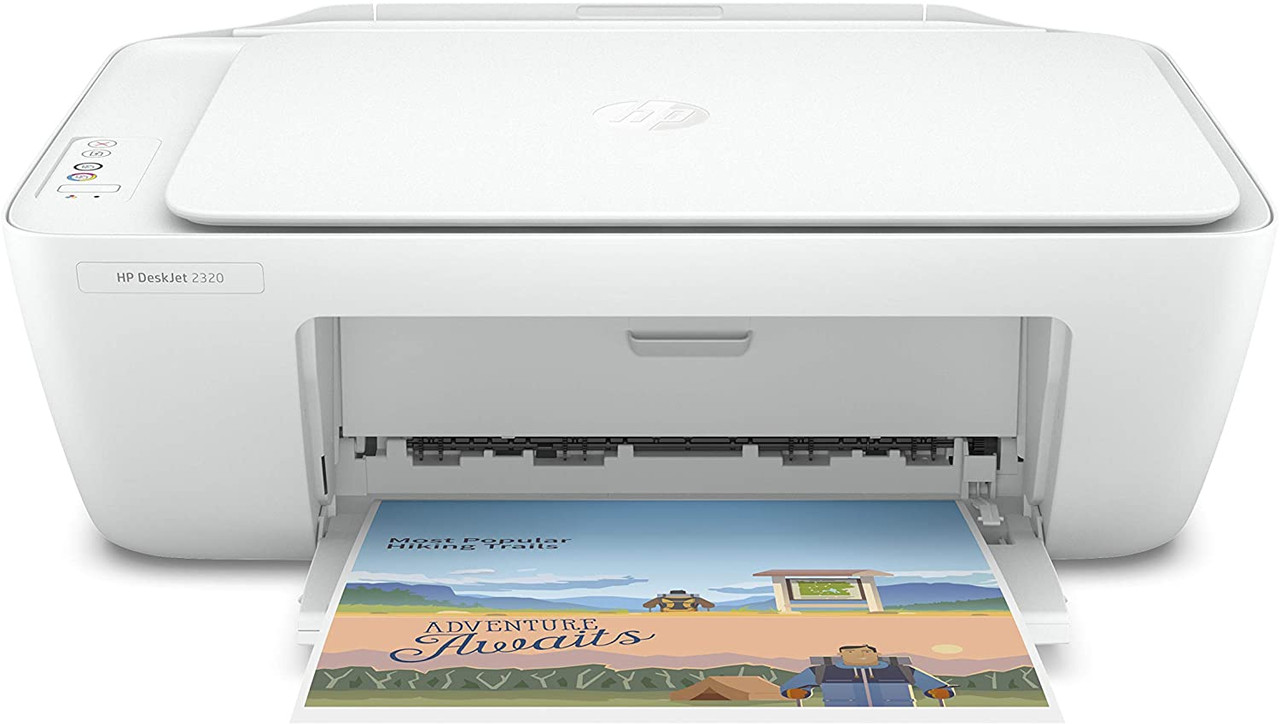
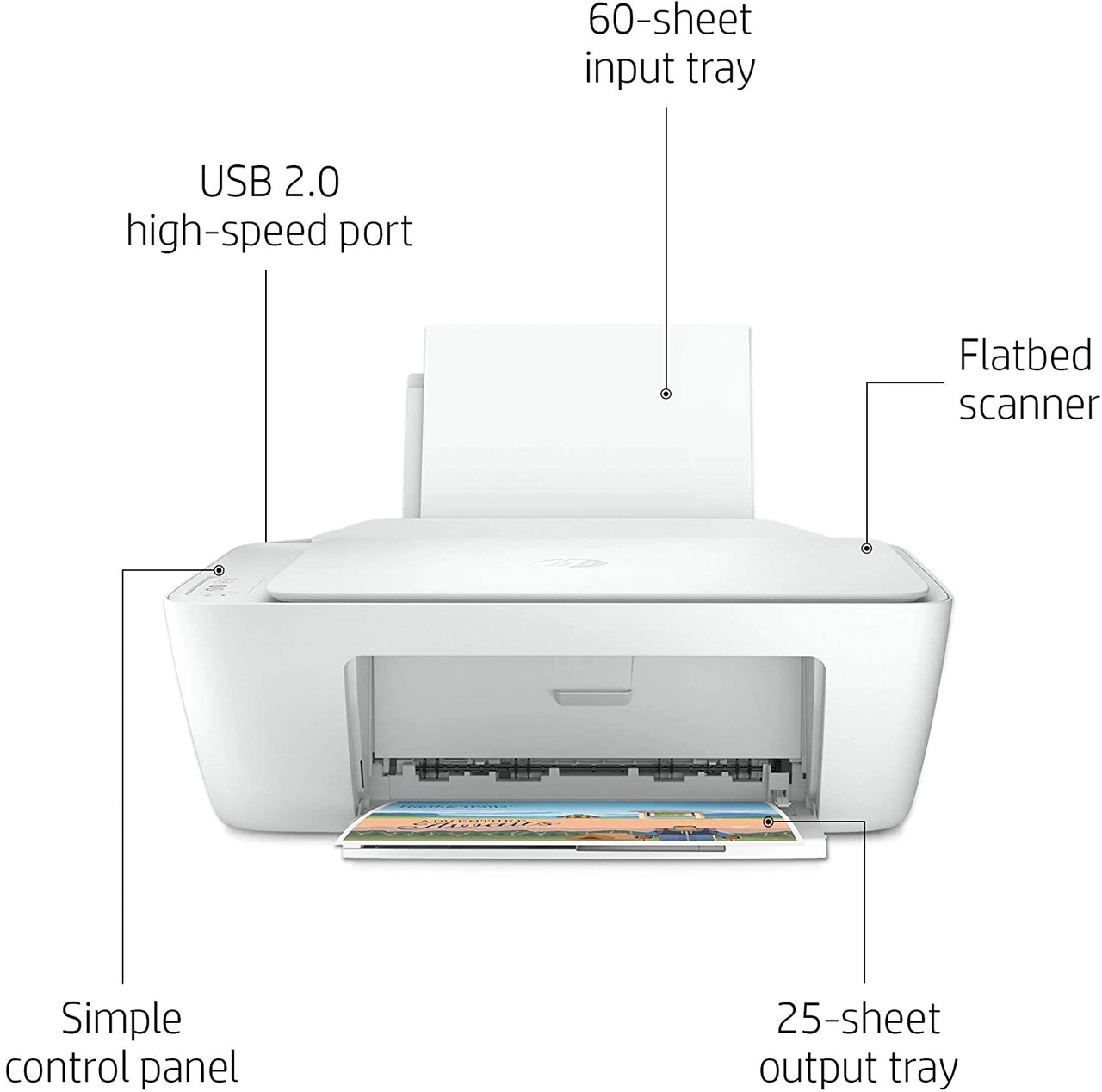
HP DeskJet 2320 All-in-One Printer Print, Scan, Copy
Additional information
Related products

HP LaserJet MFP M141a Multifunction All In One Printer, Print – Copy – Scan , 21 – 30 Print Speed, USB Connectivity, 100 Sheets Output Capacity, Up to 21 cpm Copy Speed, LED Display, White | 7MD73A
HP LaserJet MFP M141a Multifunction
HP MFP 141a Mono Laser Printer (7MD73A)
Print Size: A4, Functions: Print, Copy & Scan,
Print Speed: Up to 20ppm mono,
Print Resolution: Up to 600 x 600 dpi
Memory: 64MB RAM
Duplex Printing: Manual
Connectivity: Hi-Speed USB 2.0 port
Paper Handling: 150 sheet paper input tray.


Expert Features
- Small size. Big performance : A LaserJet MFP so small it can fit almost anywhere.
- Fast printing : Get print speeds up to 21/20ppm.
- Tackle the essentials – print, scan, copy : Easily handle tasks and get a lot from one device – print, scan, and copy.
- Seamless setup : Get started fast with simple setup that guides you through each step, with HP Smart app.
- Legendary laser quality : This surprisingly small laser delivers exceptional quality, page after page.
- Amazing scanning : Get high-quality scanning, and share to Dropbox, Google Drive, email, or the cloud - with HP Smart app.
- Printing just got more productive : Quickly access and print documents and images from Dropbox and Google Drive - with HP Smart app.
- Connect your printer with USB : Easily connect your printer to your computer with the built-in USB port.
- On when you need it, off when you don’t : Help save energy with HP Auto-On/Auto-Off Technology.
- Easy ID copying : Easily copy both sides of identification cards onto one side of paper.
What's In The Box
- Printer; Power cord; Toner Cartridge(~500 pages); Setup Poster; Reference Guide; Warranty Guide; Flyer
- Cable Included : 1 USB cable added for AP and wireless for EMEA, AMS (EM only)
System Requirements
- Minimum System Requirements For Macintosh : Apple® macOS Catalina (v10.15) macOS Big Sur (11.0) macOS Monterey (v12.0); 2 GB HD; Internet required; USB
- Minimum System Requirements : Microsoft® Windows® 11, 10, 7 SP1: 32-bit or 64-bit, 2 GB available hard disk space, Internet connection, USB port, Microsoft® Internet Explorer or Edge.
Expert Specs
Print technology |
|
|---|---|
| Print technology | Laser Black |
Functions |
|
| Functions | Print copy scan |
Specifications |
|
| Print speed black | Normal: Up to 20 ppm |
| First page out (ready) | Black: As fast as 8.5 sec |
| Duty cycle (monthly, A4) | Up to 8 000 pages |
| Print quality (best) | Up to 600 x 600 dpi |
| Display | LED |
| Processor speed | 500 MHz |
| Print languages | PCLm/PCLmS; URF; PWG |
| Automatic paper sensor | No |
| Replacement cartridges | HP 150A Black LaserJet Toner Cartridge (~975) W1500A 9 |
Connectivity |
|
| Wireless capability | No |
| Connectivity, standard | USB2.0 |
Memory specifications |
|
| Memory, standard | 64 MB |
| Maximum Memory | 64 MB |
Paper handling |
|
| Paper handling input, standard | 150-sheet input tray |
| Paper handling output, standard | 100-sheet output tray |
| Duplex printing | No |
| Media sizes supported | A4; A5; A6; B5 |
Power and operating requirements |
|
| Power | Input voltage: 220 to 240 VAC (+/- 10%) 50/60 Hz (+/- 2 Hz) |
| Power consumption |
|
| Energy efficiency | ENERGY STAR® qualified |
| Operating temperature range | 10 to 30°C |
After Sales Support |
|
| Warranty | 1 Year |

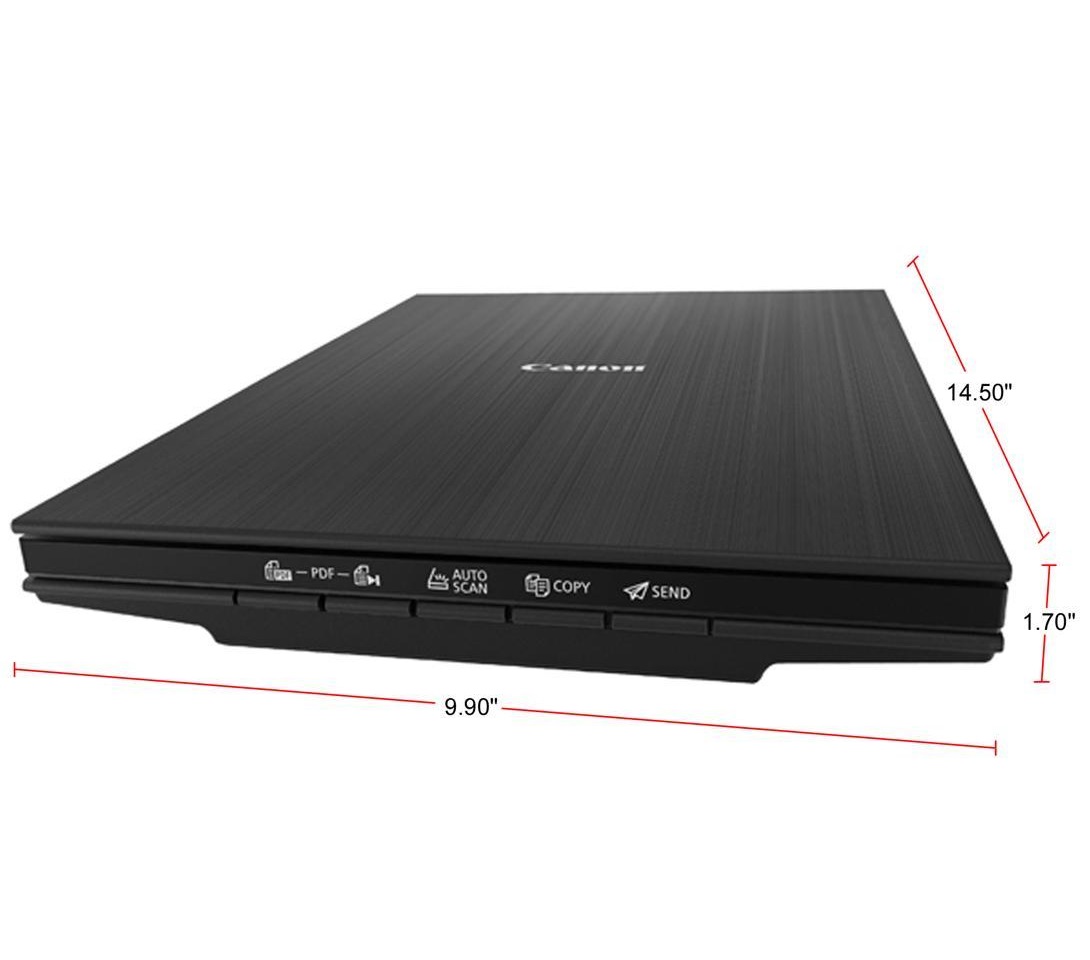
Canon CanoScan LiDE 400 (2996C002) 4800 x 4800dpi Color: 48-bit Internal / 48-bit or 24-bit External USB Type-C (One Cable For Data & Power) Interface Flatbed Scanner
Canon CanoScan LiDE 400 4800 x 4800 dpi
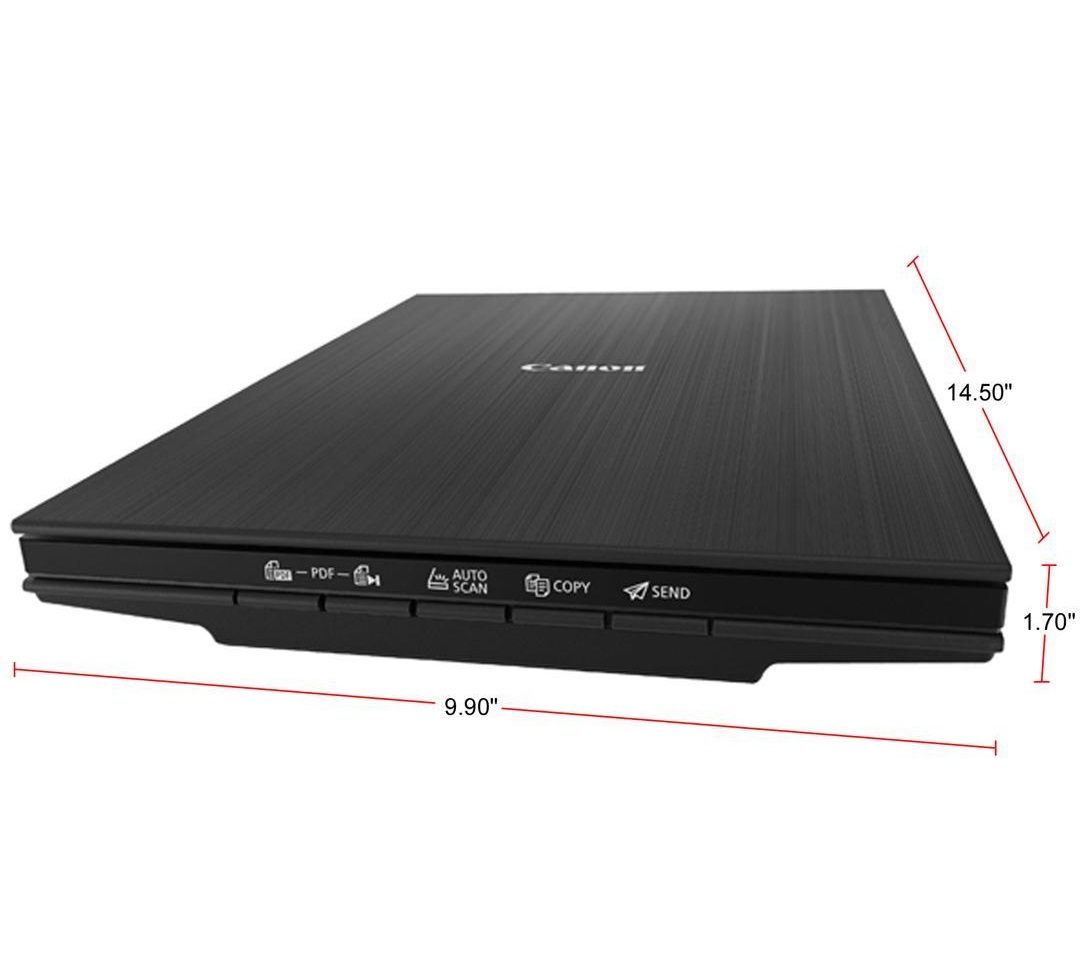

Expert Features
Canon CanoScan Lide 400 Slim Scanner
- The CanoScan LiDE 400 is a full color image scanner made for scanning photos and documents in high-resolution.
- With the CanoScan LiDE 400 high quality scanning. With 8 second high speed scanning1, 5 built-in 'EZ' buttons and 4800 x 4800 dpi resolution 2, every scan is fast, easy, and looks great.
8 second high-speed scanning and send to the cloud
- Enjoy high speed scanning in as fast as 8 seconds1, with the included USB Type-C cable.
- With USB Type-C the CanoScan LiDE 400 has one cable for data and power.
- Even Scan and send your files right to Cloud services, with Send to Cloud5 feature. With Send to Cloud5 you can easily upload your photos and documents right to Cloud services like Microsoft OneDrive and Dropbox.
4800 x 4800 dpi Resolution2 for High Quality Scanning
- Preserve detailed photos and images thanks to 4800 x 4800 dpi resolution2, and with image enhancements, such as color restore and dust removal, your photos will continue to look great.
- The CanoScan LiDE 400 is even able to scan upright - saving desk space without sacrificing quality.
Easy Scanning with Five 'EZ' Buttons
- Enjoy the ultimate ease of use with the 5 'EZ' Buttons. With Auto Scan Mode3, the scanner automatically adjusts settings by detecting what you are scanning.
- With the built-in PDF buttons, you can easily scan and save multi-page PDF's that are editable and searchable with OCR4.
Expert Specs
| Brand | Canon |
|---|---|
| Series | CanoScan |
| Model | LiDE 400 (2996C002) |
| Scanner Type | Flatbed |
|---|---|
| Image Sensor | CIS |
| Light Source | Three-color RGB LEDs |
| Scanning Speed | Document: Approx. 8 Seconds (300 dpi / Letter Size / Color) 4.00" x 6.00" Photo: Approx. 4 Seconds (300 dpi / Color) |
| Resolutions, Optical | 4800 x 4800dpi |
| Resolutions, Interpolated | 19200 x 19200 dpi |
| Color Depth | Color: 48-bit Internal / 48-bit or 24-bit External |
| Max. Document Size | 8.5" x 11.7" |
| File Formats | |
| Interface | USB Type-C (One Cable For Data & Power) |
| Power Consumption | 4.5 W (0.3 W Standby) |
| Operating Systems Supported | Windows: Windows 10, Windows 8.1, Windows 7 SP1 Mac: Mac OS X v10.10.5 - macOS v10.13 (High Sierra) Linux: 8 Requires ScanGear MP Driver Installed |
| Features | 8 Second High Speed Scanning with USB Type-C Enjoy high speed scanning in as fast as 8 seconds, with the included USB Type-C cable. With USB Type-C the CanoScan LiDE 400 has one cable for data and power. 4800 x 4800 dpi Resolution for High Quality Scanning Preserve detailed photos and images thanks to 4800 x 4800 dpi resolution, and with image enhancements, such as color restore and dust removal, your photos will continue to look great. Easy Scanning with Five "EZ" Buttons Enjoy the ultimate ease of use with the 5 "EZ" Buttons. With Auto Scan Mode, the scanner automatically adjusts settings by detecting what you are scanning. With the built-in PDF buttons, you can easily scan and save multi-page PDF's that are editable and searchable with OCR. Simply Upload to the Cloud With Send to Cloud you can easily upload your photos and documents right to Cloud services like Microsoft OneDrive and Dropbox. |
|---|
| Dimensions | 1.70" x 9.90" x 14.50" |
|---|---|
| Weight | 3.60 lbs. |



NIIMBOT D11 Label Maker Black with Tape
Label Maker Machine NIIMBOT D11 Label Printer Tape Included Portable Wireless Connection Multiple Templates Available for Phone Pad Easy to Use Office Home Organization USB Rechargeable
About this item
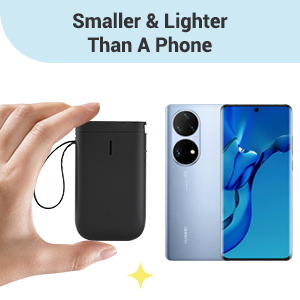
- 【2022 New Version】After the technical updating, we combine the label maker with the smart device, which is more convenient and powerful. The weight and volume are only half of the traditional version. from now on, we bid farewell to the heavy, power-consuming, and money waste old version.
- 【Rechargeable & Money Saver】 It's rechargeable and can be used for 2 months on a single charge, which saves the trouble of long-term battery purchasing and replacement, and it's also very environmentally-friendly.
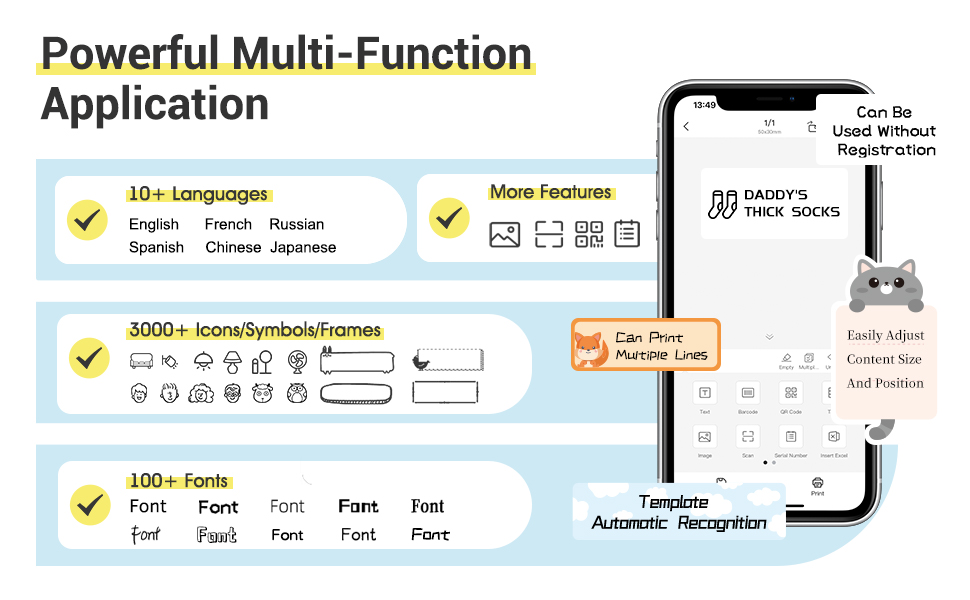
- 【Powerful Functions】It is support to print various texts, numbers, graphics, symbols, logos, barcodes, QR codes,etc. And intelligent recognition of voices and pictures.
- 【Design Your Own Labels】The APP NIIMBOT contains various texts, graphic symbols and business icons,and our label paper has varieties of colors and styles to choose from, You can make your own product labels and QR code labels.
- 【Design Your Own Labels】The APP NIIMBOT contains various texts, graphic symbols and business icons,and our label paper has varieties of colors and styles to choose from, You can make your own product labels and QR code labels.
-
Product Description
NIIMBOT D11 Bluetooth Label Maker

- TECHNOLOGICAL REVOLUTION
Only half weight and volume of the traditional keyboard version,but more convenient and powerful.
- COST-EFFECTIVE
Printing with thermal technology, No ink ribbon or toner refill needed.
- NON-TOXIC
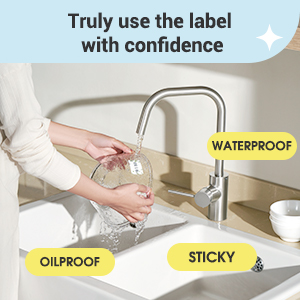
The label paper produced by NIIMBOT is non-toxic and harmless, BPA free.
- RECHARGEABLE
Built-in 1500 mAh rechargeable battery, no need to buy extra batteries.3 months of use on a single charge.
- HD PRINTING
Printing accuracy increased to 203 dpi,content size from 0.2 to 0.5 inches.

SUPER EASY 4 STEPS TO MAKE LABELS
Useful Reminder:
- Search and download NIIMBOT through your phone's application center or Google application market. IT WON'T CHARGE ANY PENNY FOR DOWNLOAD OR USING OUR APP! If reminded that you need to pay for our APP, that's an advertisement of the app center, please ignore or report it.
- The gifted-label paper is brand new and sealed, the sealing sticker NEEDS TO BE PEELED OFF BEFORE USING.
- If you don’t want to register an account the first you use,you can SKIP the registration step,REGISTER THE ACCOUNT IS FOR CUSTOMERS TO KEEP THE LABELs AND EASY TO FIND AND PRINT OUT AGAIN IN FUTURE.
- Please USE A CHARGER DIRECTLY while you need charging the label maker,not the USB ports of other electronic equipment.
- The machine will flash a blue light when connecting the power supply , even if the charging is completed.
- The default print density is 2, you can adjust it to 3 or enlarge and bold the content by needs.
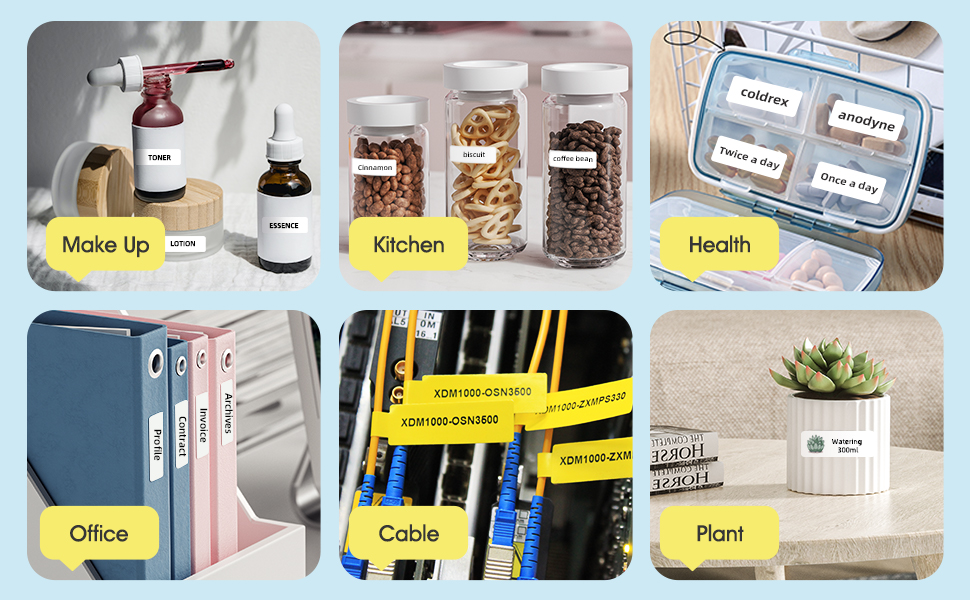

- Various styles of label paper
- More font styles
- Adjustable content size
- Symbols, graphics and text can be randomly matched for printing
- Support voice input
- Automatically recognize picture information
- More printable label materials,numbers, text, symbols, graphics, QR codes, etc.
- Create your own secret QR code and label it!
- Click on the QR code graphic
- Edit the content of the QR code
- Print out the QR code label
- The printed QR code is identifiable!


CANON IMAGECLASS 6030W WIRELESS LASER BLACK PRINTER
CANON-6030W
| Printing Method | Monochrome Laser Beam Printing | ||
| Print Speed | A4: | Up to 18ppm | |
| Letter: | Up to 19ppm | ||
| Print Resolution | 600 x 600dpi | ||
| Print Quality with Image Refinement Quality | 2400 (equivalent) × 600dpi | ||
| Warm-Up Time (From Power On) | 10secs. or less | ||
| First Printout Time (FPOT) | Approx. 7.8secs. | ||
| Recovery Time (From Sleep Mode) | Approx. 1sec. | ||
| Print Language | UFR II LT | ||
| Paper Handling | |||
| Paper Input (Standard) | 150 sheets (based on 80g/m2) | ||
| Paper Output | 100 sheets (face down) (based on 80g/m2) | ||
| Paper Size | A4, B5, A5, Legal*1, Letter, Executive, 16K, Envelope COM10, Envelope Monarch, Envelope C5, Envelope DL Custom: Width 76.2 to 216 x Length 188 x 356mm | ||
| Paper Weight | 60 to 163g/m2 | ||
| Paper Type | Plain paper, Heavy Paper, Transparency, Label, Envelope. | ||
| Connectivity and Software | |||
| USB Interface | USB 2.0 High Speed | ||
| Network Interface | Wi-Fi 802.11b/g/n (WPS Easy Set Up) | ||
| Network Protocol | Print: | LPD, RAW, WSD-Print | |
| Management: | SNMPv1, SNMPv3, SLP TCP/IP Application Services: WINS (IPv4), DHCP, BOOTP, RARP, DHCPv6 (IPv6), Auto IP, mDNS, DNS, DDNS | ||
| Network Security | WEP, WPA-PSK(TKIP/AES-CCMP), WPA2-PSK(TKIP/AES-CCMP) | ||
| Mobile Print | Canon PRINT Business | ||
| Compatible Operating Systems*2 | Windows 8.1 (32 / 64-bit), Windows 7 (32 / 64-bit), Windows Server 2012 (32 / 64-bit), Windows Server 2012 R2 (64-bit), Windows Server 2008 (32 / 64-bit), Windows Server 2008 R2 (64-bit), Mac OS 10.7.x - 10.9*3, Linux*3, Citrix | ||
| General Specification | |||
| Operation Panel | 3 LED indicators, 3 Operation Key | ||
| Device Memory | 32MB | ||
| Dimensions (W x D x H) | 364 x 249 x 199mm | ||
| Weight | Approx. 5.0kg (Without Cartridge) | ||
| Noise Level*4 | During Operation: | Sound Power Level: | 6.53B or less |
| Sound Pressure Level: | 49.3dB | ||
| During Standby: | Sound Power Level: | Inaudible*5 | |
| Sound Pressure Level: | Inaudible*5 | ||
| Maximum Power Consumption | 870W | ||
| Average Power Consumption | During Operation: | Approx. 330W | |
| During Standby: | Approx. 1.8W (USB connection) Approx. 2.8W (Wireless connection) | ||
| During Sleep: | Approx. 0.8W (USB connection) Approx. 1.6W (Wireless connection) | ||
| Energy Star TEC (Typical Electricity Consumption) | 0.47kWh/week | ||
| Operating Environment | Temperature: | 10 ~ 30°C | |
| Humidity: | 20 to 80% RH (no condensation) | ||
| Power Requirement | 220 - 240V (±10%), 50 / 60Hz (±2Hz) | ||
| Toner Cartridge*6 | Cartridge 325: | 1,600 pages (Bundled Cartridge: 700 pages) | |

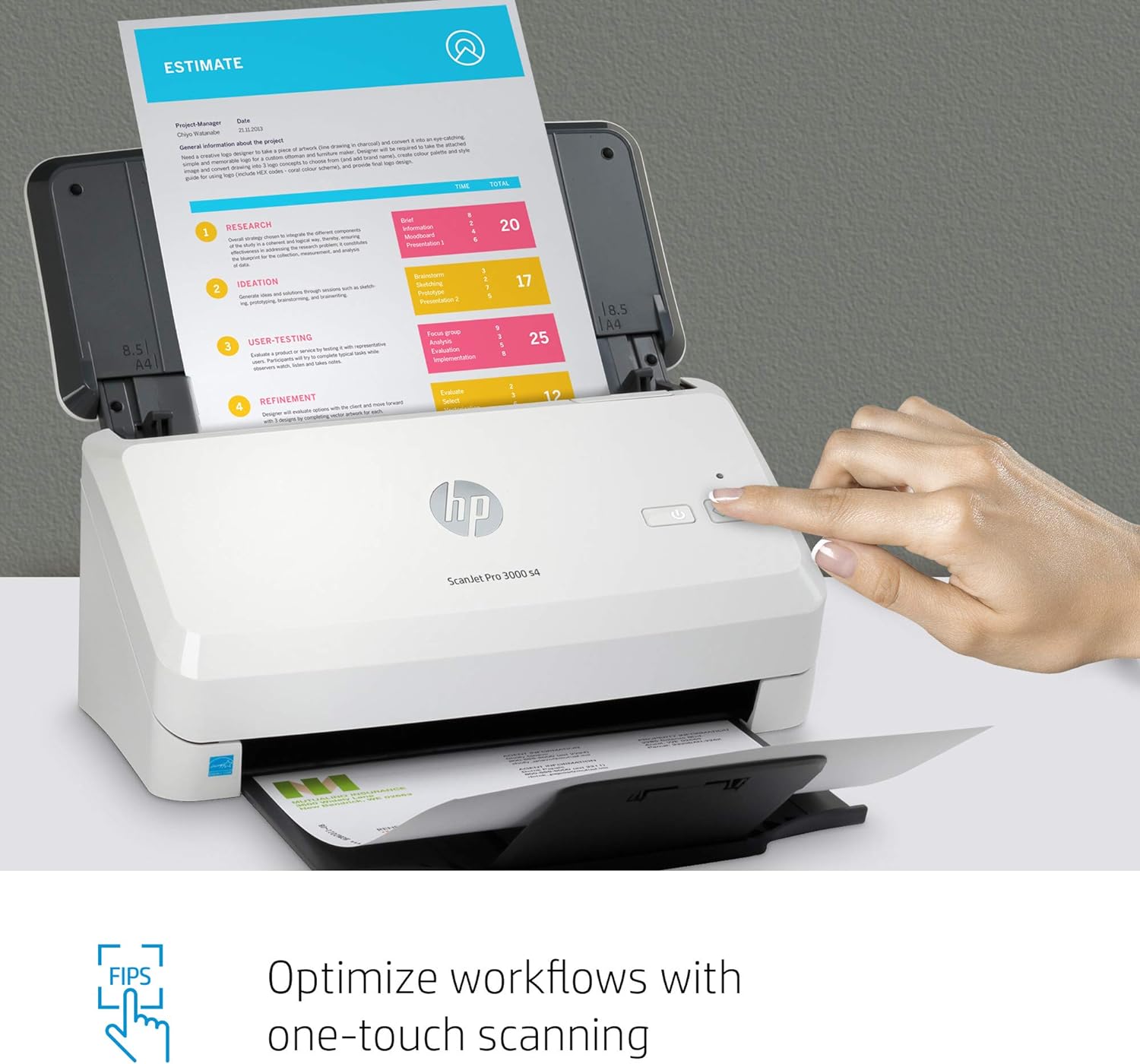
HP ScanJet Pro 3000 s4 Sheet-Feed Scanner
HP ScanJet Pro 3000 s4 Sheet Feed Scanner
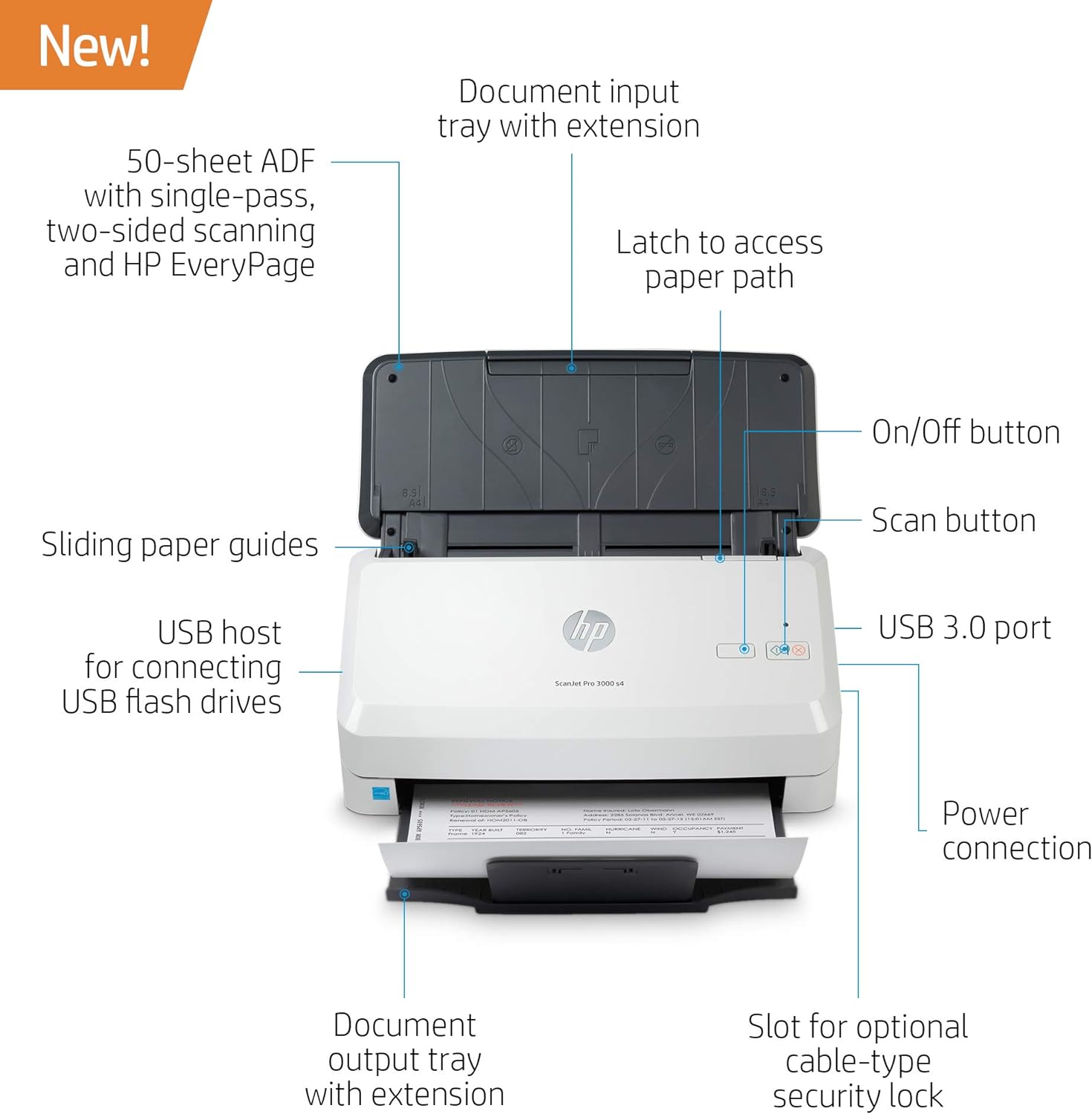
Product type: Document scanner
Paper format (max.): A4
Scan volume/day (max.): 4,000 pages
Scan speed (max.): 40.0 ppm
Connectors: 1 x USB 3.0 Type-A
| Media Type | Stapled Media, Carbonless Form, Laser Paper, Pre-punched Paper, Check, Plastic Card, Plastic Carrier Sheet, Cut Sheet Paper, Business Card |
| Scanner Type | Document, Business Card |
| Brand | HP |
| Model Name | 6FW07A#BGJ |
| Connectivity Technology | USB |
| Resolution | 1200 |
| Item Weight | 6 Pounds |
| Wattage | 24 watts |
| Sheet Size | 2 x 3 to 8.5 x 122 |
| Color Depth | 24, 48 |
About HP ScanJet Pro Sheet Feed Scanner

HP Color Laser 179fnw Wireless All in One (4ZB97A)
HP LASER PRINTER WIRELESS
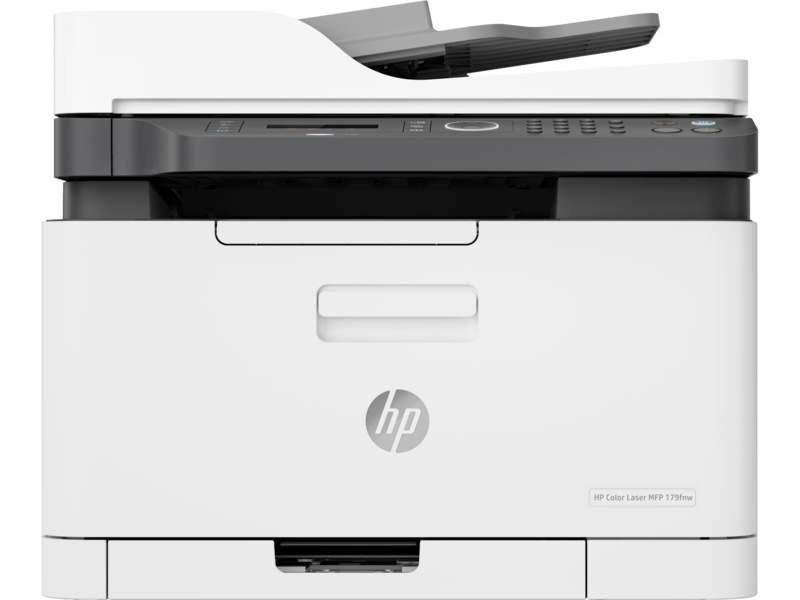
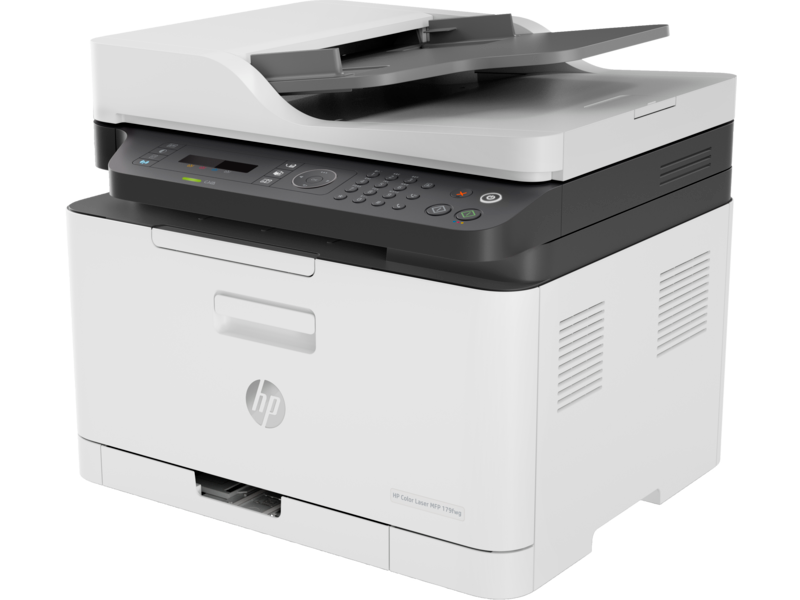
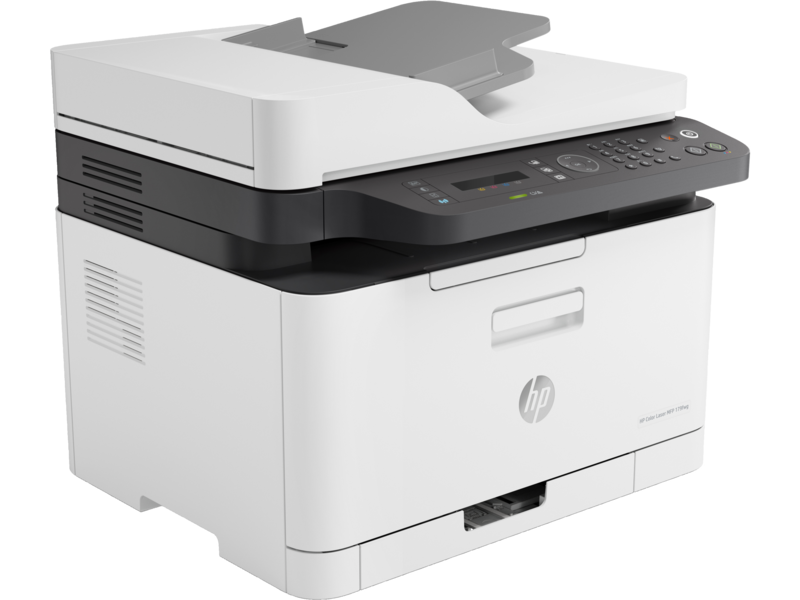
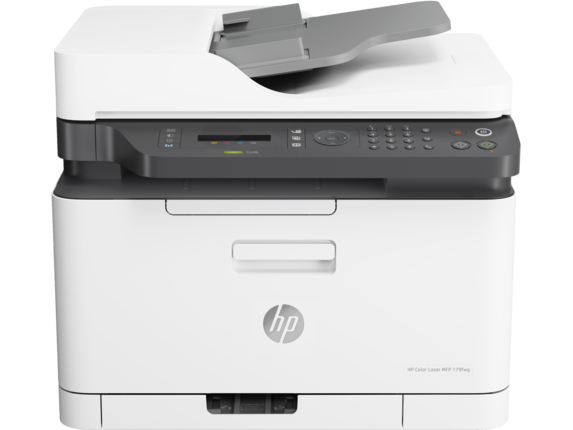
HP Color Laser MFP179fnw Wireless All in One Laser Printer with Mobile Printing & Built-in Ethernet, Works with Alexa (4ZB97A)
About this item
- Legendary quality – Print, scan, copy, and fax consistently exceptional documents with the HP Color Laser MFP 179fnw,
- a compact laser printer that produces high-quality, sharp black text and crisp color graphics
- World's smallest in-class printer
- Speed through tasks –up to 19 pages per minute black and 4 pages per minute color
- Best-in-class mobile print app – Automate scanning tasks, print and copy from your smartphone
- get simple setup with our highly-rated HP Smart app
- Hands-free productivity – 40-page automatic document feeder
- Extend your printing reach – Easily share resources by using wireless and Ethernet capabilities, or use Wi- Fi Direct to print without a network
- Self-healing wi-fi – Ensures up to 3 stages of reconnection to keep your Wi-Fi stable and reliable
- One-year limited hardware warranty
HP LASER PRINTER WIRELESS
Legendary quality at an affordable price
Get the quality you trust – sharp, black text and crisp colour graphics – with this affordable MFP.
Designed to fit your space
Quickly and easily print with an MFP that's designed to fit into your workspace like a glove.
Easy mobile printing and scanning with HP Smart app
Print, scan, and copy from virtually anywhere, and get simple setup on your phone. 3
Colour laser MFP performance at an affordable price
Sharp black text, high-quality colour
Produce sharp text, bold blacks, and crisp colour graphics.
The right price
Rely on a high-performance laser printer at an affordable price.
The power of your printer in the palm of your hand
Get simple setup, and print and scan from your phone, with the HP Smart app.
HP Color Laser MFP 179fnw (4ZB97A)
| Functions | Print, copy, scan, fax |
|---|---|
| Print speed black (ISO, A4) | Up to 18 ppm 1 |
| Print Speed Color (ISO) | Up to 4 ppm 1 |
| Manual (driver support provided) | |
| Duty cycle (monthly, letter) | Up to 20,000 pages (Duty cycle is defined as the maximum number of pages per month of imaged output.) |
| Duty cycle (monthly, A4) | Up to 20,000 pages (Duty cycle is defined as the maximum number of pages per month of imaged output.) |
| Print quality black (best) | Up to 600 x 600 dpi 4 bits |
| Print quality color (best) | Up to 600 x 600 dpi 4 bits |
| Print languages | SPL |
| Print technology | Laser |
| Connectivity, standard | Hi-speed USB 2.0 port; Fast Ethernet 10/100Base-Tx network port; Wireless 802.11 b/g/n |
| Mobile printing capability | HP Smart App; Apple AirPrint™; Mobile Apps; Mopria™ Certified; Wi-Fi® Direct Printing; Google Cloud Print™ 4 May require a firmware upgrade to be compatible, download at http://www.hp.com/go/support |
| Network capabilities | Via built-in 10/100 Base-TX networking |
| Wireless capability | Yes, built-in Wi-Fi 802.11 b/g/n |
| Minimum System Requirements for Macintosh | Apple®OS X El Capitan (v10.11), macOS Sierra (v10.12), macOS High Sierra (v10.13), 1.5 GB available hard disk space, Internet required, USB |
| Minimum System Requirements | Windows® 10, 8.1, 8, 7: 32/64-bit, 2 GB available hard disk space, CD-ROM/DVD drive or Internet connection, USB port, Internet Explorer |
| Digital sending standard features | Scan to WSD; PC Scan |
| Display | 2-Line LCD |
| Processor speed | 800 MHz |
| Maximum Memory | 128 MB |
| Memory | 128 MB |
| Compatible Operating Systems | Windows 11; Windows 8; Windows 7; macOS 10.11 El Capitan; macOS 10.12 Sierra; macOS 10.13 High Sierra; macOS 10.14 Mojave 4 (Windows 7 or higher) |
| Paper handling input, standard | 150 sheet input tray |
| Paper handling output, standard | 50 sheet output bin |
| Finished output handling | Sheetfed |
| Media types | Plain, Light, Heavy, Extra Heavy, Coloured, Preprinted, Recycle, Labels, Bond, Glossy |
| Media sizes supported | Tray1: A4; A5; A6; B5 (JIS); Oficio 216 x 340. Tray2: Not supported; Optional Automatic duplexer: Not supported |
| Media sizes, custom | 76 x 148.5 to 216 x 356 mm |
| Scanner type | Flatbed, ADF |
| Scan file format | PDF, JPG, TIFF |
| Enhanced scanning resolution | Up to 19,200 dpi |
| Scan resolution, optical | Up to 600 × 600 dpi (300 dpi for Mac OS) |
| Scan size (ADF), maximum | 216 x 356 mm |
| Scan size (ADF), minimum | 145 x 145 mm |
| Scan size, maximum | 216 x 297 mm |
| Scan speed (normal, A4) | Up to 15 ipm (black and white), up to 6 ipm (colour) |
| Automatic document feeder capacity | Standard, 40 sheets |
| Scan technology | Contact Image Sensor (CIS) |
| Copy speed (black, normal quality, A4) | Up to 14 cpm 5 |
| Copy speed (color, normal quality, A4) | Up to 4 cpm 5 |
| Copy resolution (black text) | Up to 600 x 600 dpi (flatbed); Up to 600 x 600 dpi |
| Copy resolution (color text and graphics) | Up to 600 x 600 dpi (flatbed); Up to 600 x 600 dpi |
| Copies, maximum | Up to 999 copies |
| Copy reduce / enlarge settings | 25 to 400% |
| Copier settings | Copies; Original Size; Reduce/Enlarge; Darkness; Original Type; Collation; 2-Up; 4-Up; ID Copy; Adjust Background; Auto Fit Copy; Colour Mode |
| Faxing | Yes |
| Fax Transmission Speed | 33.6 kbps |
| Fax Resolution Black (best) | Up to 300 x 300 dpi |
| Fax Broadcast Locations | 210 |
| Fax memory | Up to 400 pages |
| Fax Speed Dials, Maximum Number | Up to 200 numbers |
| Power consumption | 300 watts (active printing), 38 watts (ready), 1.9 watts (sleep), 0.2 watts (manual off) 6 |
| Power | 220-volt input voltage: 220 to 240 VAC, 50/60 Hz |
| Operating humidity range | 10 to 80% RH (non-condensing) |
| Recommended operating humidity range | 20 to 70% RH (non-condensing) |
| Operating temperature range | 10 to 30°C |
| Typical electricity consumption (TEC) number | 0.876 kWh/Week (Blue Angel); 1.093 kWh/Week (Energy Star) 7 (Power requirements are based on the country/region where the printer is sold. Do not convert operating voltages. This will damage the printer and void the product warranty. Energy Star value typically based on measurement of 115V device and 230V for Blue Angel.) |
| Energy savings feature technology | HP Auto-Off Technology |
| Ecolabels | CECP 8 |
| Energy star certified | No |
| Security management | Password-protected network embedded Web server; Enable/disable Network ports; SNMPv1 community password change; SNMPV2&V3; IPSec; Filtering : MAC, IPv4, IPv6 |
| Minimum dimensions (W x D x H) | 406 x 363 x 344.1 mm 9 (Dimensions vary as per configuration) |
| Maximum dimensions (W x D x H) | 421.9 x 422.9 x 344.1 mm 9 (Dimensions vary as per configuration) |
| What's in the box | HP Color Laser MFP 179fnw; Preinstalled introductory HP Laser Printer Black print cartridge (700 pages); HP Laser Printer Cyan print cartridge (500 pages); HP Laser Printer Yellow print cartridge (500 pages); HP Laser Printer Magenta print cartridge (500 pages); Imaging drum; Toner collection unit; Setup poster; Reference guide; Support flyer; Warranty guide; No CD-ROM; Power cord; USB cable; Tel line cable 11 |
| Number of print cartridges | 4 (1 each black, cyan, magenta, yellow) |

Thermal Label Printer – USB & LAN 110MM Connectivity – 4×6 Label Printer for Small Business Shipping Packages – Support Windows, Mac
Thermal Label Printer Windows Mac
EXPERT FEATURES
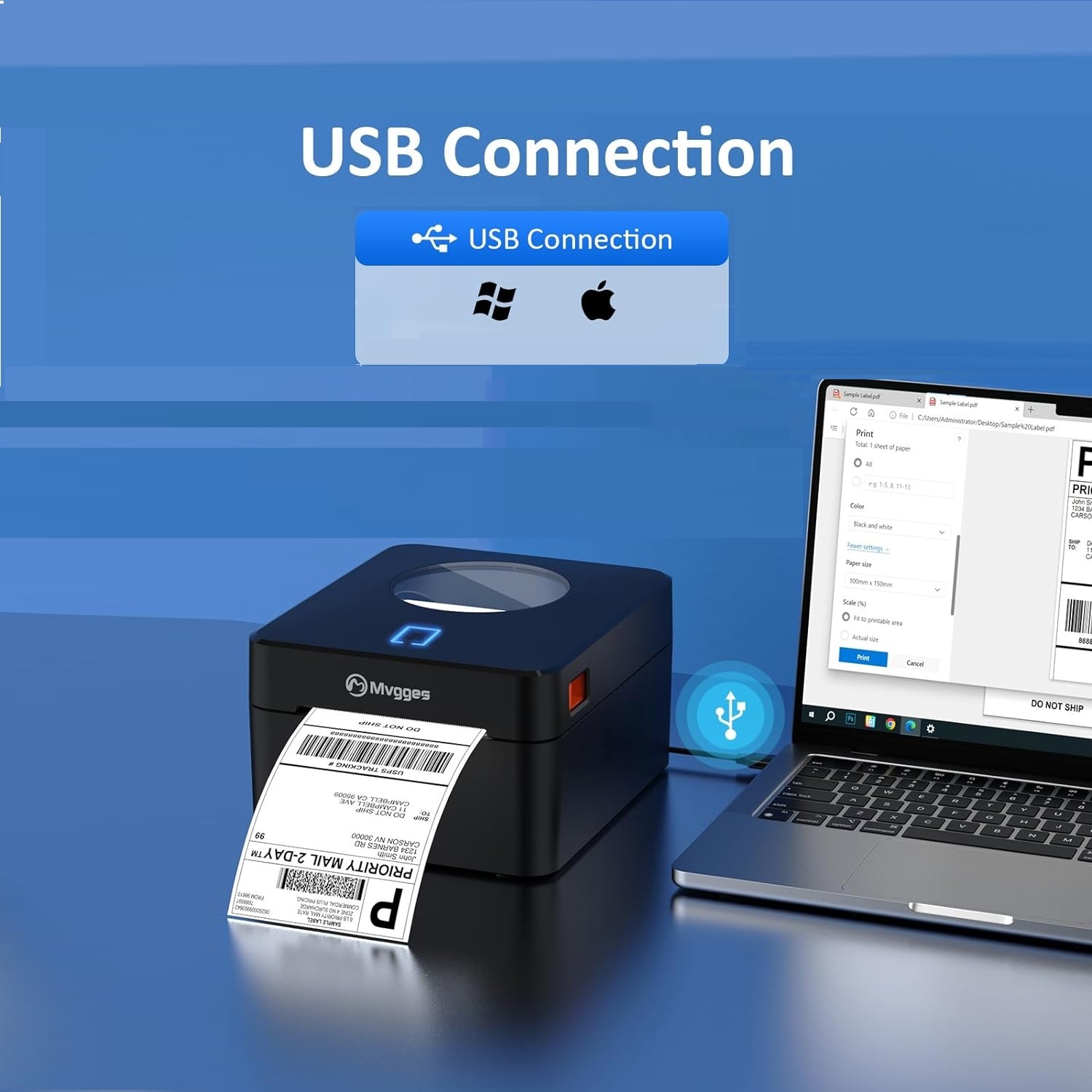
【USB Thermal Label Printer】
- With USB connectivity options, this label printer allows you to easily connect and print from your computer.
【High-Quality Thermal Printing】
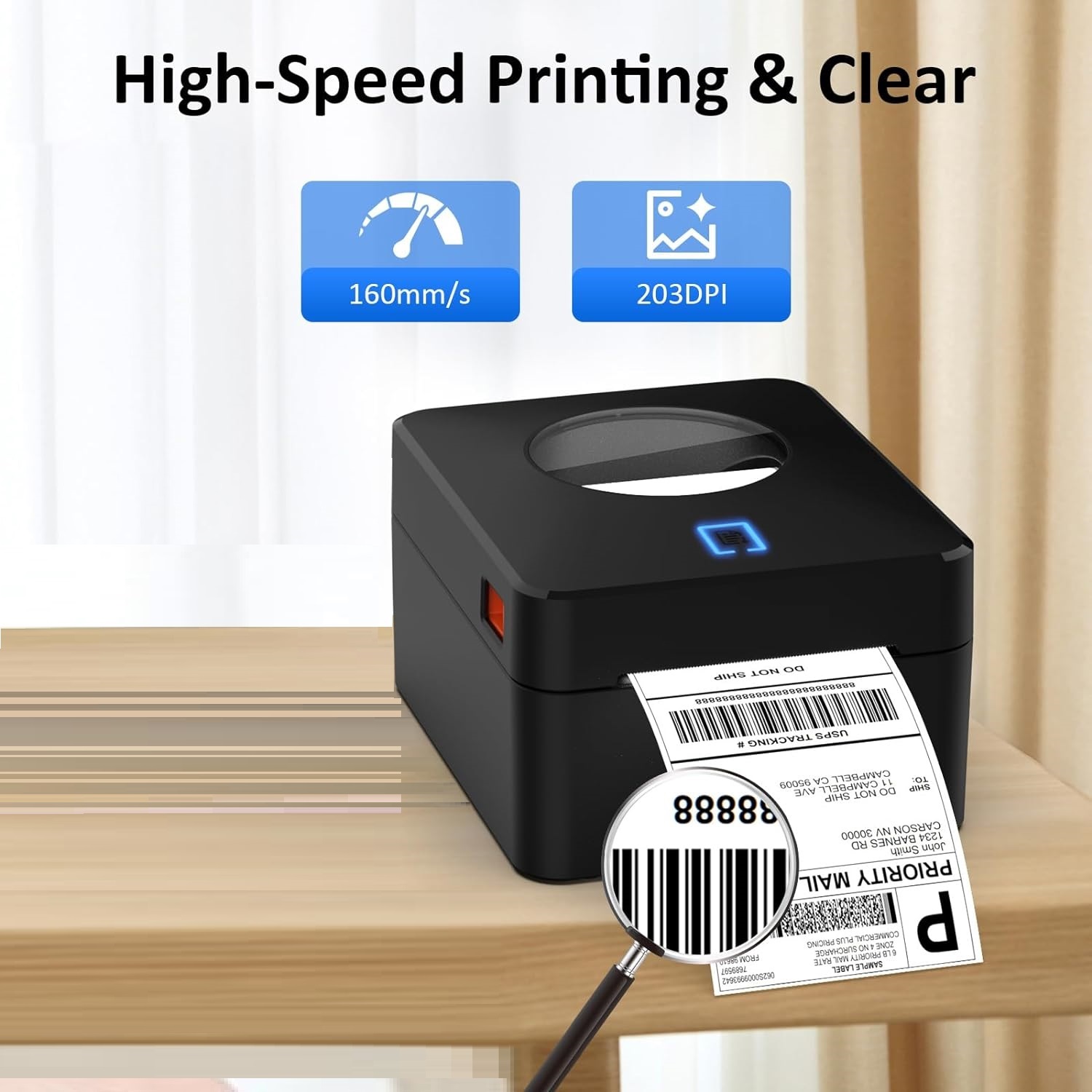
- Thermal printer features 203 DPI resolution for clear and professional label printing that is perfect for shipping labels, inventory management, and more.
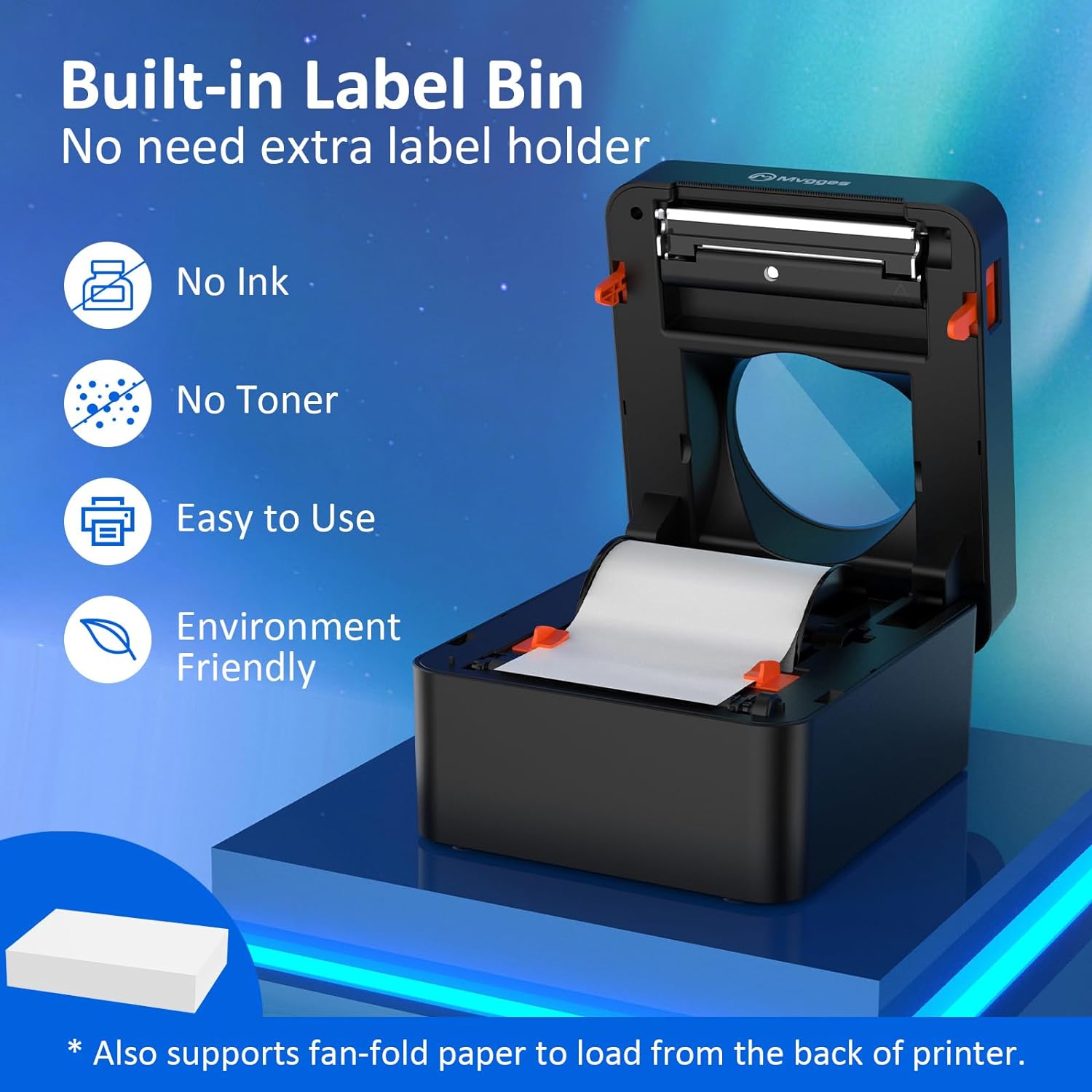
- No ink or toner, to save your money and eliminate the hassle of replacing cartridges. It's perfect label printer for small business expert zone
【Fast and Efficient Printing for Small Business】
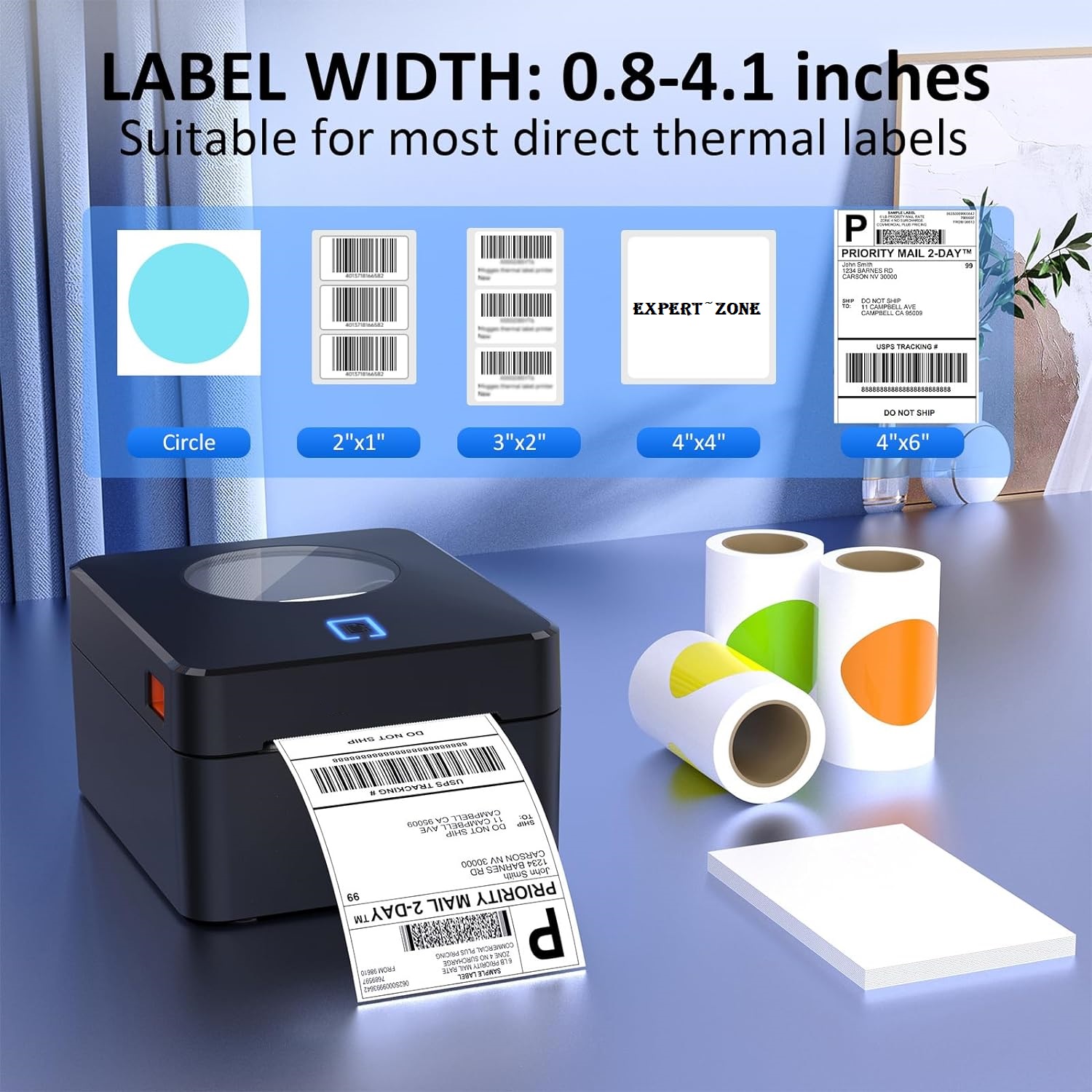
- Label printer with a printing speed of up to 160mm/s and support the width of 20-104mm thermal labels, making it suitable for various labeling tasks.
- Save time and increase productivity with our speedy printing capabilities.
【Flexible Between Fanfold & Roll Papers】
- Equipped with a built-in paper bin that supports both roll label and fold label, allowing you to choose the most convenient option for your labeling needs.
- This thermal label printer is compatible with all major sales platforms including USPS, UPS, Esty, eBay, Shopify, PayPal, and etc.
- Ideal for your online small business for shipping packages or product labels.
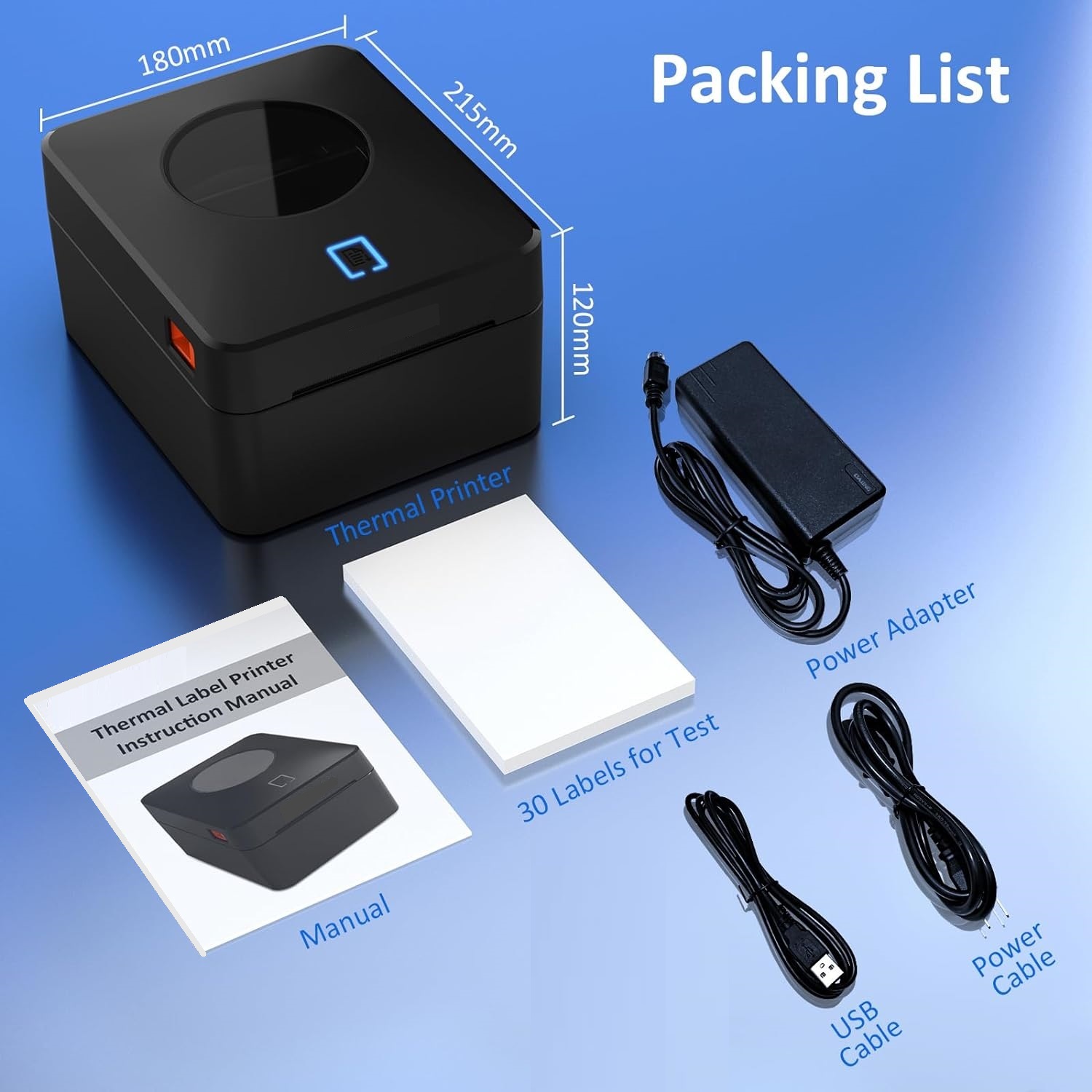
The package includes
- 4x6 label printer expert zone
- a USB drive with printer drivers and user manual.
- You'll have everything you need to get started, including 30 test labels.)